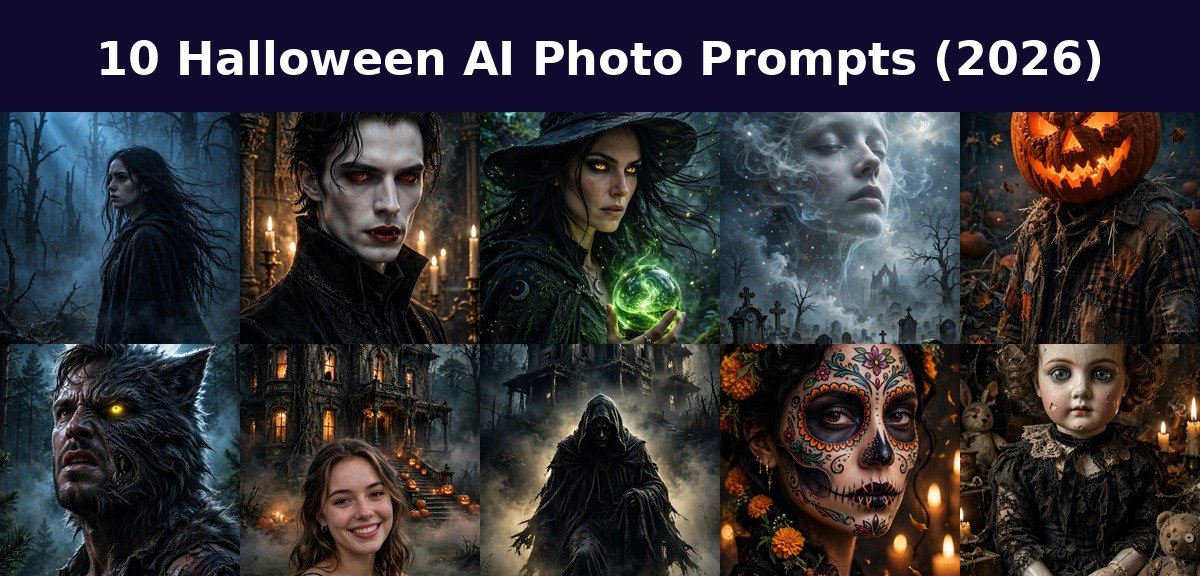
Intro
Halloween is the one night you can be anyone, or anything. With AI photo editing, your costume is just one upload away.
Below are 10 copy-paste Halloween AI photo prompts, each paired with a real example image. Upload your photo, paste a prompt, and watch yourself turn spooky.
How to Use These Halloween AI Photo Prompts
Turning your photo into a Halloween masterpiece takes less than a minute. Follow these steps:
- Open ChatGPT in your browser or app and start a new chat. Gemini works great too.
- Upload a clear photo of yourself. A well lit, front facing photo with a simple background gives the cleanest transformation. This is the same trick behind our most shared photo editing prompts: the better your input photo, the scarier the output.
- Copy a prompt from below and paste it along with your uploaded photo.
- Review the result. If your face changed too much, reply with “keep my facial features exactly the same, change only the scene and style” and regenerate.
- Download and share. These portraits are perfect for Instagram posts, WhatsApp DPs, and Halloween party invites.
Pro tip: The identity lock phrase (“keep my facial features exactly the same”) is the most important line in every prompt. Without it, the AI sometimes gets too creative and you come back looking like a stranger in a costume.
Here are my 10 favorite Halloween AI photo prompts. Each one includes the exact copy-paste text and a real example so you know precisely what to expect.
Prompt 1: Spooky Cinematic Fog Portrait
The classic haunted forest look that never goes out of style.
Transform THIS uploaded photo of me into a spooky cinematic fog portrait. Keep my facial features exactly the same, do not change who I am. Place me standing in thick nighttime fog in a dark forest, eerie blue moonlight cutting through the mist, dead trees silhouetted behind, pale cinematic skin tones, haunting expression, shallow depth of field.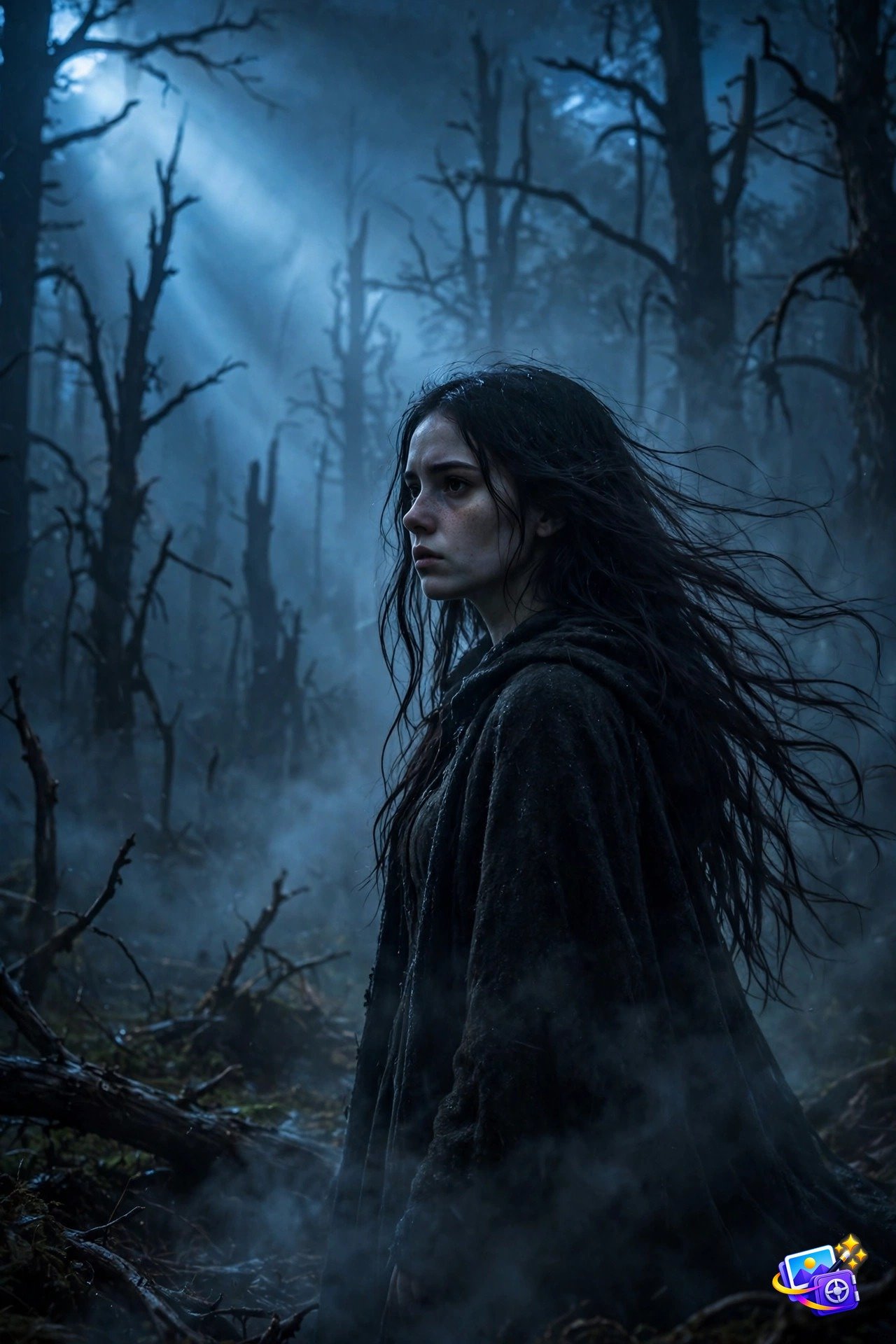
Why it works: Fog is the cheapest special effect in horror. Naming the light (“eerie blue moonlight”) plus “dead trees silhouetted” gives the AI a complete spooky recipe, and the shallow depth of field keeps your face razor sharp while the forest melts into mist.
Modify it: Swap “blue moonlight” for “blood red moonlight” for a more sinister mood, or add “crows on bare branches” for extra dread.
Prompt 2: Vampire Transformation
Go full gothic royalty with this elegant vampire look.
Transform THIS uploaded photo of me into an elegant vampire portrait. Keep my facial features exactly the same, do not change who I am. Pale flawless skin, sharp defined cheekbones, dark red lips, subtle fangs, piercing deep red eyes, black high-collared coat, gothic castle interior with candlelight glowing behind, cinematic dark fantasy photography.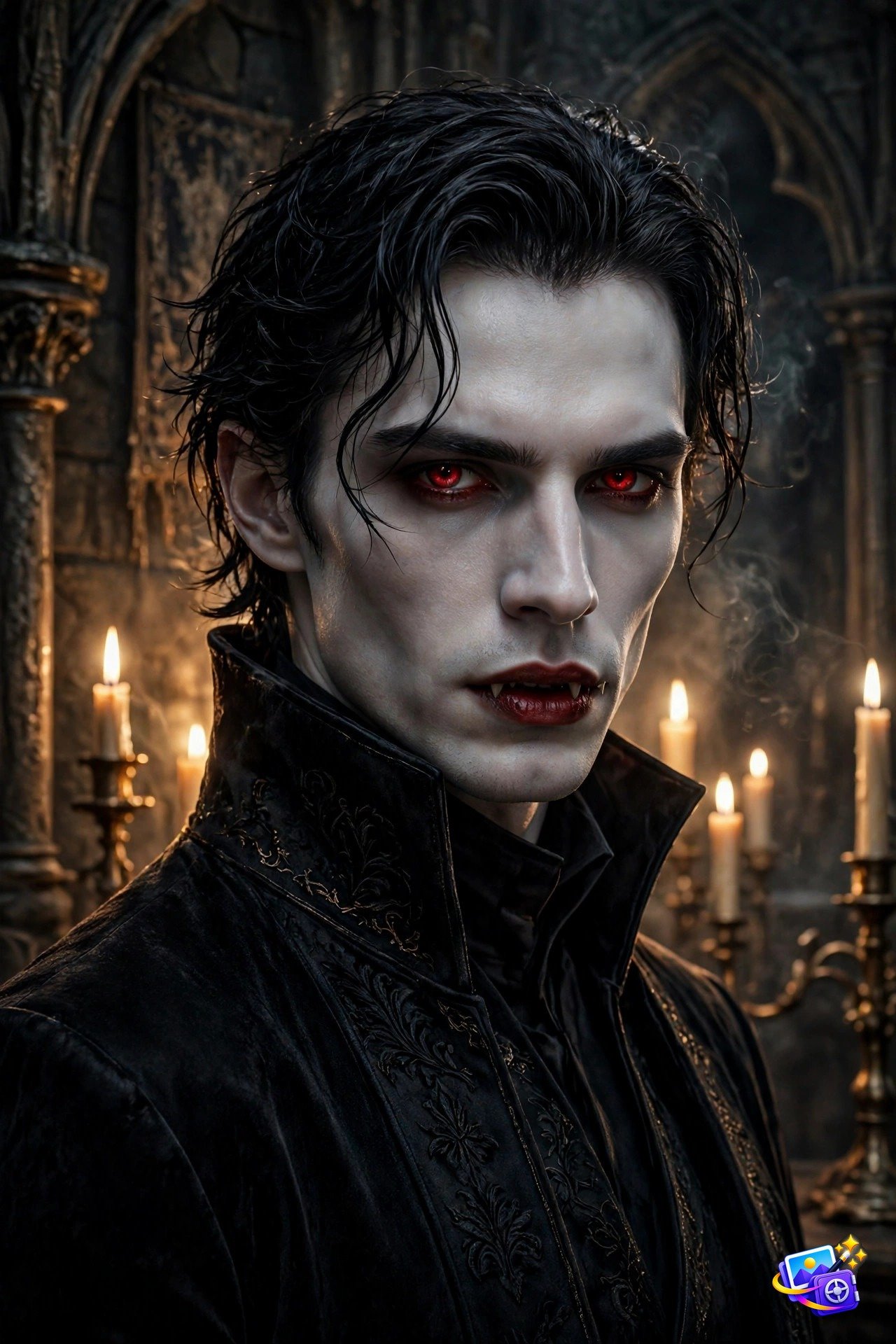
Why it works: Vampire prompts work because they are specific about the face. “Subtle fangs” and “piercing deep red eyes” are the two details that sell the transformation, while the candlelit castle keeps the whole portrait dripping with gothic atmosphere.
Modify it: Try “Victorian vampire ballroom” for a party scene, or “midnight cemetery” for a wilder outdoor version.
Prompt 3: Witch With Glowing Eyes
Channel your inner sorceress with glowing eyes and real magic.
Transform THIS uploaded photo of me into a powerful witch portrait. Keep my facial features exactly the same, do not change who I am. Glowing amber eyes, long dark hair flowing in the wind, dark pointed witch hat, holding a glowing green potion orb, enchanted forest at night with floating sparks, cinematic fantasy photography.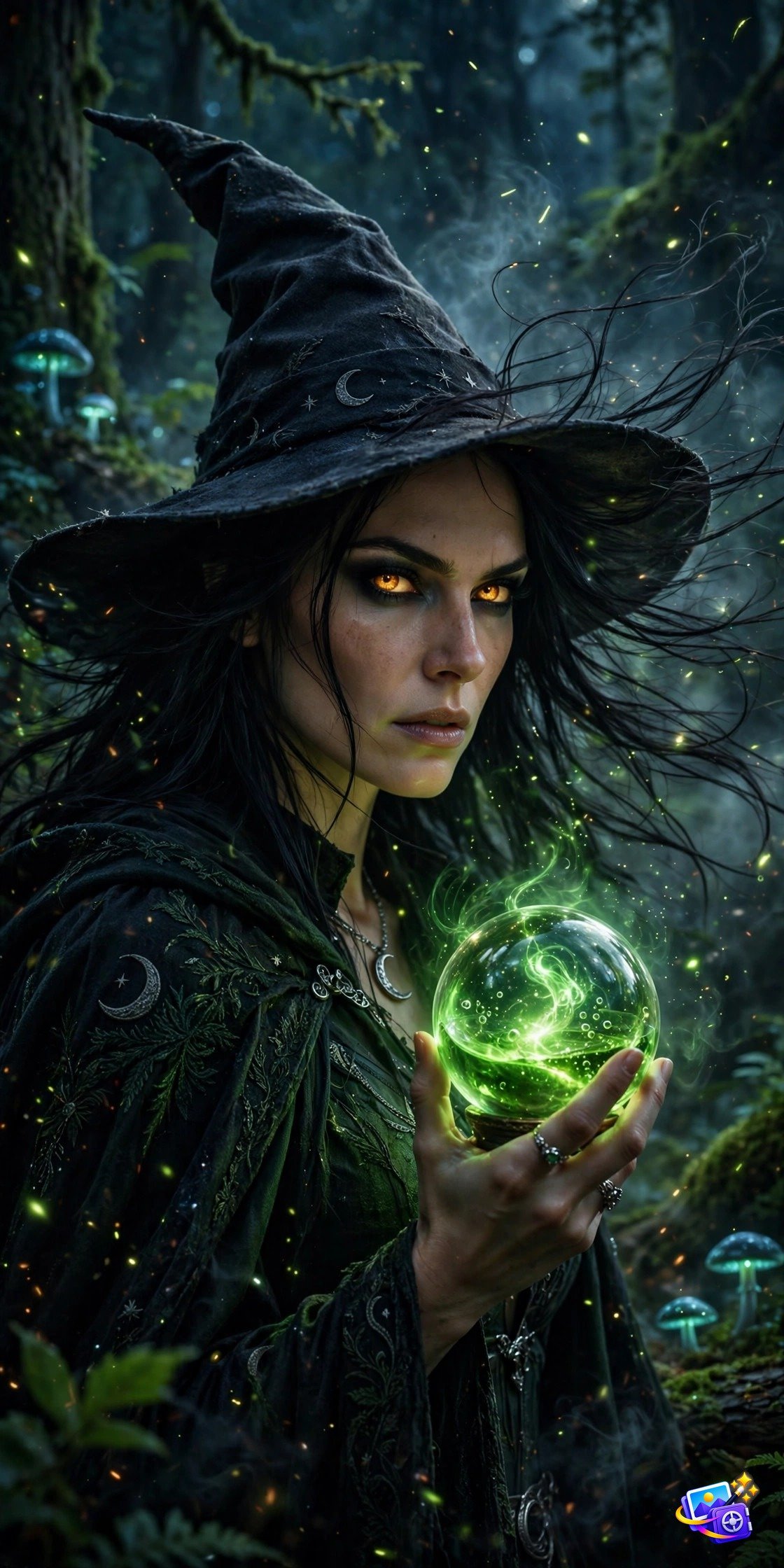
Why it works: The glowing eyes are the money detail here. “Amber” picks a warm magical color that reads instantly as supernatural, and the “glowing green potion orb” gives your hands something to do so the portrait feels like a real spell in progress.
Modify it: Change “green potion orb” to “purple crystal ball” for a fortune teller twist, or add “black cat on my shoulder” for the full witch aesthetic.
Prompt 4: Ghostly Double Exposure Apparition
Become the ghost haunting your own photo.
Transform THIS uploaded photo of me into a ghostly double exposure apparition. Keep my facial features exactly the same, do not change who I am. My translucent face blending into a misty moonlit graveyard scene, ethereal white glow, wispy smoke textures, floating particles, haunting dreamlike atmosphere, fine art photography.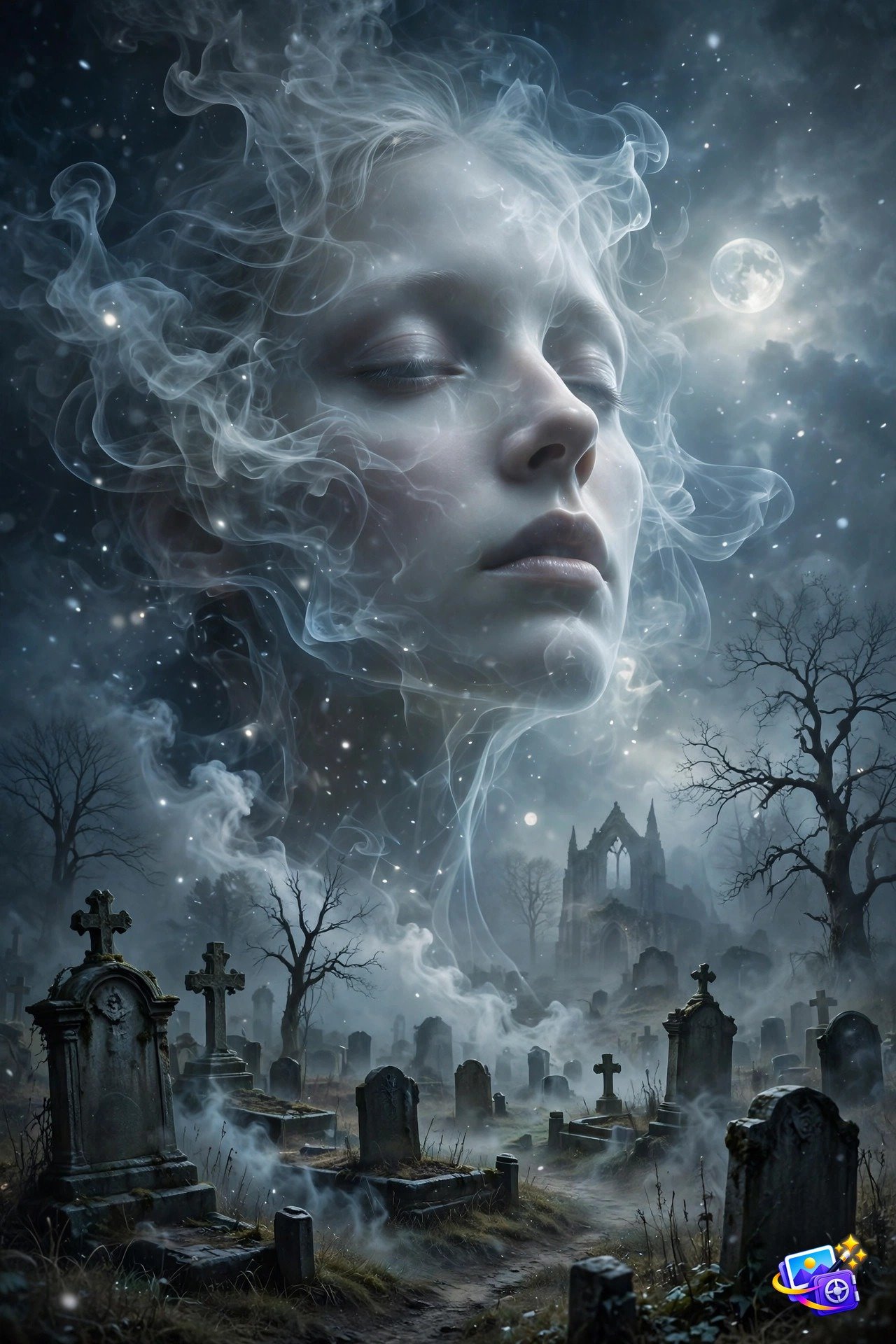
Why it works: Double exposure is one of the most shared Halloween effects on social media. The key word is “translucent”. It tells the AI to make you see-through like a real apparition instead of a solid person standing in a graveyard.
Modify it: Try “blending into a foggy Victorian street” for a different haunting, or “old photograph texture” for a vintage ghost look.
Prompt 5: Pumpkin Head Portrait
The viral jack-o-lantern head trend, done right.
Transform THIS uploaded photo of me into a pumpkin head portrait. Keep my body, clothing and pose exactly the same, do not change anything below the neck. Replace my head with a giant carved glowing jack-o-lantern pumpkin, warm orange light spilling from the carved face, scarecrow-style patched coat, standing in a dark pumpkin patch at night, autumn leaves drifting, cinematic spooky photography.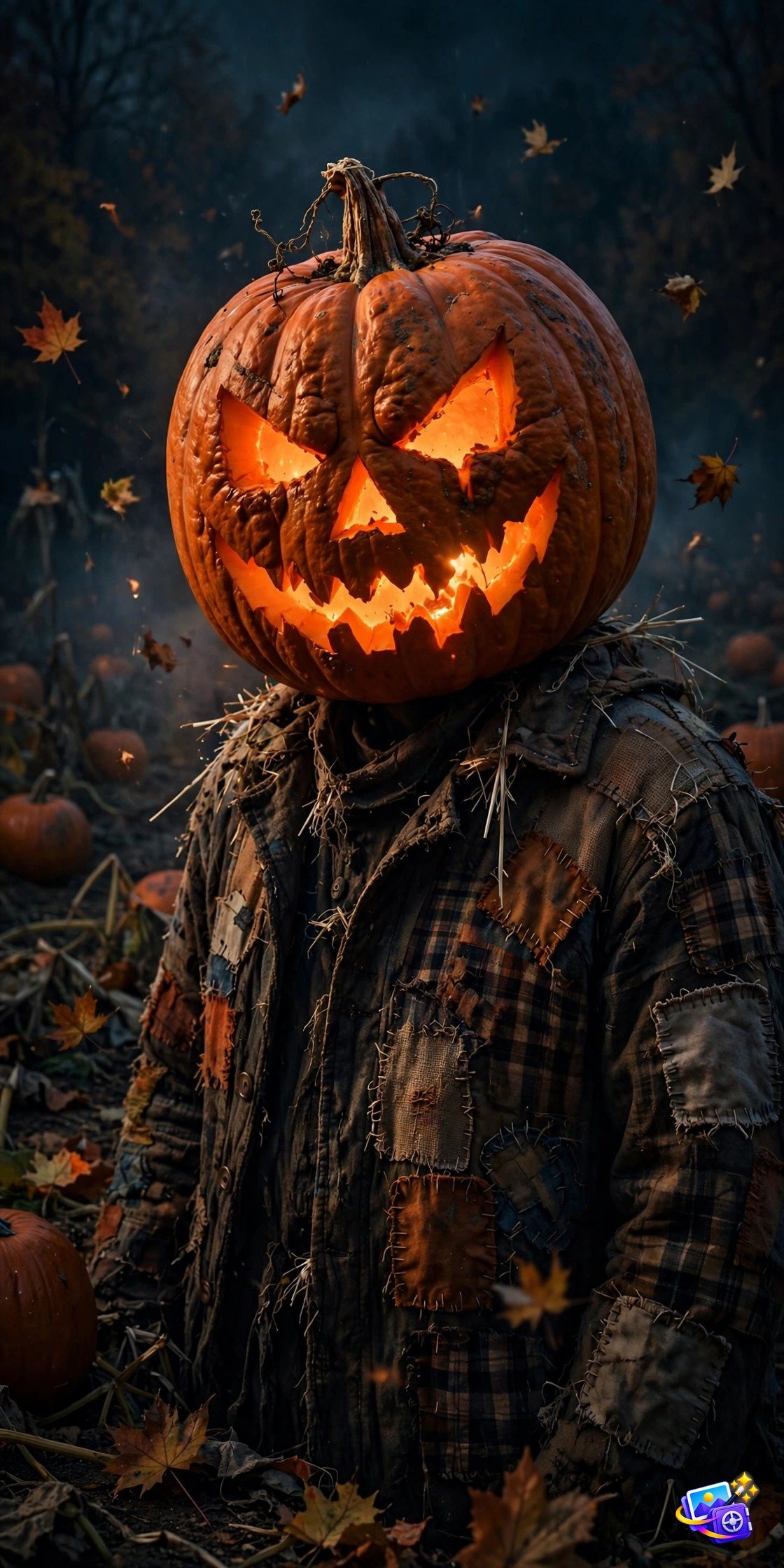
Why it works: Pumpkin head photos go viral every October because they are funny and spooky at once. The trick is “keep everything below the neck”. It preserves your real body and clothes so the giant glowing pumpkin head looks like a real costume, not a cartoon.
Modify it: Carve a “wicked grin” or “spooky cat face” into the pumpkin, or add “string lights” for a cozy harvest vibe.
Prompt 6: Werewolf Under the Full Moon
Unleash the beast with this full moon transformation.
Transform THIS uploaded photo of me into a werewolf mid-transformation under a giant full moon. Keep my facial features exactly the same, do not change who I am. Rugged dark fur spreading across the skin, glowing yellow eyes, torn shirt, dark pine forest, dramatic moonlight rim lighting, cinematic horror movie still.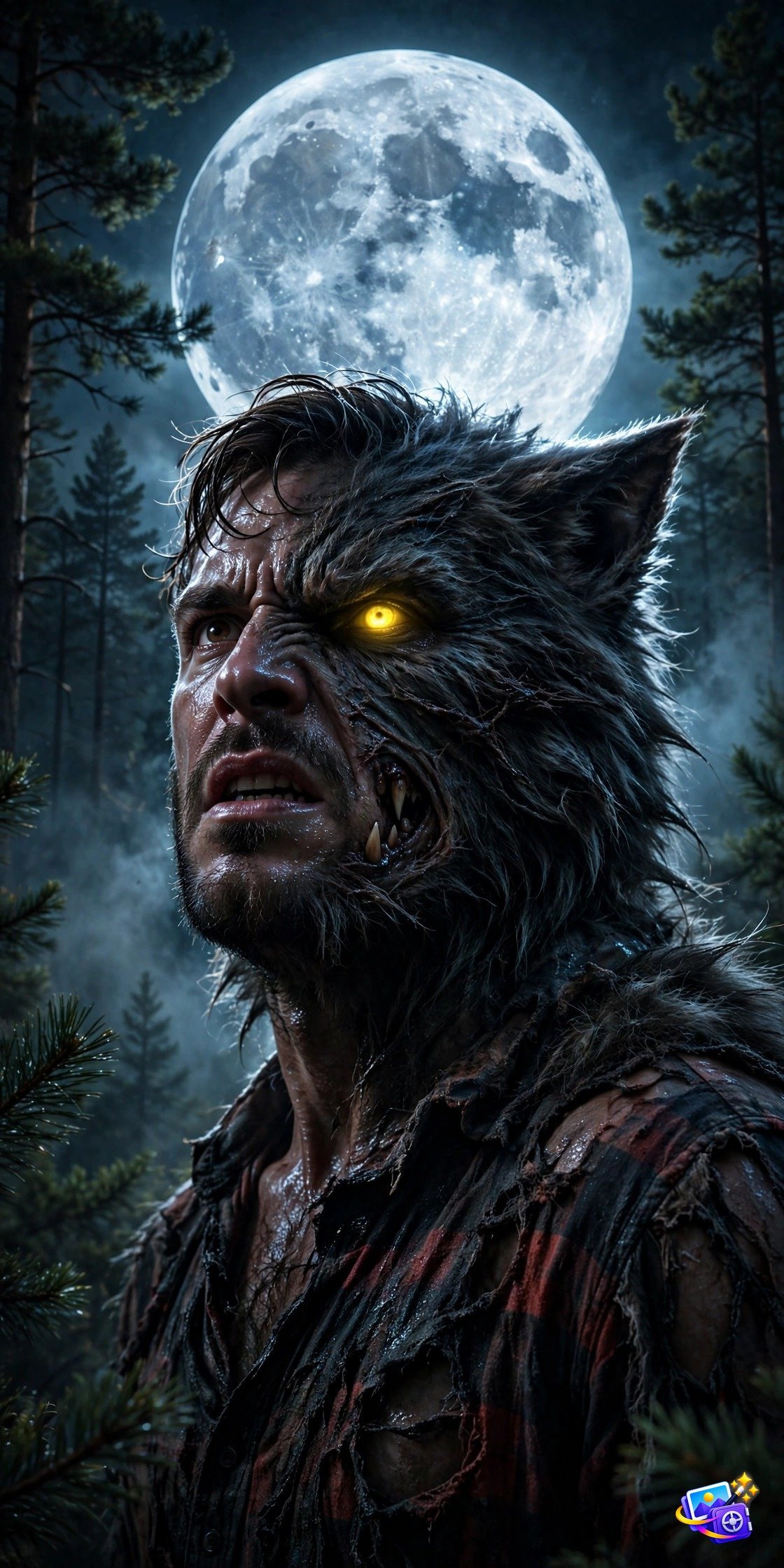
Why it works: Werewolf prompts live or die on the “mid-transformation” detail. A full wolf loses your identity, but mid-transformation keeps your recognizable face with fur and glowing eyes creeping in, which is far spookier and far more shareable.
Modify it: Add “claws raised” for an action pose, or “howling at the moon” for the classic silhouette shot.
Prompt 7: Haunted Mansion Background Swap
Keep your smile, swap the world behind you.
Transform THIS uploaded photo of me with a haunted mansion background swap. Keep my facial features exactly the same, do not change who I am. Keep my pose and clothing unchanged. Replace only the background with a haunted Victorian mansion at night, glowing windows, dead vines on the walls, full moon and bats in the sky, fog rolling over the lawn, jack-o-lanterns on the steps, spooky cinematic photography.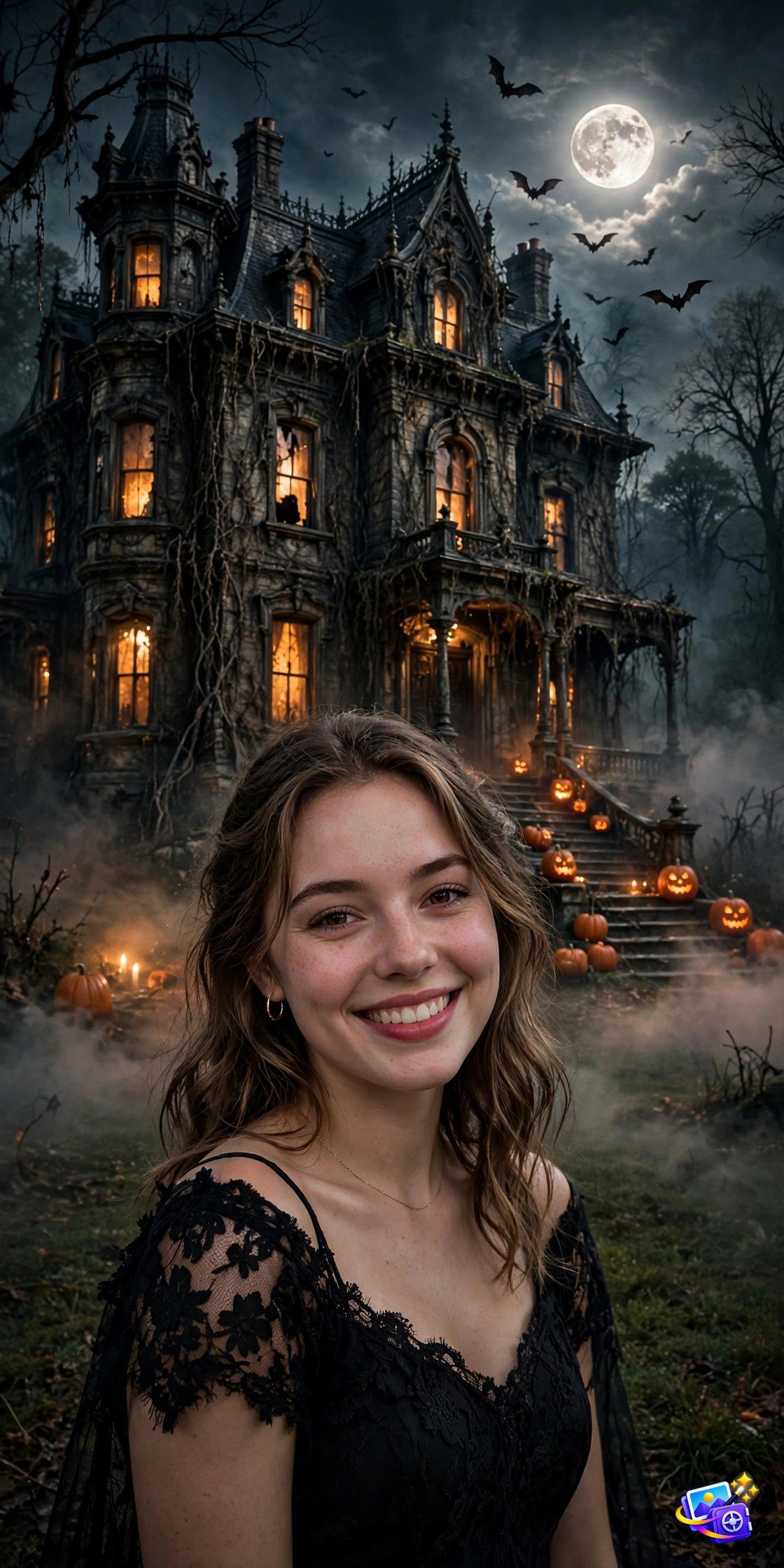
Why it works: Background swaps are the easiest Halloween win because your face stays 100 percent you. The mansion details (“glowing windows”, “dead vines”, “bats”) stack into a rich scene, and keeping your real smile in front of it creates that perfect spooky contrast.
Modify it: Try “abandoned asylum” or “spooky cornfield maze” as the swapped background for variety.
Prompt 8: Horror Movie Poster Style
Star in your own horror blockbuster.
Transform THIS uploaded photo of me into a horror movie poster portrait. Keep my facial features exactly the same, do not change who I am. Dramatic low-angle shot, me emerging from thick fog as a sinister cloaked figure, haunted house looming behind, bold dramatic lighting, deep shadows, grainy cinematic texture, blockbuster horror poster aesthetic, no text.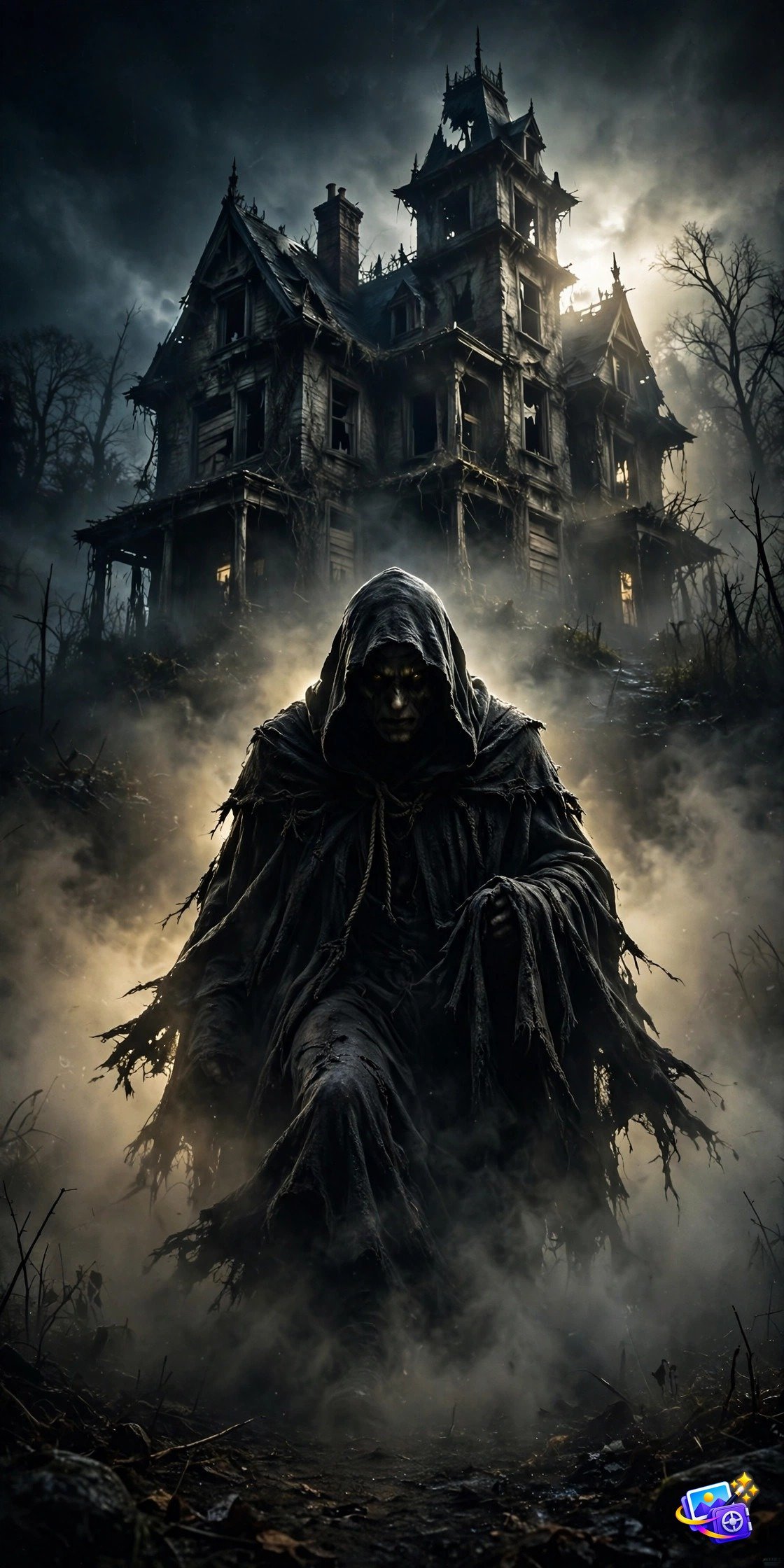
Why it works: Movie poster style works because it borrows Hollywood’s visual language. “Low-angle shot” makes you look powerful and menacing, and “no text” keeps the AI from generating gibberish titles across your poster.
Modify it: Add “lightning splitting the sky” for extra drama, or “crowd of zombies behind” for an apocalypse poster.
Prompt 9: Day of the Dead Sugar Skull
Celebrate with vibrant, festive skull art.
Transform THIS uploaded photo of me with Day of the Dead sugar skull face makeup. Keep my facial features exactly the same, do not change who I am. Intricate colorful floral patterns painted around the eyes, detailed skull nose and stitched mouth design, marigold flowers woven into the hair, dark background with floating marigold petals and candlelight glow, vibrant festive gothic photography.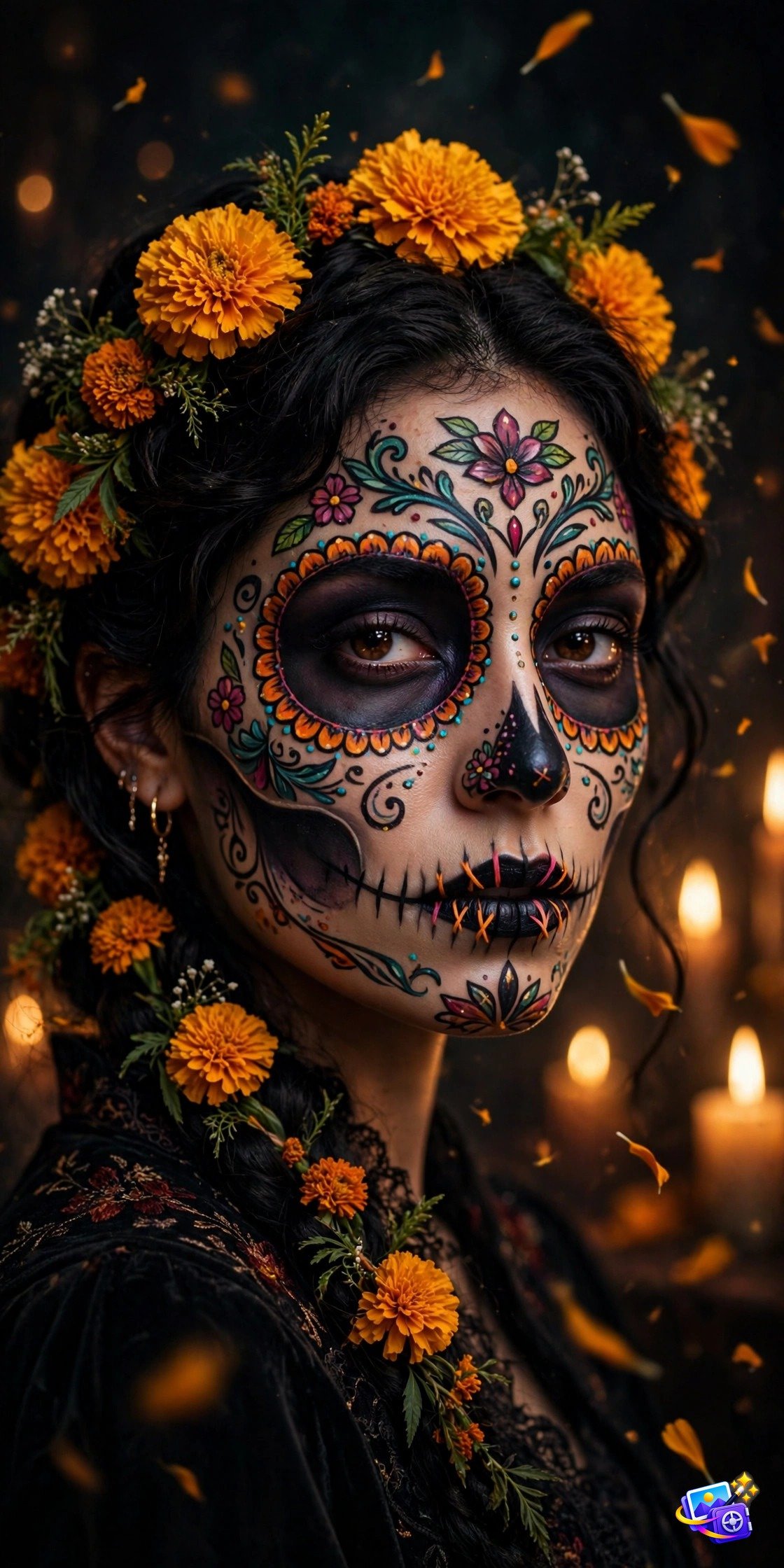
Why it works: Sugar skull makeup is one of the most searched Halloween looks every year. The prompt works because it names real calavera elements (“stitched mouth”, “marigold flowers”) that the AI knows well, so the makeup lands intricate instead of messy.
Modify it: Try “blue and silver color scheme” for a cooler palette, or “half skull, half natural face” for an artistic split look.
Prompt 10: Creepy Haunted Doll
The vintage doll look that gives everyone chills.
Transform THIS uploaded photo of me into a creepy vintage porcelain doll. Keep my facial features exactly the same, do not change who I am. Cracked porcelain skin texture, glassy staring eyes, dark Victorian lace dress, sitting in a dim candlelit attic surrounded by cobwebs and old toys, unsettling horror atmosphere, cinematic photography.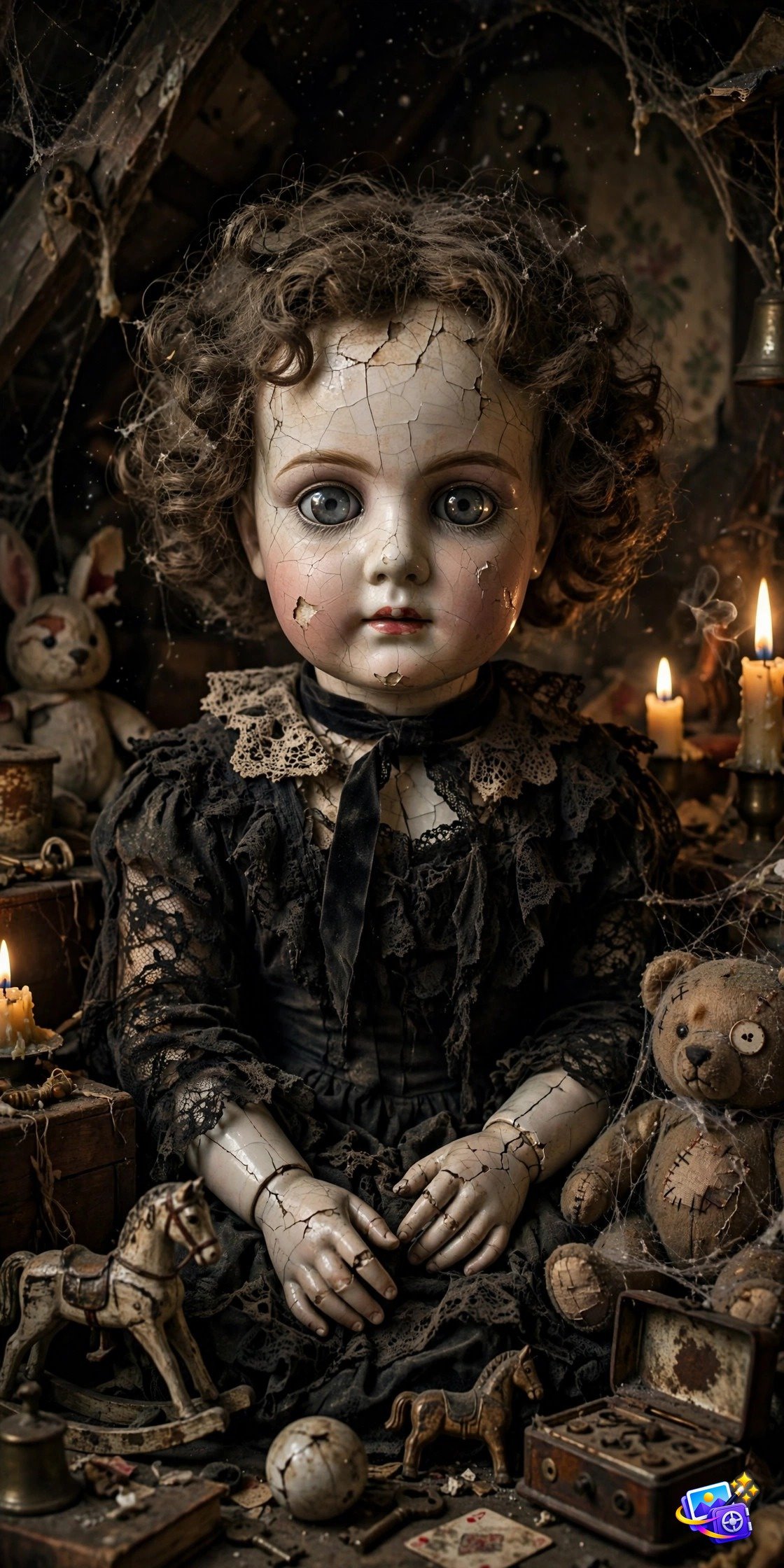
Why it works: Haunted doll portraits are pure uncanny valley, which is why they stop thumbs mid-scroll. “Cracked porcelain skin” is the detail that sells it. Smooth doll skin looks cute, but cracks make it haunted.
Modify it: Add “one cracked glass eye” for extra creep factor, or “abandoned nursery” as the setting for a darker scene.
Pro Tips for Spooky Perfect Halloween Photos
A few insider tricks separate the viral Halloween photos from the forgettable ones. First, start with a well lit input photo. AI works magic on shadows and fog, but it cannot invent facial detail that was lost in a dark blurry selfie. Second, generate two or three styles and pick the strongest. The fog portrait and the vampire look flatter almost everyone, while the doll and werewolf styles are bolder picks for maximum reactions. Third, keep the identity lock phrase in every regeneration. It is the single line that protects your real face through every transformation.
Timing matters too. Halloween’s spooky traditions go back over 2,000 years to the Celtic festival of Samhain, and modern search interest spikes every year on October 28 and 29. Post your creations in those two days for maximum views and shares. And if your pet wants in on the fun, our pet AI photo prompts turn furry friends into Halloween stars too.
FAQ
Are these Halloween AI photo prompts free to use?
Yes. All 10 prompts are free to copy and use with any AI image editor like ChatGPT or Gemini. You only need the app itself, nothing else.
Will the AI keep my real face?
Yes, as long as you include the identity lock phrase “keep my facial features exactly the same.” If a result drifts, regenerate with that line emphasized.
Which app works best for these prompts?
ChatGPT’s image editing gives the most consistent face preservation, but Gemini handles these spooky styles well too. Both are free to try.
Can I use these for Halloween party invitations?
Absolutely. The horror movie poster and haunted mansion styles are perfect for invitations, and the images come out high resolution enough to print.
When should I post my Halloween photos?
Post on October 28 or 29, when Halloween searches and social sharing spike every year. That is when your spooky photos get maximum views.
More About These Halloween AI Photo Prompts
These halloween ai photo prompts keep your face recognizable while transforming everything around it. Each of these halloween ai photo prompts takes less than a minute to apply, and all 10 halloween ai photo prompts are free to copy and paste.
If you’re new to AI photo editing, these halloween ai photo prompts are the easiest place to start: open ChatGPT or Gemini, upload a clear photo of yourself, and paste a prompt — just like the how-to steps above. These halloween ai photo prompts work best when your input photo is well lit.
Once you’ve tried a few halloween ai photo prompts, mix and match the modify-it ideas to create your own variations. Save your favorite halloween ai photo prompts to reuse every October. Still have questions about these halloween ai photo prompts? Try one now and watch your photo turn spooky.
SEO Expert & Contant Writer





4 thoughts on “10 Halloween AI Photo Prompts to Transform Your Photos for Halloween (2026)”