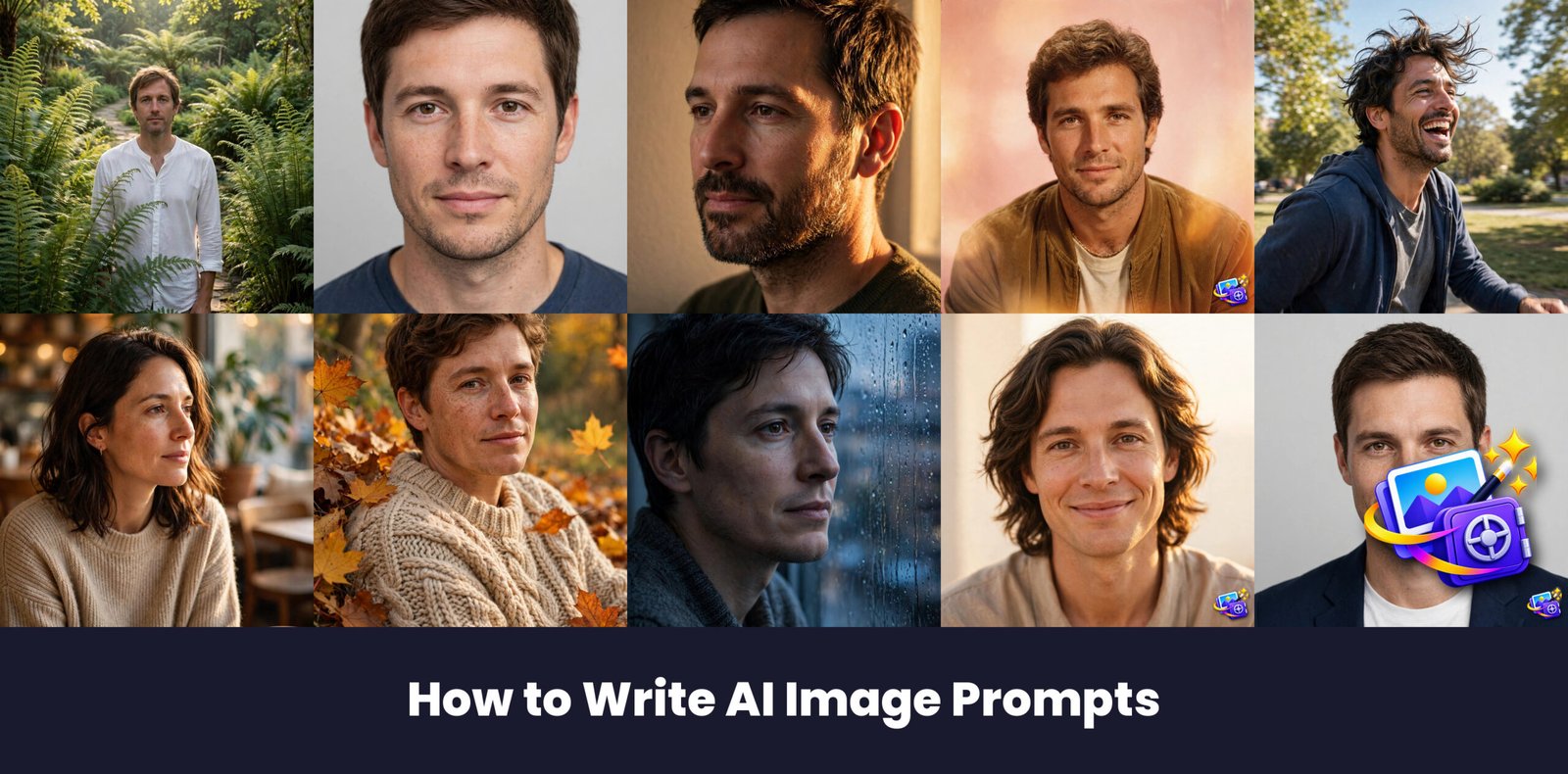
Good AI photos are not luck, they are well written prompts. This guide shows how to write ai image prompts that actually work, with 10 copy-paste examples that demonstrate each rule.
How to Use These Prompts
Learning how to write ai image prompts is easy once you see the pattern. Each example below follows the same structure: identity lock, then scene, then light, then style. Follow these steps to use them.
- Open ChatGPT (or Gemini) on your phone or computer.
- Tap the attachment button and upload your photo.
- Copy one of the prompts below and paste it in the same message.
- Hit send and wait about a minute for your new photo.
Most of these prompts work in both ChatGPT and Gemini. If the result does not look right, re-upload the same photo and try again with the same prompt. Sharp, well-lit photos give the best results every time.
Prompt 1: Be Specific About Subject and Setting
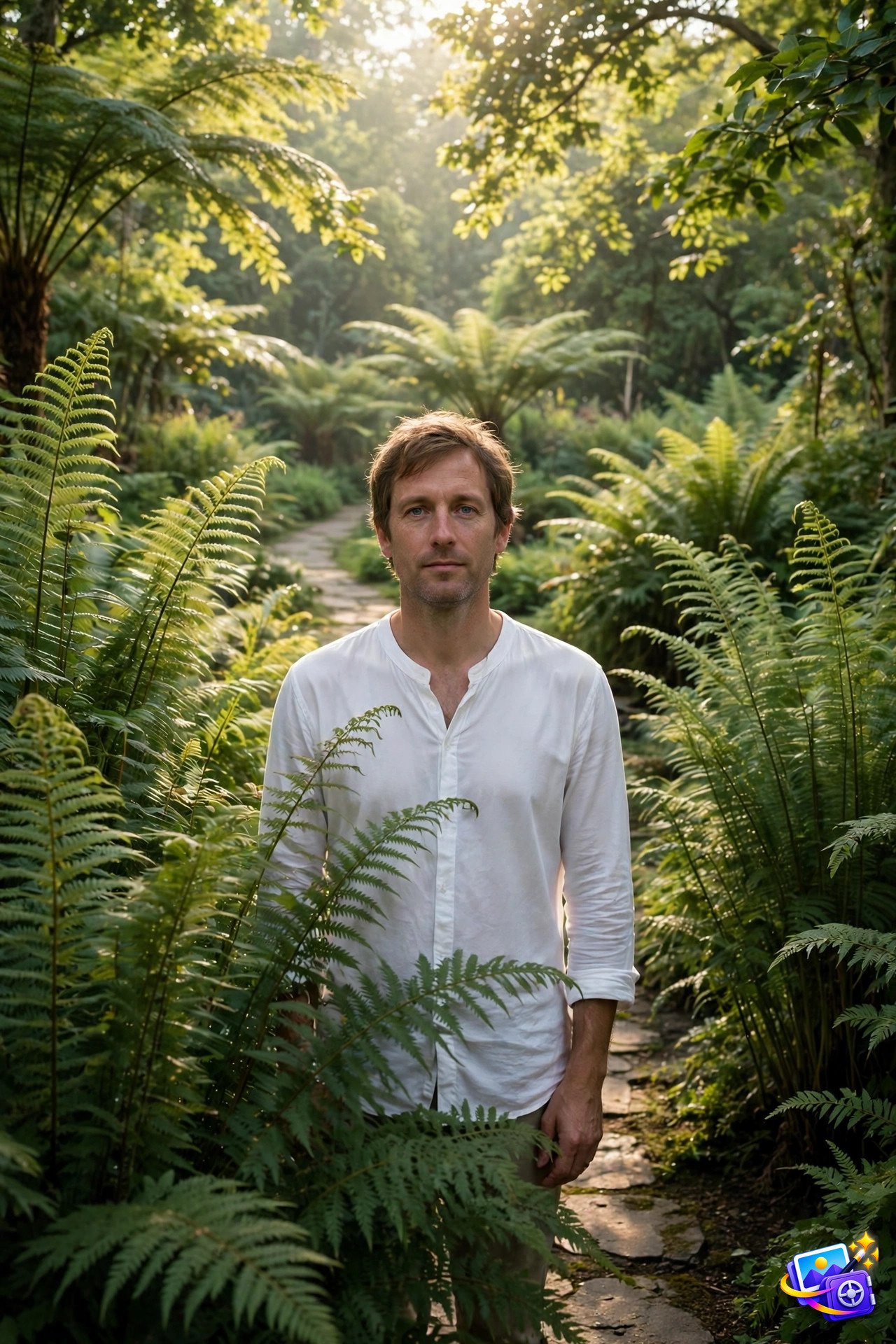
Transform THIS photo into a detailed portrait in a sunlit botanical garden. Keep my facial features exactly the same, do not change my face, eyes, nose or smile. Show me standing on a stone path between tall green ferns, wearing a simple white shirt, with soft morning light filtering through leaves. Natural garden photography quality.
Why it works: Specificity is the first rule of good prompting. Naming the garden, the path, and the light gives the AI a scene to build, instead of forcing it to guess.
Prompt 2: Lock Identity First

Transform THIS photo into a clean studio portrait. Keep my facial features exactly the same, do not change my face, eyes, nose or smile. Use a plain light gray background and soft even lighting, with a calm natural expression. Crisp headshot quality.
Why it works: Putting the identity lock first protects your face before any style is added. If you skip it, the AI may invent a stranger who only vaguely resembles you.
Prompt 3: Describe Light Like a Photographer
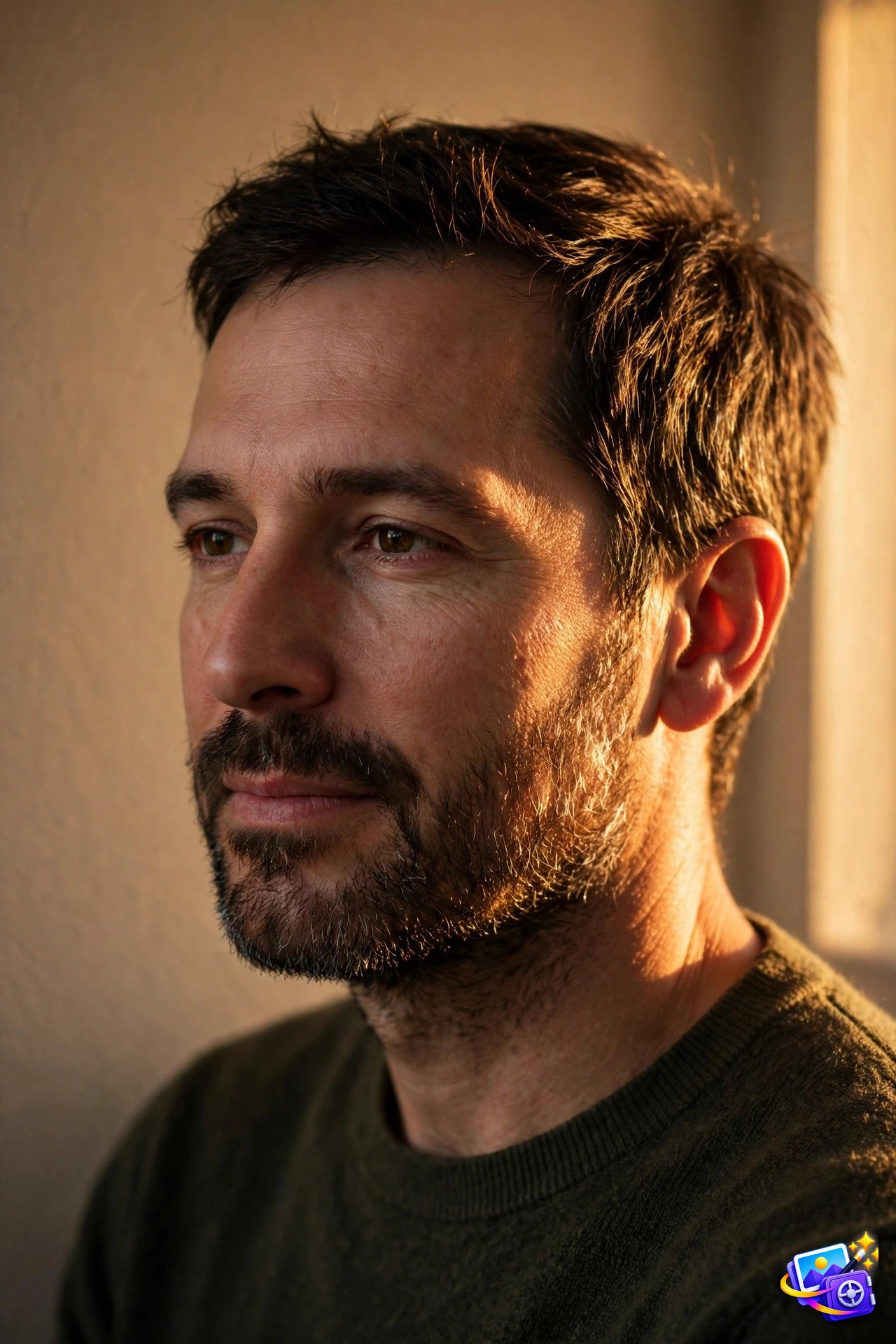
Transform THIS photo into a portrait lit by warm golden window light. Keep my facial features exactly the same, do not change my face, eyes, nose or smile. Let soft side light shape one side of my face, with gentle shadows and a calm expression, against a plain warm wall. Photographic lighting quality.
Why it works: Light words do more work than any other words in a prompt. Golden, soft, side, and warm each change the photo in a visible way, so choose them deliberately.
Prompt 4: Name the Style and Era
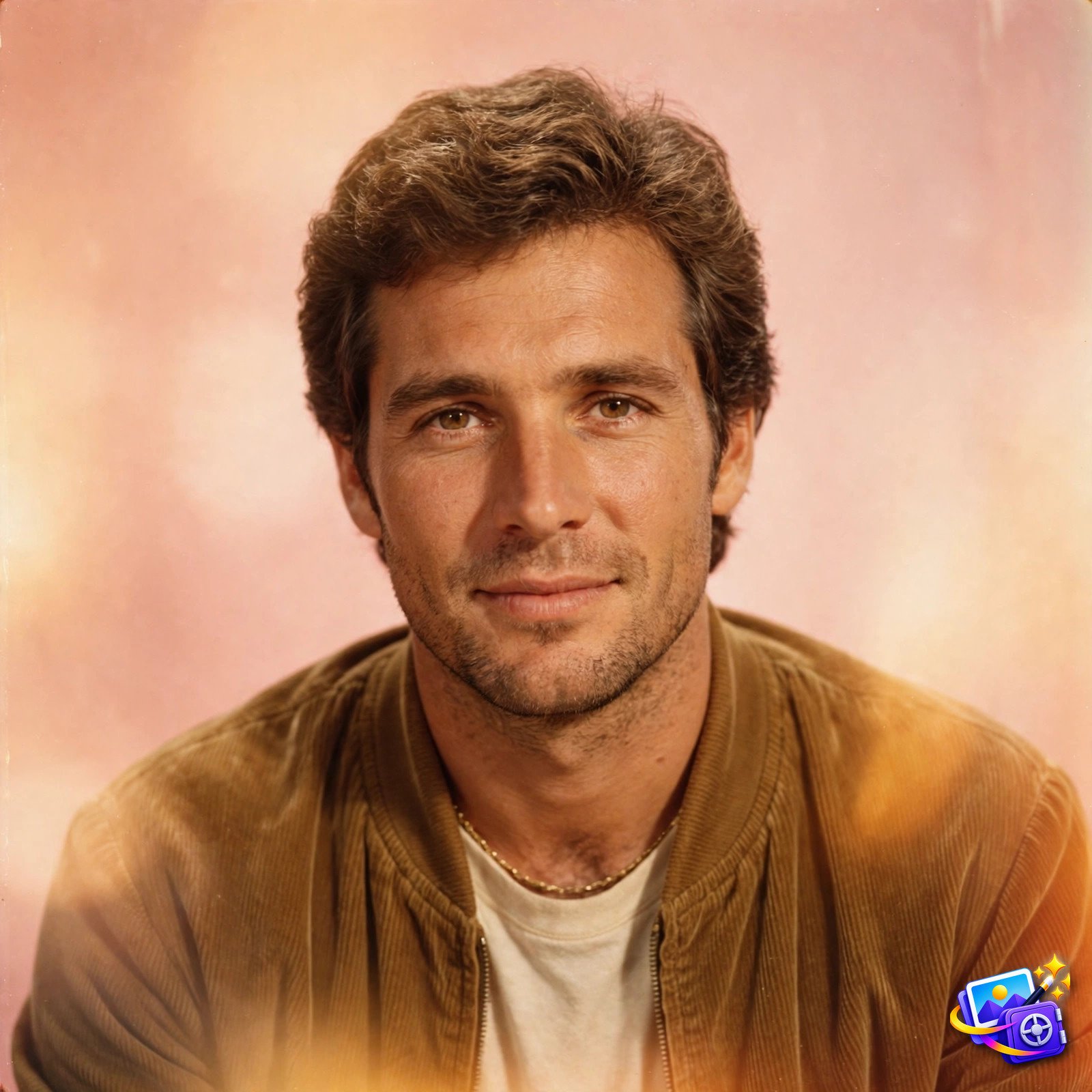
Transform THIS photo into an 80s retro film portrait. Keep my facial features exactly the same, do not change my face, eyes, nose or smile. Use warm Kodak film colors, a soft focus glow, light grain, and a bright retro studio backdrop. Vintage star quality.
Why it works: Naming a style and an era in one phrase locks the whole look at once. Retro film, cyberpunk, and watercolor each carry their own colors and textures, so you do not need to describe them piece by piece.
Prompt 5: Add Emotion and Action
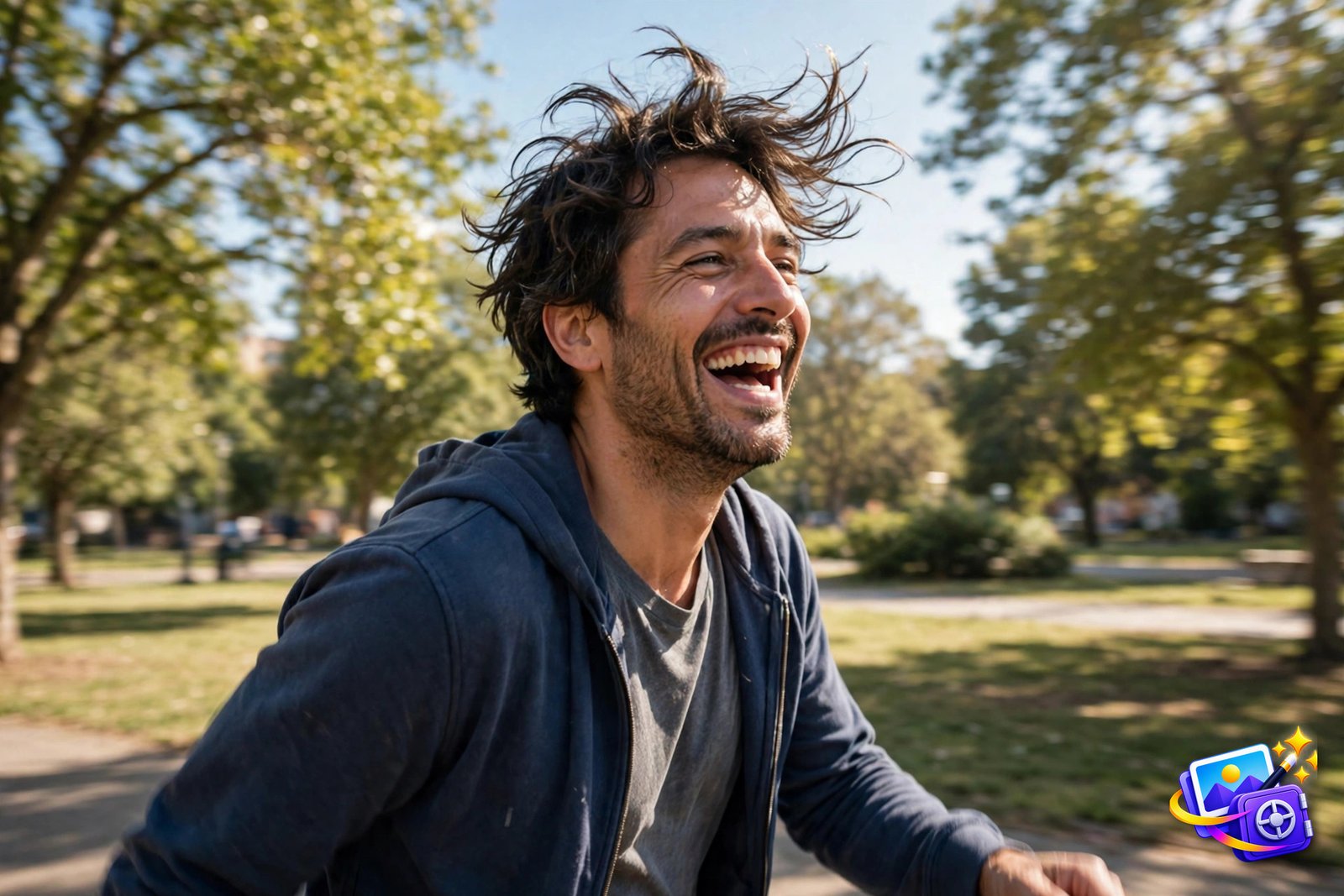
Transform THIS photo into a joyful candid portrait. Keep my facial features exactly the same, do not change my face, eyes, nose or smile. Show me laughing naturally while walking through a sunny park, with motion in my hair and a relaxed stride. Bright candid photography quality.
Why it works: A prompt without emotion produces a stiff photo. One emotion word and one action turn a posed portrait into a moment that feels alive.
Prompt 6: Control Background and Composition
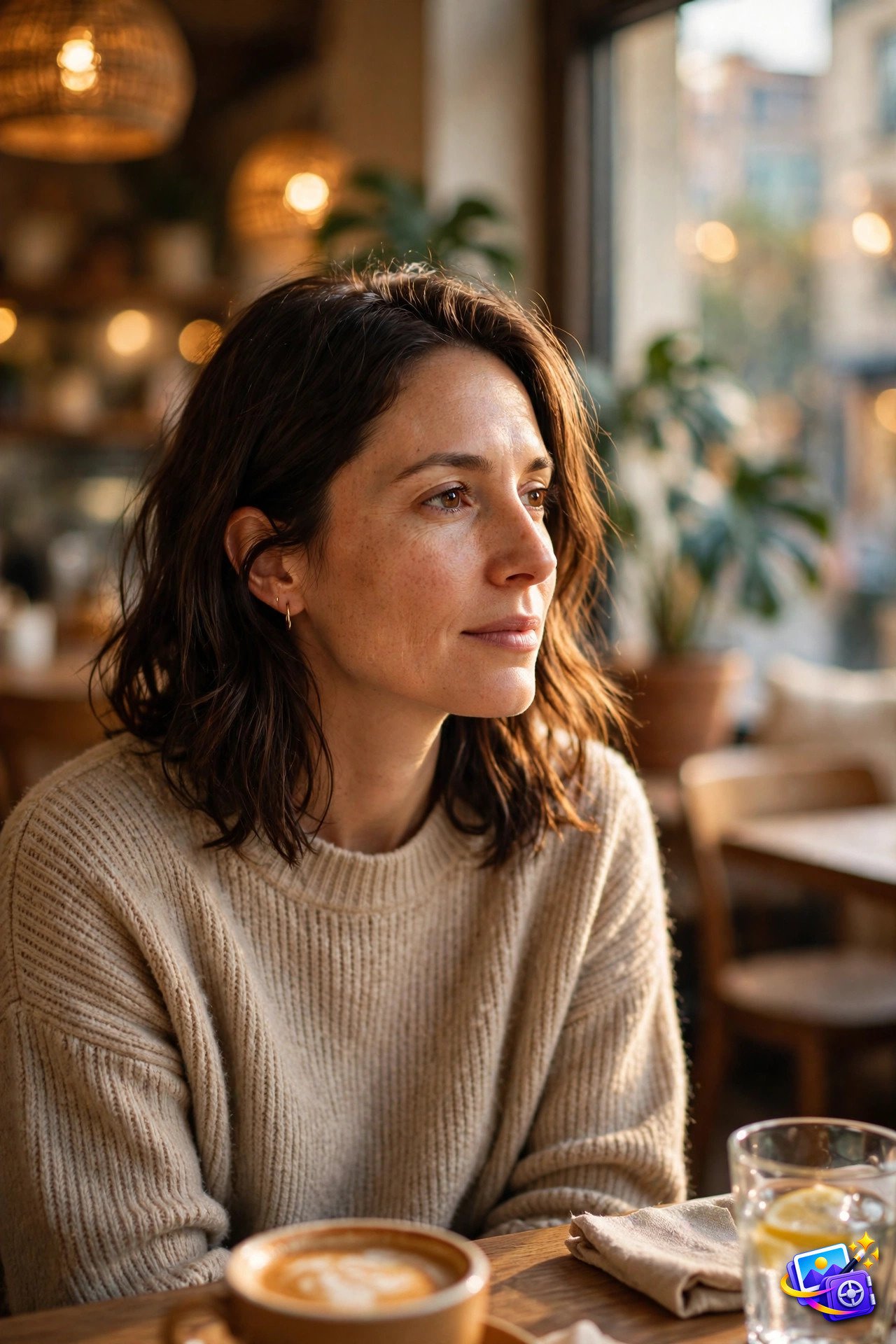
Transform THIS photo into a candid cafe portrait. Keep my facial features exactly the same, do not change my face, eyes, nose or smile. Place me at a window table in a warm cafe, with a softly blurred interior behind me and my face in sharp focus. Warm candid quality.
Why it works: Background words decide where the eye goes. Blurred, plain, and detailed each create a different photo, so always write the background instead of leaving it to chance.
Prompt 7: Use Texture and Detail Words
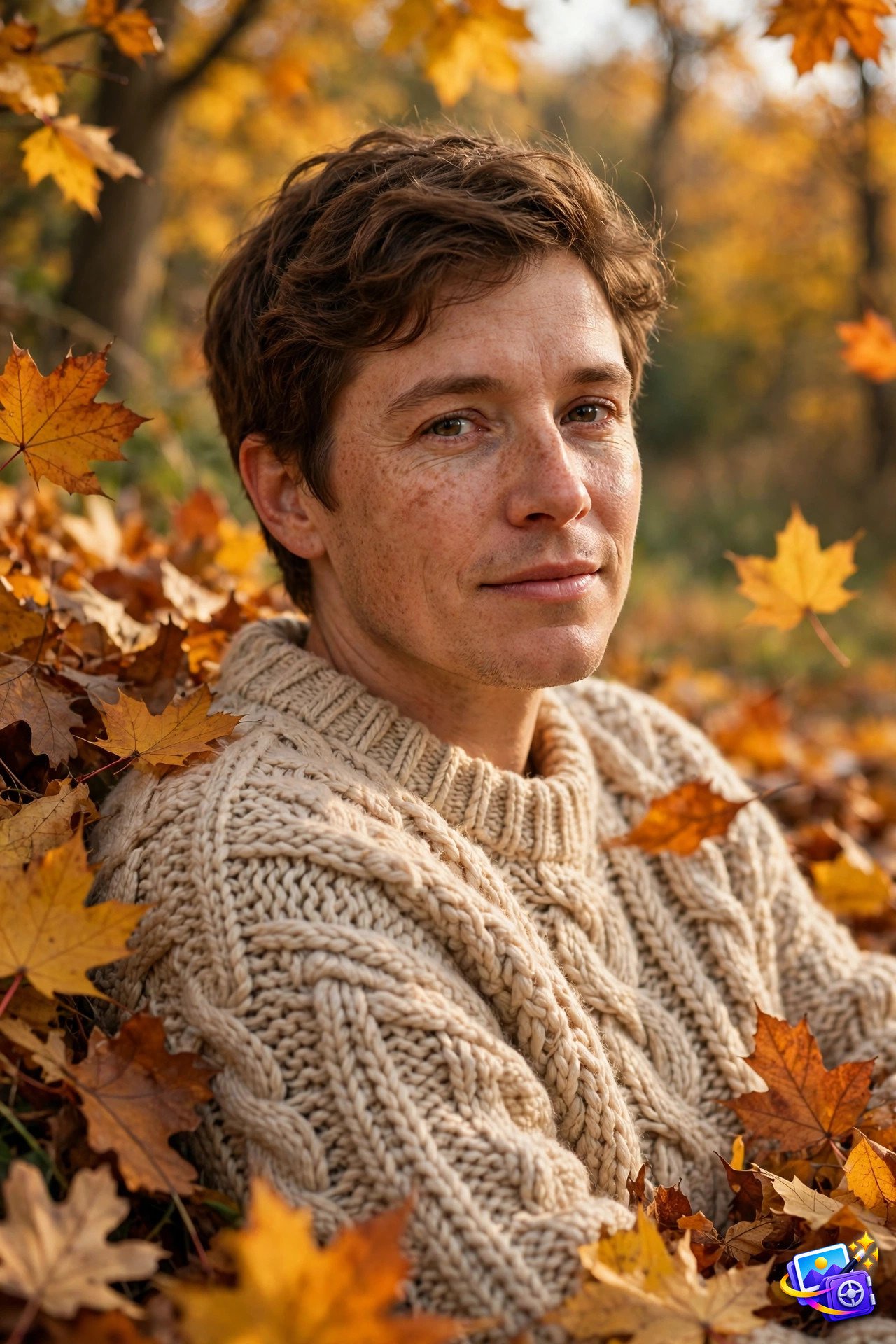
Transform THIS photo into a cozy autumn portrait. Keep my facial features exactly the same, do not change my face, eyes, nose or smile. Dress me in a thick knit sweater with visible texture, standing among crisp autumn leaves, with soft warm daylight. Rich detailed photography quality.
Why it works: Texture words like knit, crisp, and grain tell the AI how surfaces should feel. Without them, clothes and backgrounds can look flat and plastic.
Prompt 8: Keep One Idea Per Prompt
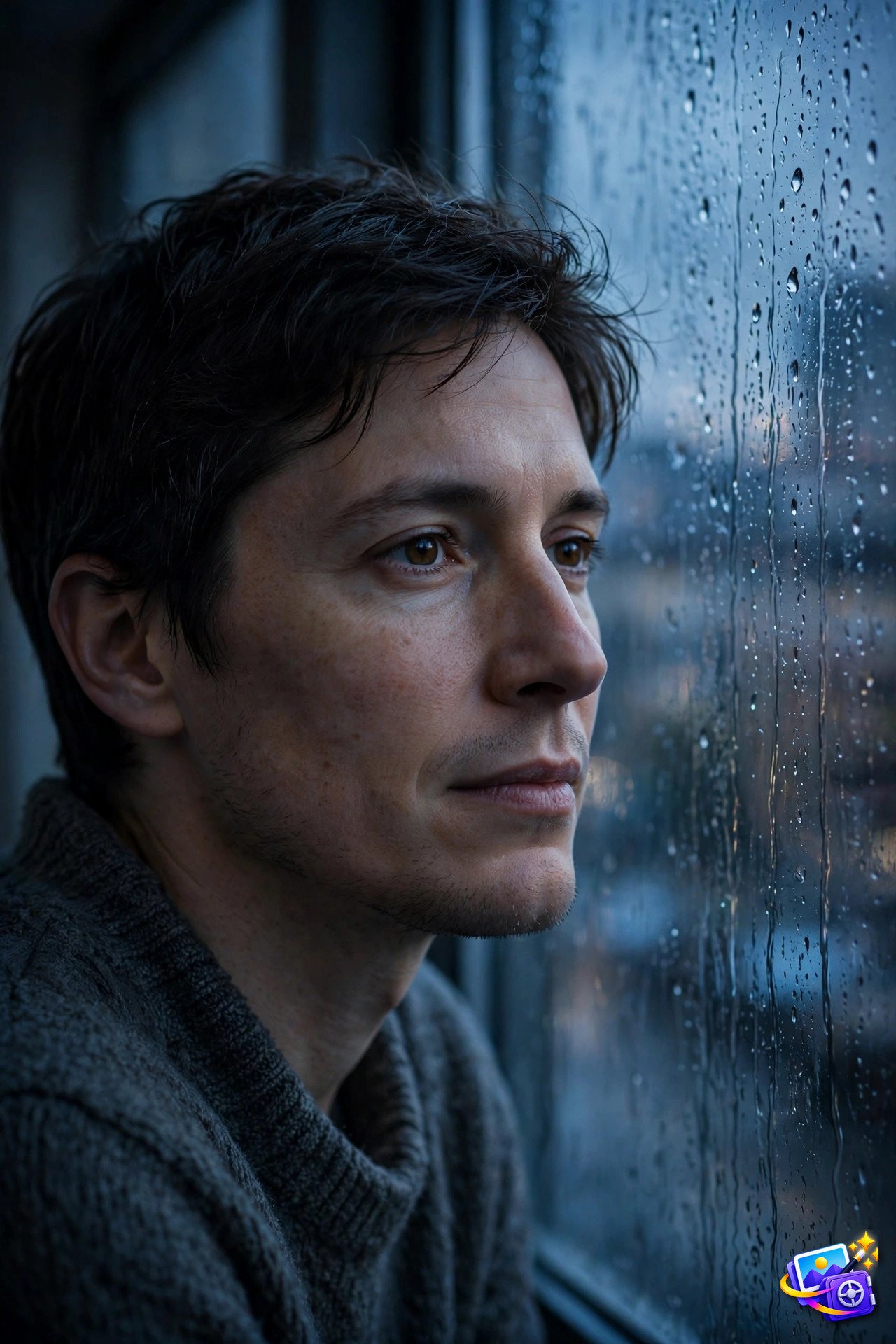
Transform THIS photo into a single theme portrait: a quiet rainy evening. Keep my facial features exactly the same, do not change my face, eyes, nose or smile. Show me by a rain streaked window at dusk, in soft blue evening light, with a calm thoughtful expression. Moody cinematic quality.
Why it works: One idea per prompt beats five ideas in one prompt every time. Mixed themes confuse the AI, while a single clear theme produces a coherent photo.
Prompt 9: Specify Color and Mood

Transform THIS photo into a warm hopeful portrait. Keep my facial features exactly the same, do not change my face, eyes, nose or smile. Use warm amber and soft gold tones, gentle light, and a hopeful relaxed smile, against a simple bright background. Warm uplifting photography quality.
Why it works: Color and mood words set the feeling before any detail is added. Warm and hopeful, or cool and moody, will change the same scene into two completely different photos.
Prompt 10: End With Quality Words

Transform THIS photo into a sharp professional portrait. Keep my facial features exactly the same, do not change my face, eyes, nose or smile. Use clean even lighting, a neutral background, and a confident natural pose. Ultra sharp detail, professional photography quality.
Why it works: Ending with quality words is a simple finishing step. Sharp detail and professional quality push the AI toward a clean finish instead of a soft, unfinished look.
Pro Tips
Start with your sharpest selfie. A clear, front-facing photo where your face fills most of the frame gives the AI the most detail to work with, and it is the single biggest factor in a believable result.
Keep the identity lock sentence in every prompt. The line about keeping your facial features exactly the same is what stops the AI from inventing a stranger. If you edit a prompt, never delete that line.
Write the prompt in this order: identity, subject, setting, light, style, quality. That order keeps the AI focused, and it makes your own prompts easy to edit later. For ready-made collections, our funny AI image prompts show how one joke per photo works, and our trending AI portrait prompts collection has more viral styles to try.
Generate a few versions and pick your favorite. Expressions vary between runs, so making two or three versions of the same prompt gives you options.
Practice by rewriting one prompt three ways: change only the light, then only the setting, then only the style. Comparing the three results teaches you faster than reading ten guides, because you see exactly which words changed the photo. Save your best version in a note so you can reuse the structure for every future photo.
One last habit to build: save every prompt that works in a single note, with the photo it produced beside it. After a month you will have your own personal prompt library, and writing the next great photo will take seconds instead of minutes.
Frequently Asked Questions
Do these how to write ai image prompts work with my own photo?
Yes. Upload your selfie to ChatGPT or Gemini, paste the prompt in the same message, and the AI keeps your face while building the new photo around you.
Which app is best for how to write ai image prompts?
ChatGPT and Gemini both work well. ChatGPT is strongest at keeping your identity consistent, while Gemini renders textures and lighting beautifully. See how to upload photos in ChatGPT and the Gemini image generation guide if you are new to either tool.
Are how to write ai image prompts free to make?
Both ChatGPT and Gemini include free image generation, so you can make several photos at no cost. Limits reset daily on free plans.
Why does my photo not look like me?
Use a sharp front-facing selfie with your face filling most of the frame, and keep the identity lock sentence in the prompt. Blurry or angled photos confuse the AI.
Can I share these photos on social media?
Yes. These are your own photos made from your own selfie, so post them anywhere. A fresh photo usually gets more attention than a recycled one.
Your Turn
That is the full guide. Ten rules, ten working examples, one selfie. Copy an example, change one detail to make it yours, and watch how much better your next photo looks. Good prompting is a skill, and you just learned it.
SEO Expert & Contant Writer