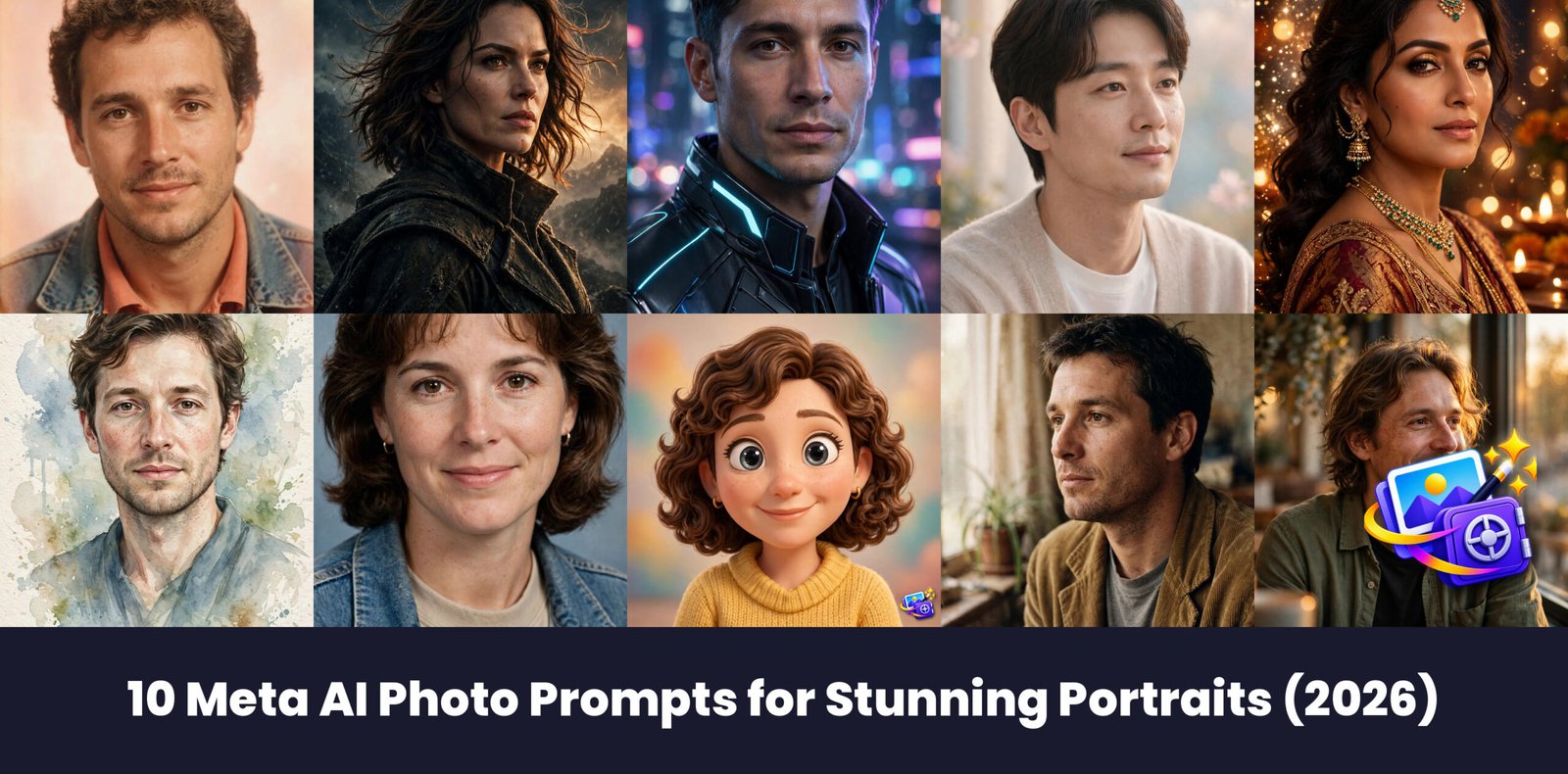
Meta AI can turn one ordinary selfie into a portrait worth posting, and these 10 meta ai photo prompts prove it. Copy any prompt below, paste it with your photo, and watch your feed light up.
How to Use These Prompts
Using meta ai photo prompts is simple. Open the Meta AI app or website, upload your selfie, paste one of the prompts below in the same message, and send it. Meta AI will generate your new portrait in under a minute, and you can ask for a fresh version if the first one is not quite right. For step by step help, see how to generate images with Meta AI in the official Meta Help Center.
- Open Meta AI on your phone or computer and start a new chat.
- Upload a sharp, front facing selfie with your face filling most of the frame.
- Copy one prompt below and paste it in the same message as your photo.
- Send it, wait for your portrait, and save your favorite version.
Every prompt below starts with a transform instruction and an identity lock, the two lines that keep the result looking like you. Never delete the identity lock line when you edit a prompt, it is what stops Meta AI from inventing a stranger. If a result looks off, re-upload the same selfie and try again, small changes in the source photo change the result a lot.
Prompt 1: 80s Retro Film Portrait
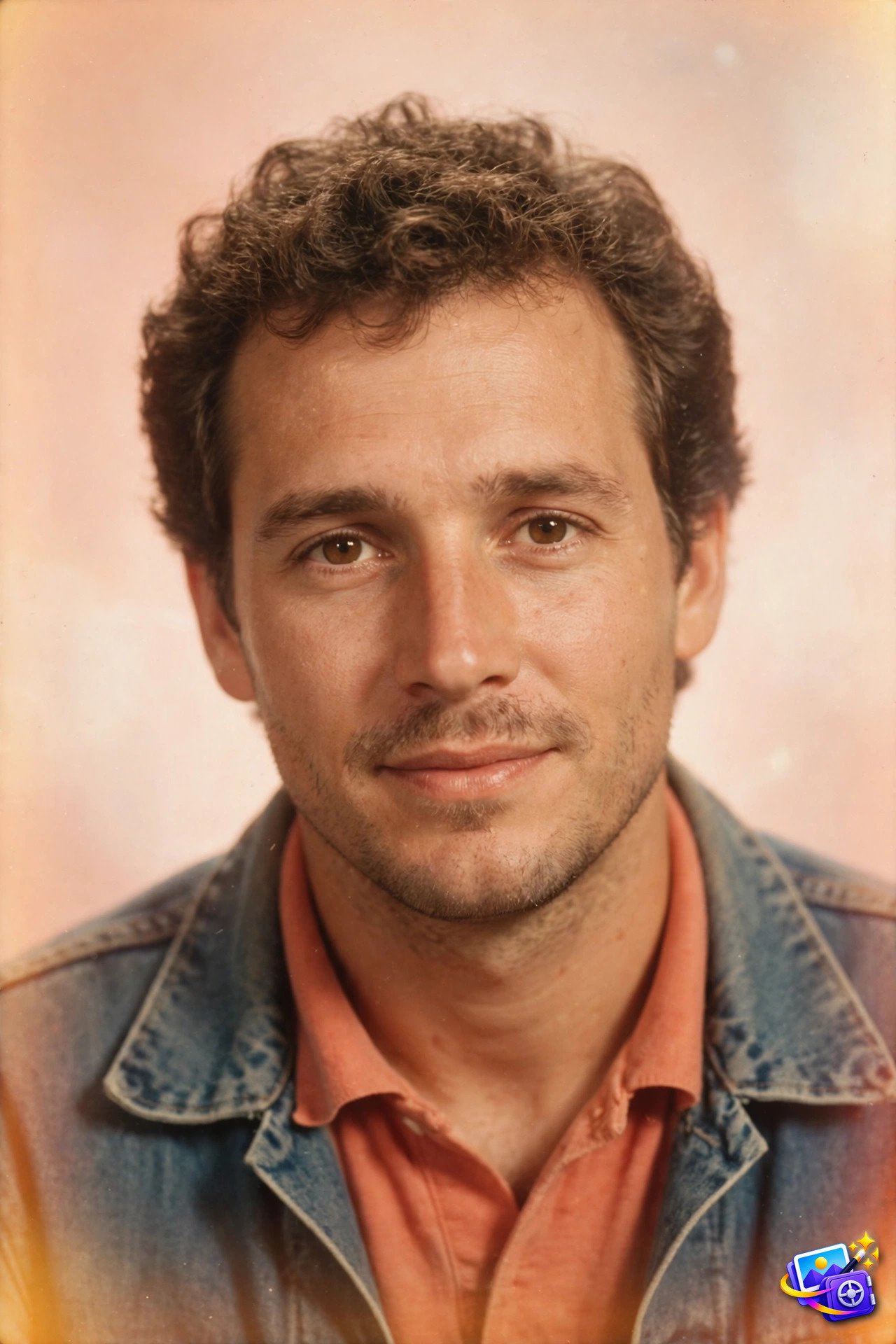
Transform THIS photo into an 80s retro film portrait. Keep my facial features exactly the same, do not change my face, eyes, nose or smile. Use warm vintage film colors, a soft focus glow, light grain, and a bright retro studio backdrop. Vintage star quality.
Why it works: Retro film is one of the most shared portrait styles on social media right now, and the warm colors plus soft glow do most of the work. The identity lock keeps the result looking like you instead of a random 80s model.
Try this variation: Try it with a denim jacket or a plain tee to push the retro feel further, or swap the backdrop color for a pastel pink studio wall.
Prompt 2: Cinematic Movie Poster Portrait
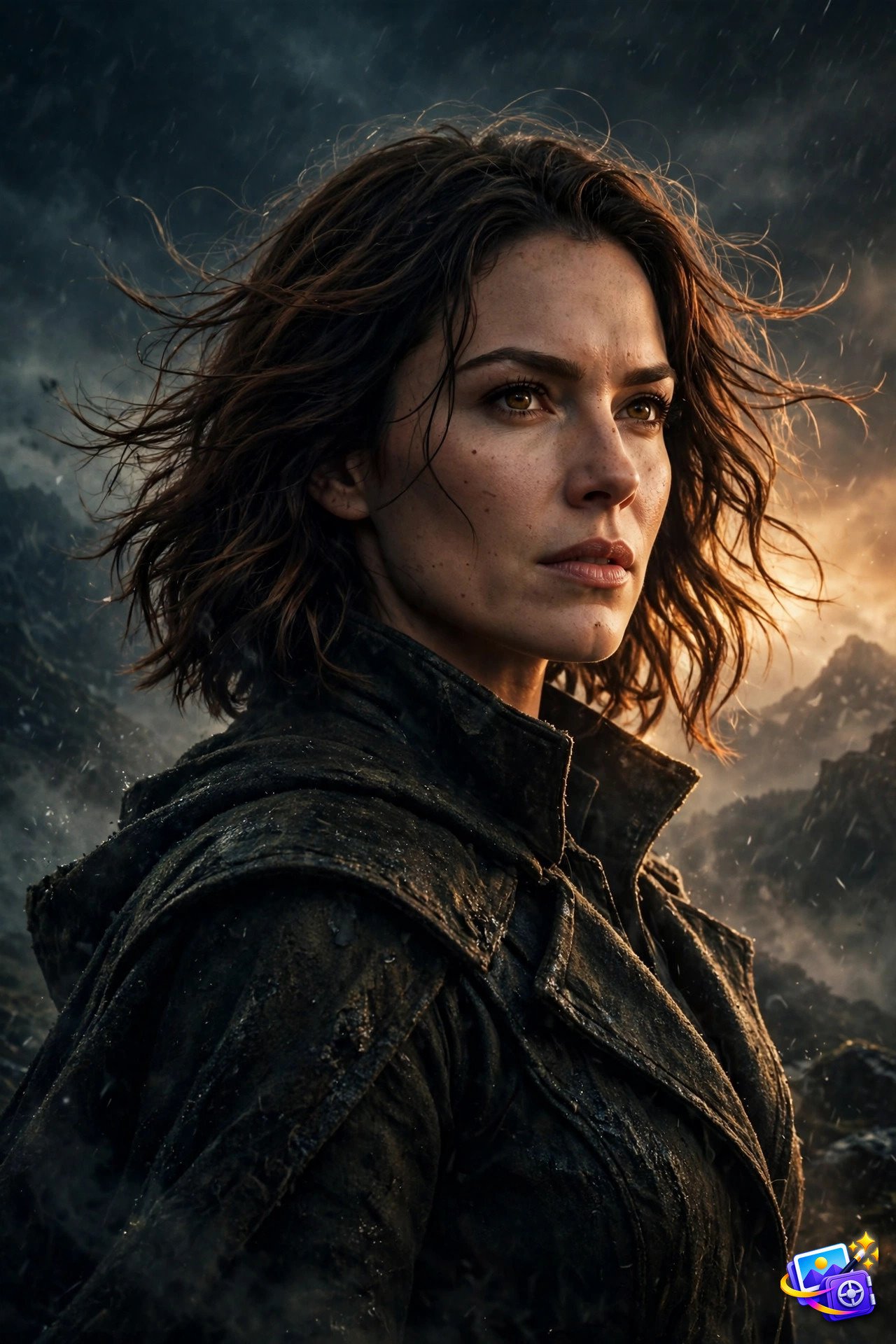
Transform THIS photo into a dramatic cinematic movie poster portrait. Keep my facial features exactly the same, do not change my face, eyes, nose or smile. Use dramatic side lighting, deep shadows, rich contrast, and a confident heroic pose against a dark atmospheric background. Epic cinematic quality.
Why it works: Poster style portraits look expensive because the lighting does the storytelling. Strong side light and deep shadows give a flat selfie real depth, which is why this style dominates profile pictures.
Try this variation: Change the background to city rain or desert dusk for a different movie genre, but keep the lighting dramatic or the poster effect fades.
Prompt 3: 2080 Futuristic Portrait
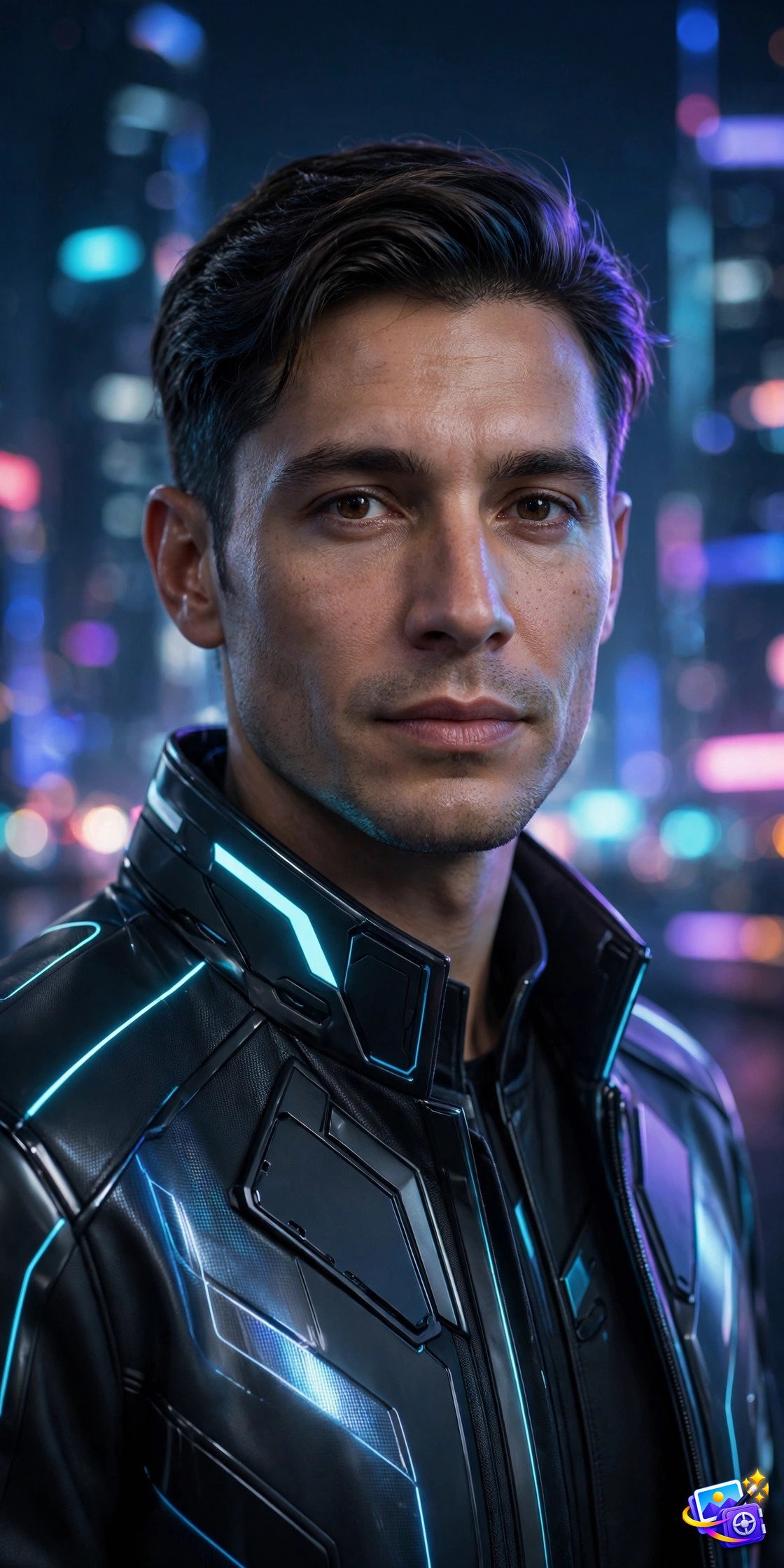
Transform THIS photo into a futuristic 2080 portrait. Keep my facial features exactly the same, do not change my face, eyes, nose or smile. Dress me in sleek futuristic fashion with glowing neon accents, with softly blurred high tech city lights behind me. Polished sci-fi quality.
Why it works: Futuristic portraits are trending because they feel like a glimpse of your future self. The neon accents and blurred city lights sell the year 2080 setting without needing a complicated scene.
Try this variation: Ask for a silver jacket or a visor if you want a stronger sci-fi read, or keep the outfit dark so the neon glow stands out.
Prompt 4: K-Drama Style Portrait
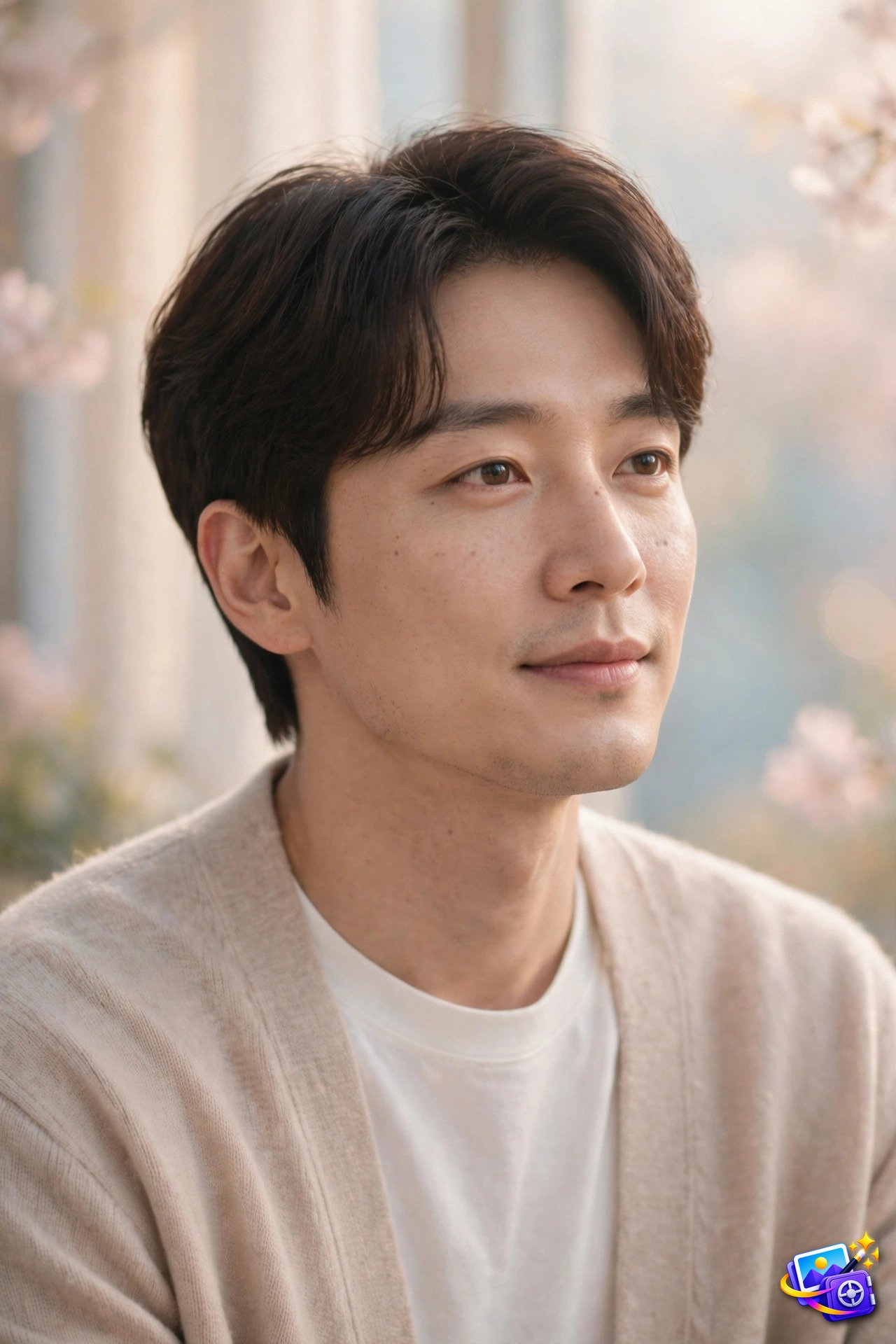
Transform THIS photo into a K-drama style portrait. Keep my facial features exactly the same, do not change my face, eyes, nose or smile. Use soft dreamy lighting, gentle pastel tones, a clean elegant outfit, and a soft romantic mood. Korean drama cinematography quality.
Why it works: K-drama lighting is famously flattering, soft, even and dreamy, which is why these portraits look good on almost everyone. Pastel tones keep the mood gentle instead of dramatic.
Try this variation: Try a cream knit sweater or a light coat for the classic drama lead look, and keep the background simple so your face stays the focus.
Prompt 5: Bollywood Glam Portrait
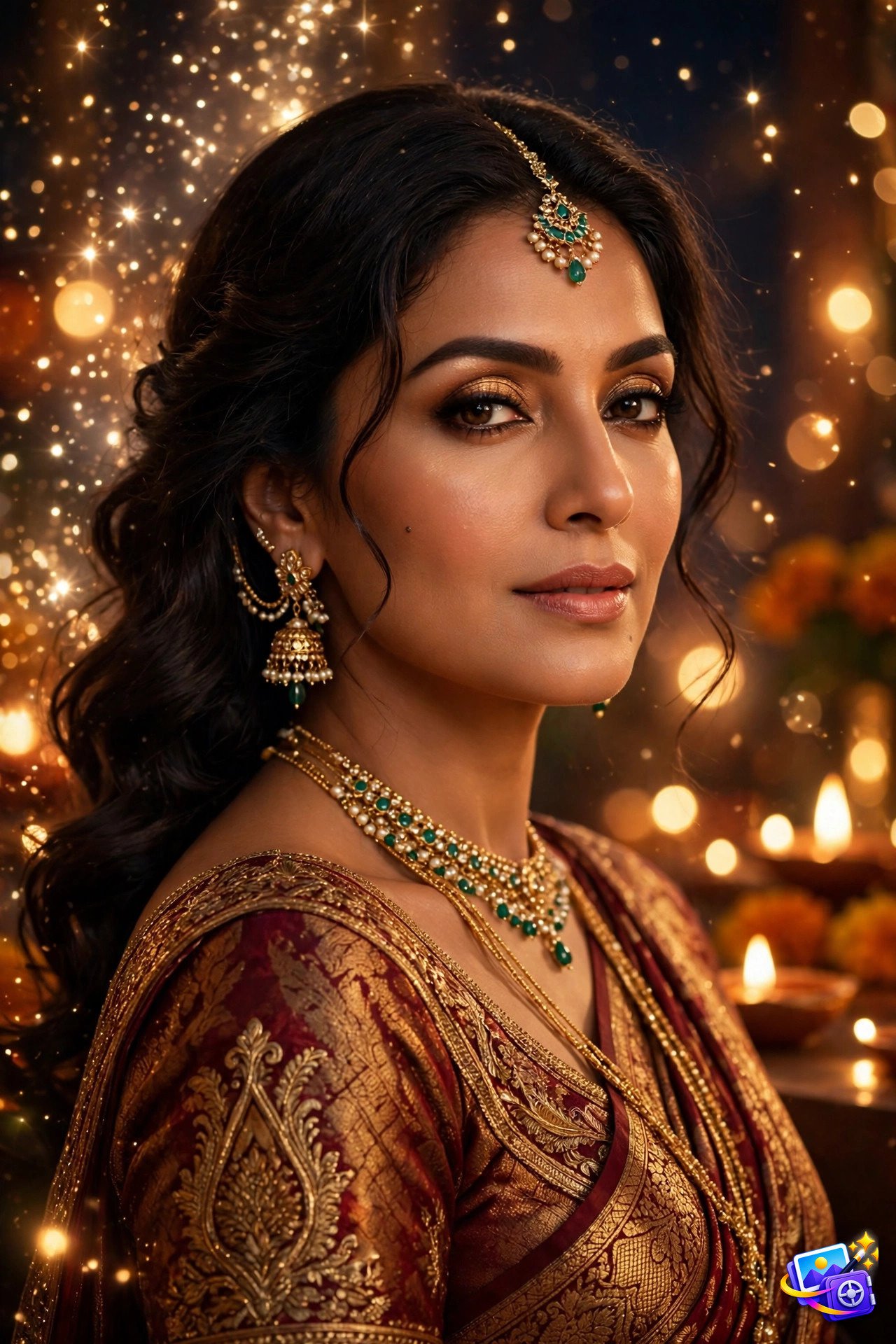
Transform THIS photo into a Bollywood glam portrait. Keep my facial features exactly the same, do not change my face, eyes, nose or smile. Use elegant festive styling, rich warm colors, and sparkling soft lights in the background. Glamorous cinematic quality.
Why it works: Festive glam portraits shine at celebrations, and the warm colors plus sparkling lights make them perfect for wedding season posts. The rich palette photographs beautifully even on a small phone screen.
Try this variation: Swap the outfit color to deep red or royal blue for a different festive mood, and keep the lights soft so they glow instead of distract.
Prompt 6: Watercolor Painting Portrait
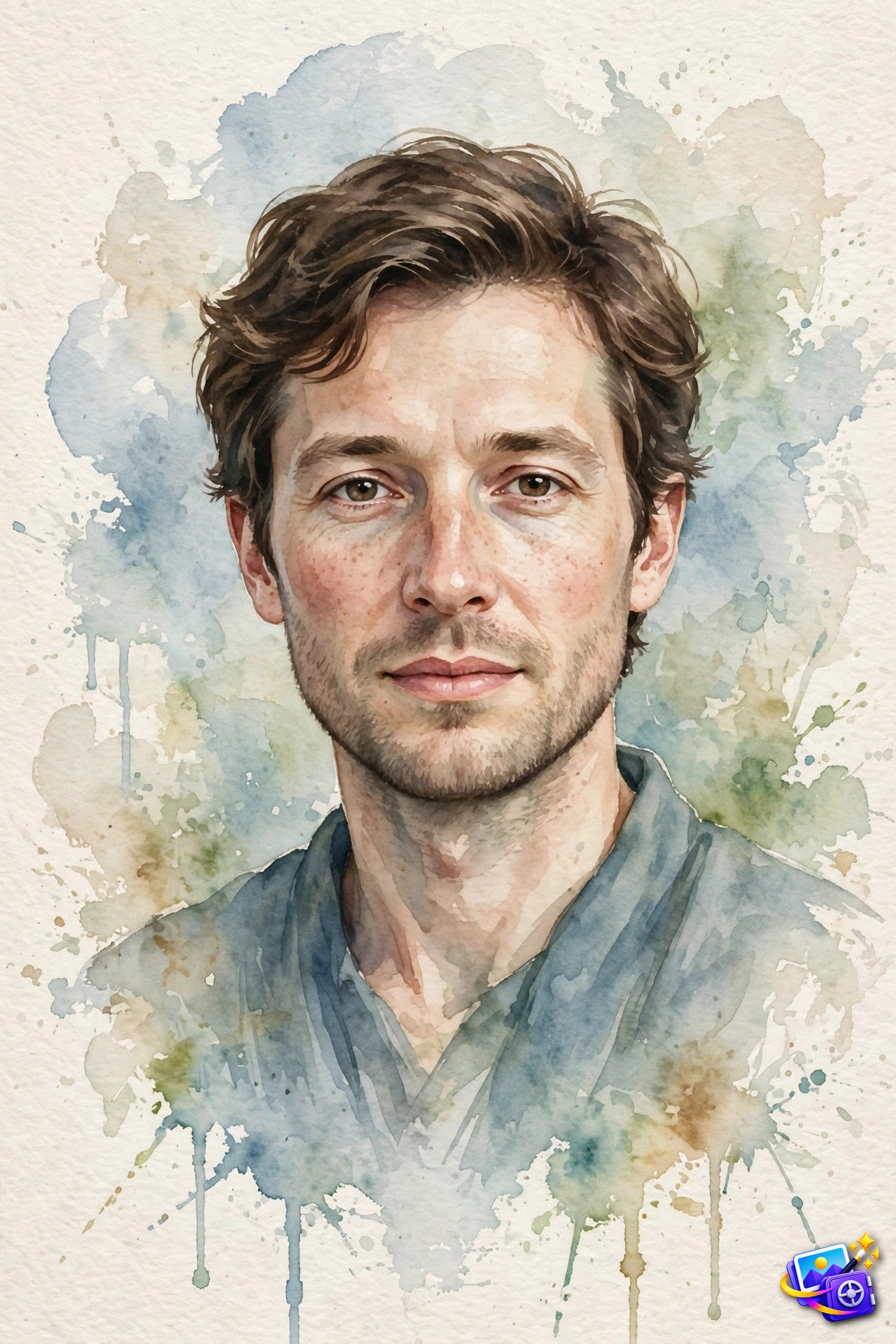
Transform THIS photo into a watercolor painting portrait. Keep my facial features exactly the same, do not change my face, eyes, nose or smile. Paint me in soft hand painted watercolor washes with visible brush strokes and gentle blended colors on textured paper. Artistic portrait painting quality.
Why it works: Painted portraits stand out in a feed full of photos because they look like art, not another selfie. The soft washes flatter every face, and the paper texture adds a handmade feel.
Try this variation: Ask for blue and green washes for a calm portrait, or warm peach tones for a sunnier painting, and keep the background loose and abstract.
Prompt 7: 90s Yearbook Portrait
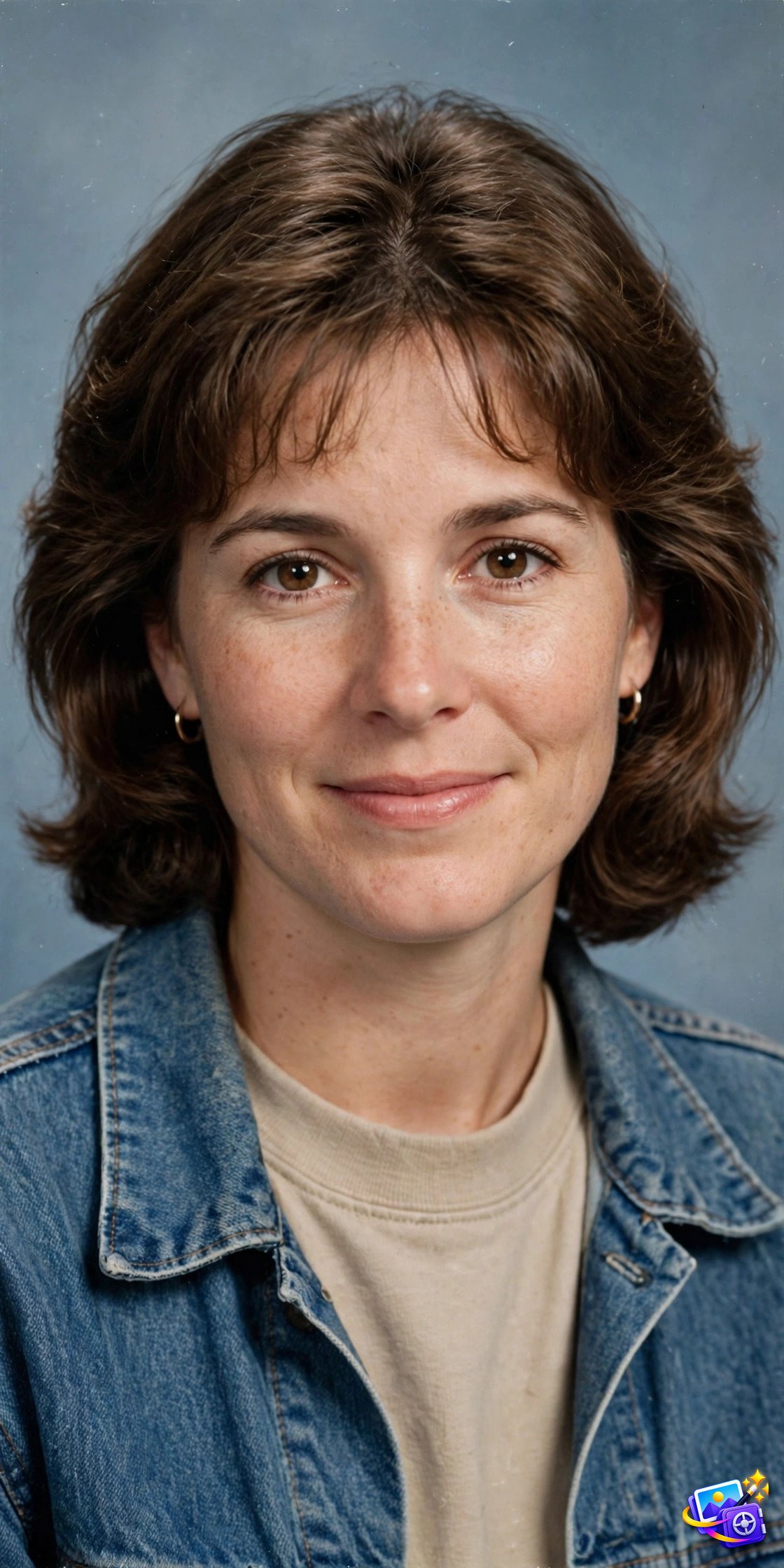
Transform THIS photo into a 90s yearbook portrait. Keep my facial features exactly the same, do not change my face, eyes, nose or smile. Use soft studio lighting, a simple blue gray backdrop, and a neat 1990s hairstyle with a casual outfit. Nostalgic yearbook photography quality.
Why it works: Yearbook portraits are a viral throwback because everyone loves seeing themselves in another decade. The simple backdrop and soft studio light are what make it read instantly as a yearbook photo.
Try this variation: Try a denim shirt for the full 90s effect, or keep your current hairstyle if you want the portrait to still feel like you.
Prompt 8: 3D Cartoon Portrait
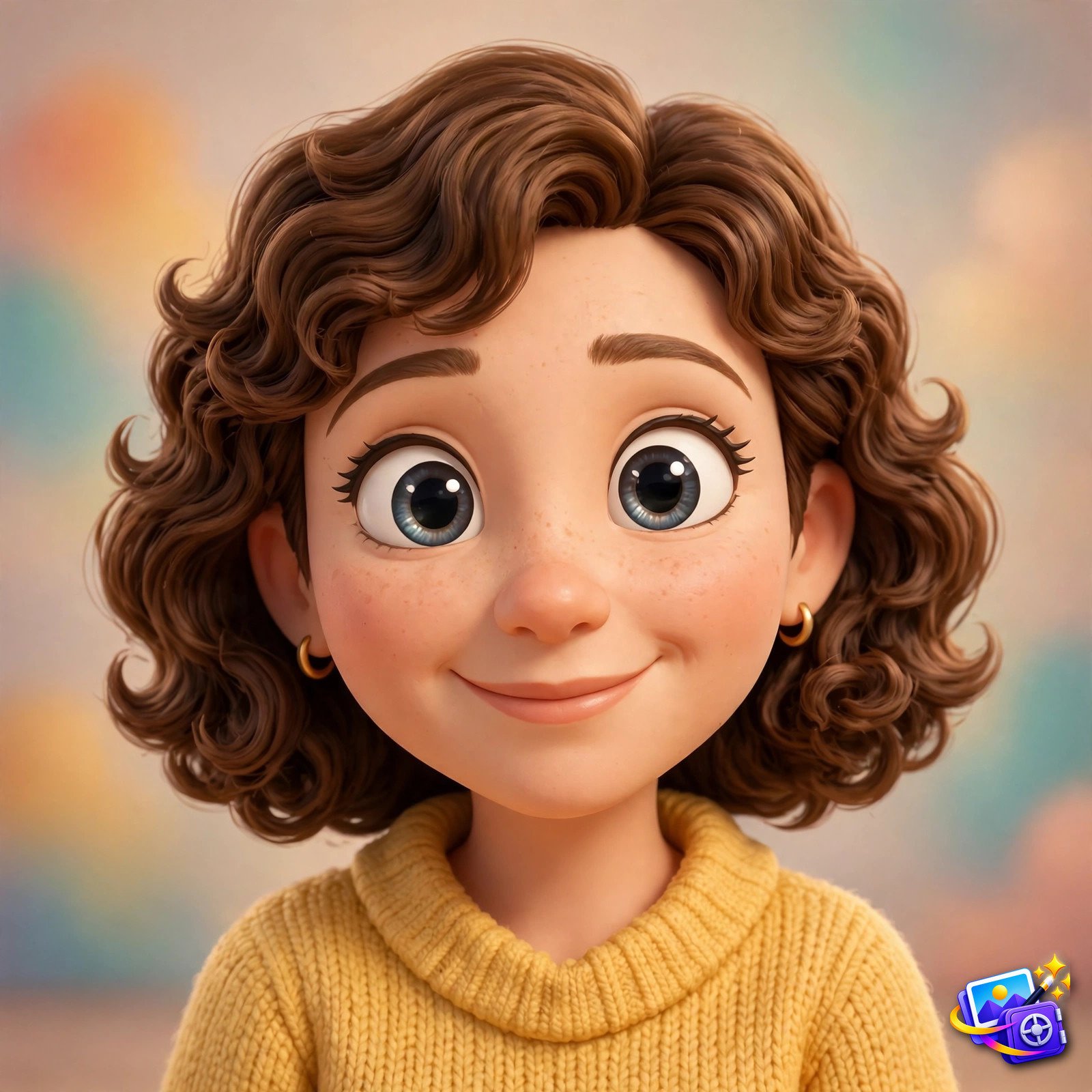
Transform THIS photo into a 3D cartoon portrait. Keep my facial features exactly the same, do not change my face, eyes, nose or smile. Render me as a stylized 3D animated character with big expressive eyes, smooth 3D features, and soft studio lighting. Charming animated movie quality.
Why it works: 3D cartoon portraits are endlessly shareable, they turn you into the hero of an animated movie. The big expressive eyes and smooth rendering keep the character cute while the identity lock keeps it recognizable.
Try this variation: Keep the outfit simple and colorful, a yellow sweater or a red tee photographs best in this style, and avoid busy patterns that the cartoon rendering can blur.
Prompt 9: Vintage 90s Film Portrait
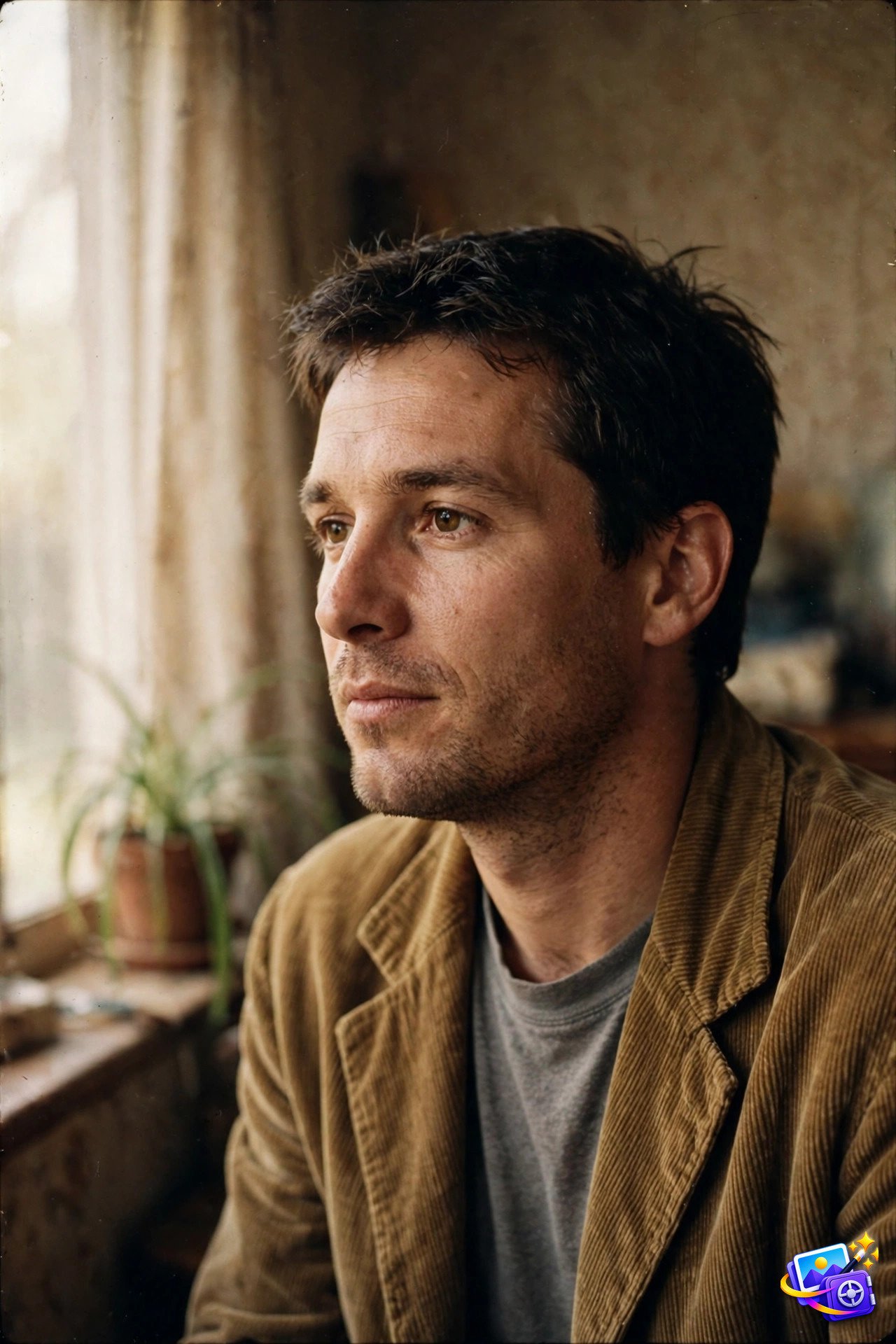
Transform THIS photo into a vintage 90s film portrait. Keep my facial features exactly the same, do not change my face, eyes, nose or smile. Use muted warm analog film tones, soft grain, and natural window light for a candid 1990s snapshot feel. Authentic film photography quality.
Why it works: Analog film portraits feel honest and nostalgic, the grain and muted tones hide phone camera harshness. This is the style for a portrait that looks like it was found in an old family album.
Try this variation: Sit near a window for the most natural version of this look, and keep the pose relaxed, a candid glance beats a stiff smile here.
Prompt 10: Golden Hour Cafe Candid Portrait
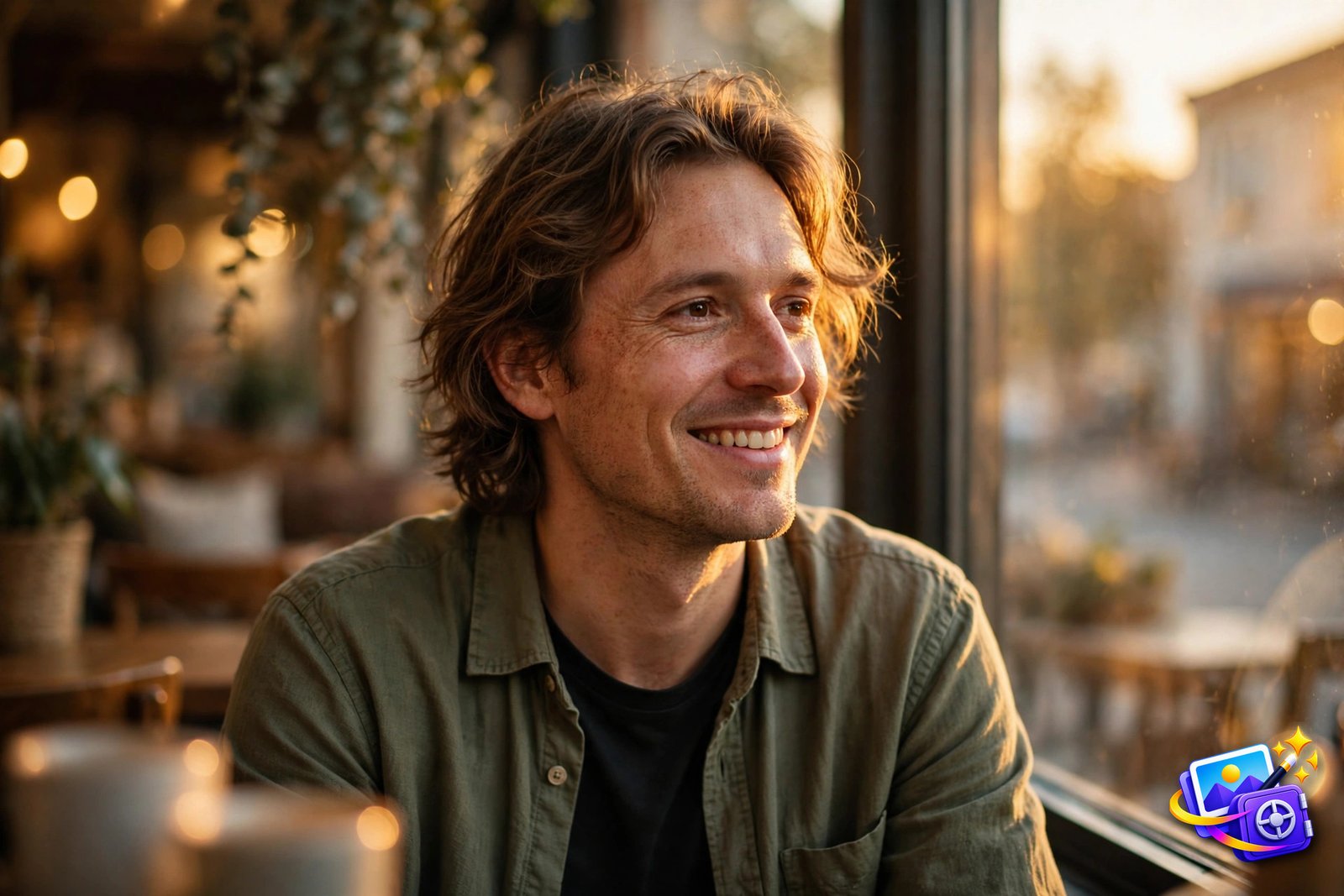
Transform THIS photo into a golden hour cafe candid portrait. Keep my facial features exactly the same, do not change my face, eyes, nose or smile. Seat me by a cafe window in warm evening sunlight with a golden glow on my face and a softly blurred cozy cafe interior behind me. Warm candid photography quality.
Why it works: Golden hour is the most flattering light in photography, and a cafe window gives you that glow with a cozy story attached. The blurred interior keeps the attention on your face while the scene still feels alive.
Try this variation: A coffee cup on the table adds to the candid story, and turning slightly toward the window makes the golden light shape your face beautifully.
Pro Tips
Start with your sharpest selfie. A clear, front facing photo where your face fills most of the frame gives Meta AI the most detail to work with, and it is the single biggest factor in a believable portrait.
Keep the identity lock in every prompt. The line about keeping your facial features exactly the same is what stops the AI from inventing a stranger. If you edit a prompt, never delete that line, even when you change the style completely.
Generate two or three versions of the same prompt and pick your favorite. Expressions and lighting vary between runs, so a few versions give you real choice instead of one lucky result. For more viral styles, explore our trending AI portrait prompts and our cinematic AI image prompts collections, which cover more looks in the same copy-paste format.
Change one thing at a time when you experiment. Change only the light, then only the setting, then only the style, and compare the results. You will learn faster which words change the photo, and your own prompt library will grow with every test.
Save every prompt that works in a single note, with the portrait it produced beside it. After a month you will have your own personal prompt library, and making your next great portrait will take seconds instead of minutes.
Frequently Asked Questions
Do these meta ai photo prompts work with my own photo?
Yes. Upload your selfie to Meta AI, paste the prompt in the same message, and Meta AI keeps your face while building the new portrait around you.
Is Meta AI free for making portraits?
Yes, Meta AI image generation is free to use in the Meta AI app and on the web, so you can try all ten prompts without paying anything.
Why does my portrait not look like me?
Use a sharp front facing selfie with your face filling most of the frame, and keep the identity lock sentence in the prompt. Blurry or angled photos confuse the AI.
Can I use these prompts in ChatGPT or Gemini too?
Yes. The prompts are written in a tool agnostic style, so they also work in ChatGPT and Gemini, just upload your photo there and paste the same prompt.
Can I share these portraits on social media?
Yes. These are your own portraits made from your own selfie, so post them anywhere. A fresh portrait usually gets more attention than a recycled photo.
That is the full set. Ten portraits, ten trending styles, one selfie. Pick your favorite prompt, paste it into Meta AI, and post the portrait that stops the scroll.
SEO Expert & Contant Writer