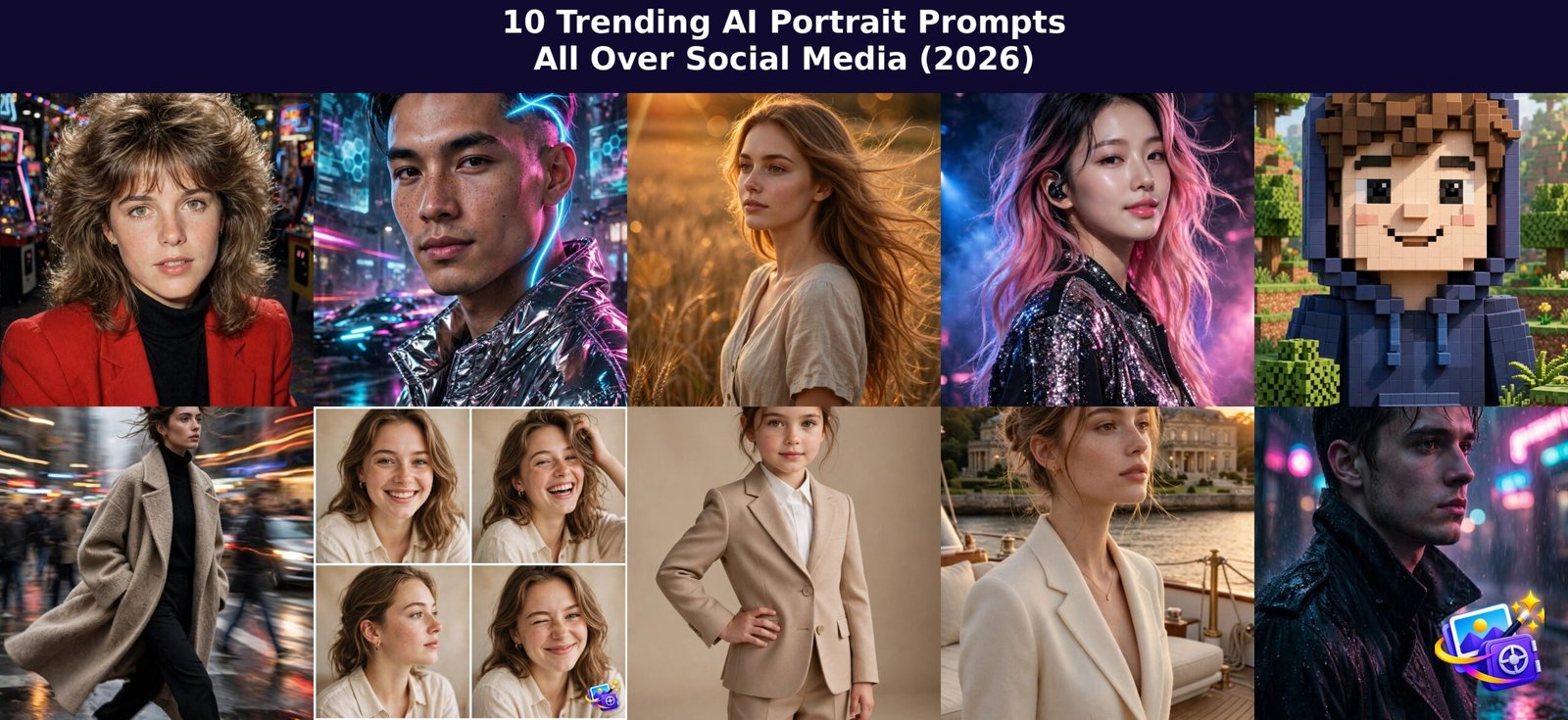
Social media is obsessed with AI portraits right now. From grainy 80s film snapshots to glowing cyberpunk selfies, millions of people are transforming their photos with one simple prompt. Below are the 10 trending AI portrait prompts blowing up on Instagram, TikTok, and Pinterest in 2026, each with a sample image and a ready to copy prompt.
How to Use These Trending AI Portrait Prompts
Using these prompts is simple. Open ChatGPT or Gemini on your phone or computer and upload a clear, well lit photo of yourself. Copy the full prompt under the style you like, paste it along with your photo, and wait a minute or two for the AI to generate your new portrait. A straight on face photo works best because it helps the AI keep your features accurate.
For the best results, stick with a 4:5 or square aspect ratio for portrait styles, and ask for square when you want the collage style. If the face drifts too far from your own, regenerate with the same prompt and mention keeping your face closer to the original photo. Now let us look at the 10 styles.
Prompt 1: 80s Retro Film Portrait
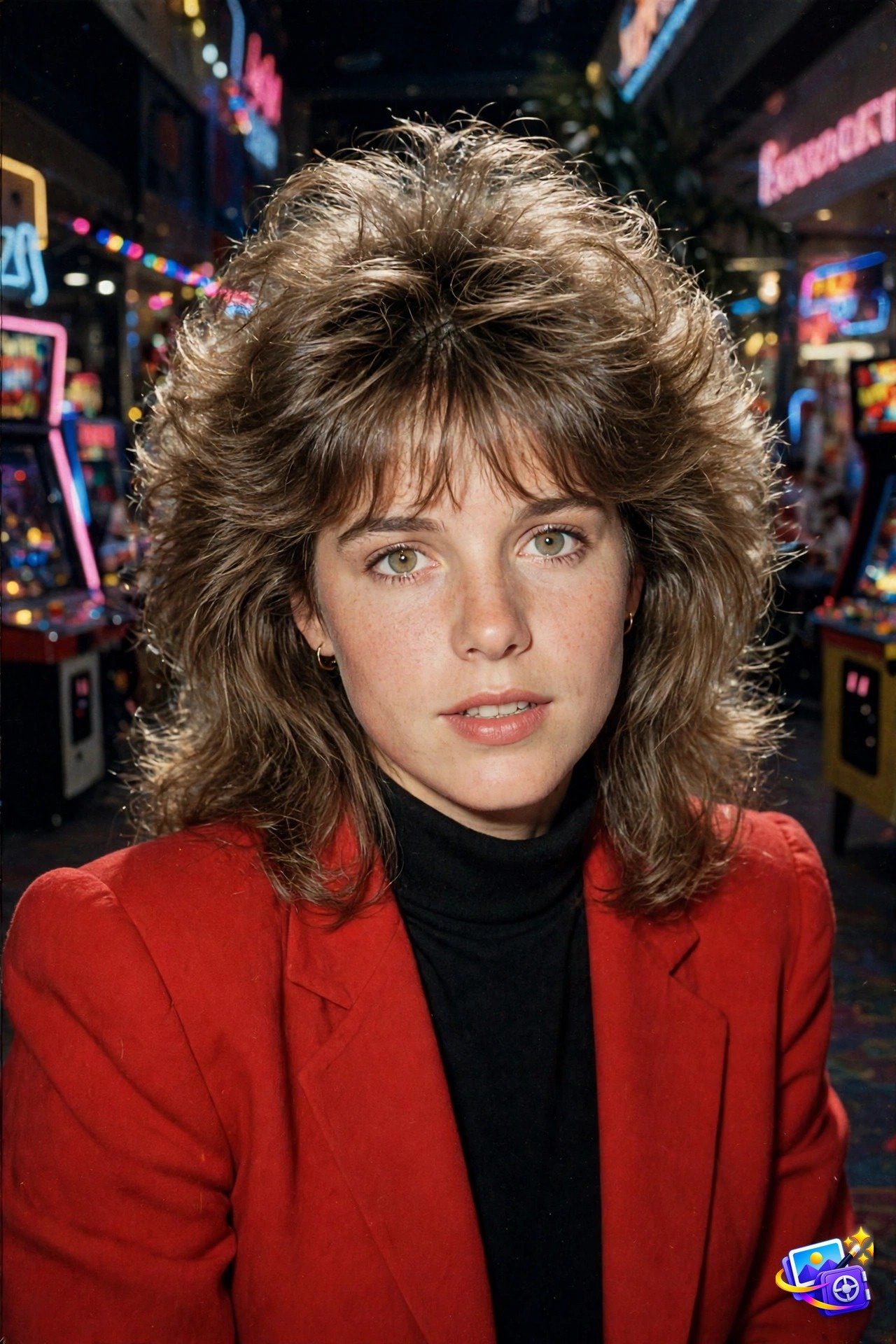
Transform THIS photo of me into a grainy 1980s film snapshot, and keep my facial features exactly the same, but give me voluminous big teased hair with bangs and dress me in a bright red blazer with strong shoulder pads. Add the look of an old 35mm flash photograph: visible film grain, harsh direct camera flash lighting, slightly faded vintage colors. Set the background as a neon-lit 1980s shopping mall arcade with glowing neon signs and arcade machines behind me. Candid yearbook photo mood, vertical portrait.This is the biggest AI portrait trend of 2026, and it works because the flash photography look feels authentically vintage, not digital. The grain and faded colors hide small AI imperfections, so the result looks like a real photo from your parents attic. Try swapping the red blazer for a denim jacket or a neon windbreaker to make a whole 80s series.
Pro tip: ask for a horizontal version if you want a matching Facebook cover photo in the same style.
Prompt 2: 2080 Futuristic Cyberpunk Self-Portrait
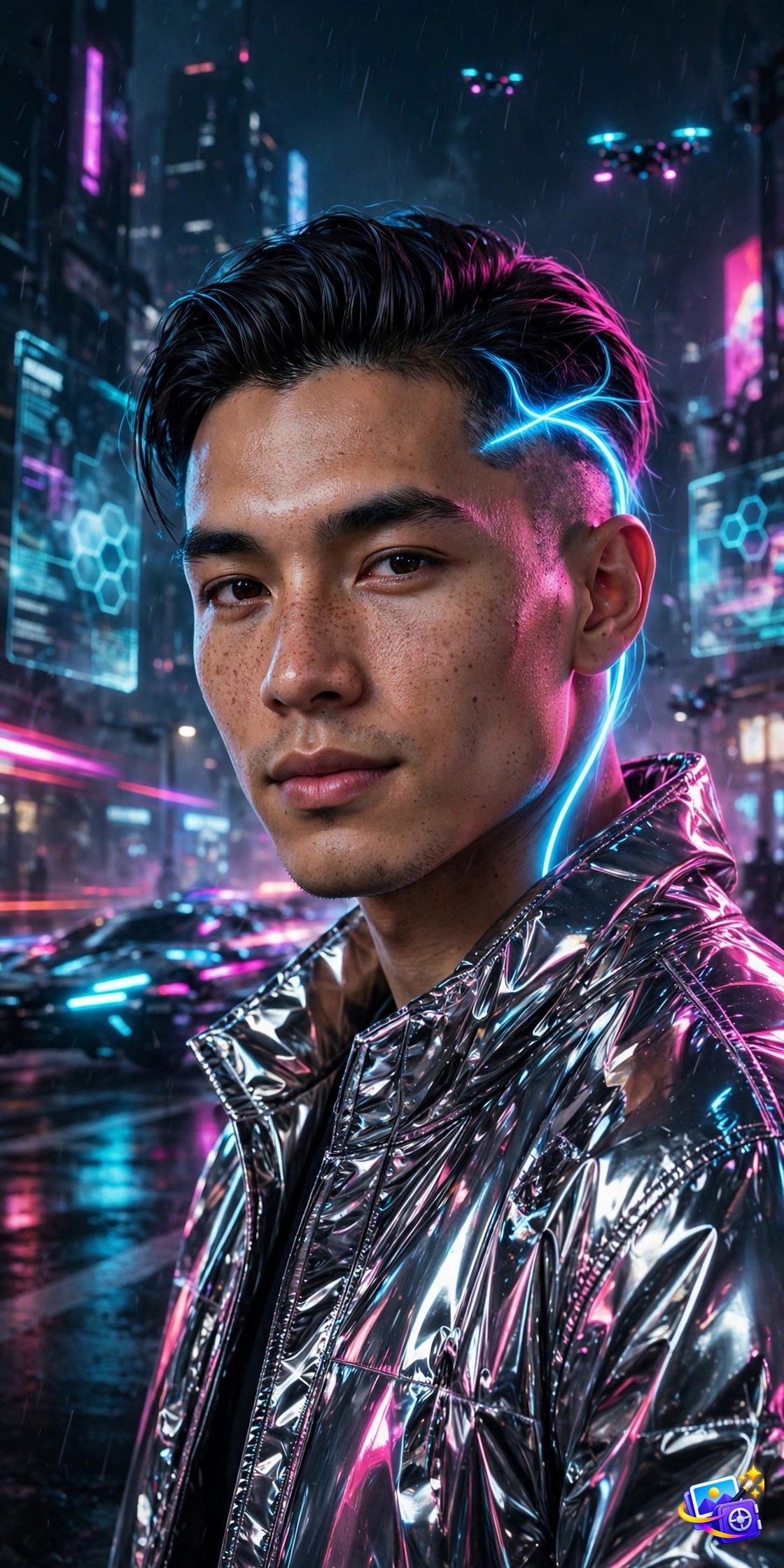
Transform THIS photo of me into a futuristic 2080 cyberpunk self-portrait, and keep my facial features exactly the same, but style my hair with a sleek cut plus a glowing neon-blue undercut streak, and dress me in a reflective chrome jacket. Place me on a holographic city street at night, with floating holographic billboards and light trails behind me. Add cinematic rim lighting in magenta and cyan, ultra-detailed skin texture, and a moody sci-fi atmosphere. Confident expression, looking into the camera, vertical portrait.The 2080 cyberpunk look dominates tech and gaming feeds because the magenta and cyan rim lighting makes every face look instantly cinematic. The chrome jacket reflects the neon environment, which adds depth that flat studio portraits lack. For a variation, change the jacket to a black tactical coat and switch the neon palette to green and purple.
Pro tip: this style looks great as a gaming profile picture, so crop it square for Discord or Twitch avatars.
Prompt 3: Cinematic Golden-Hour Portrait
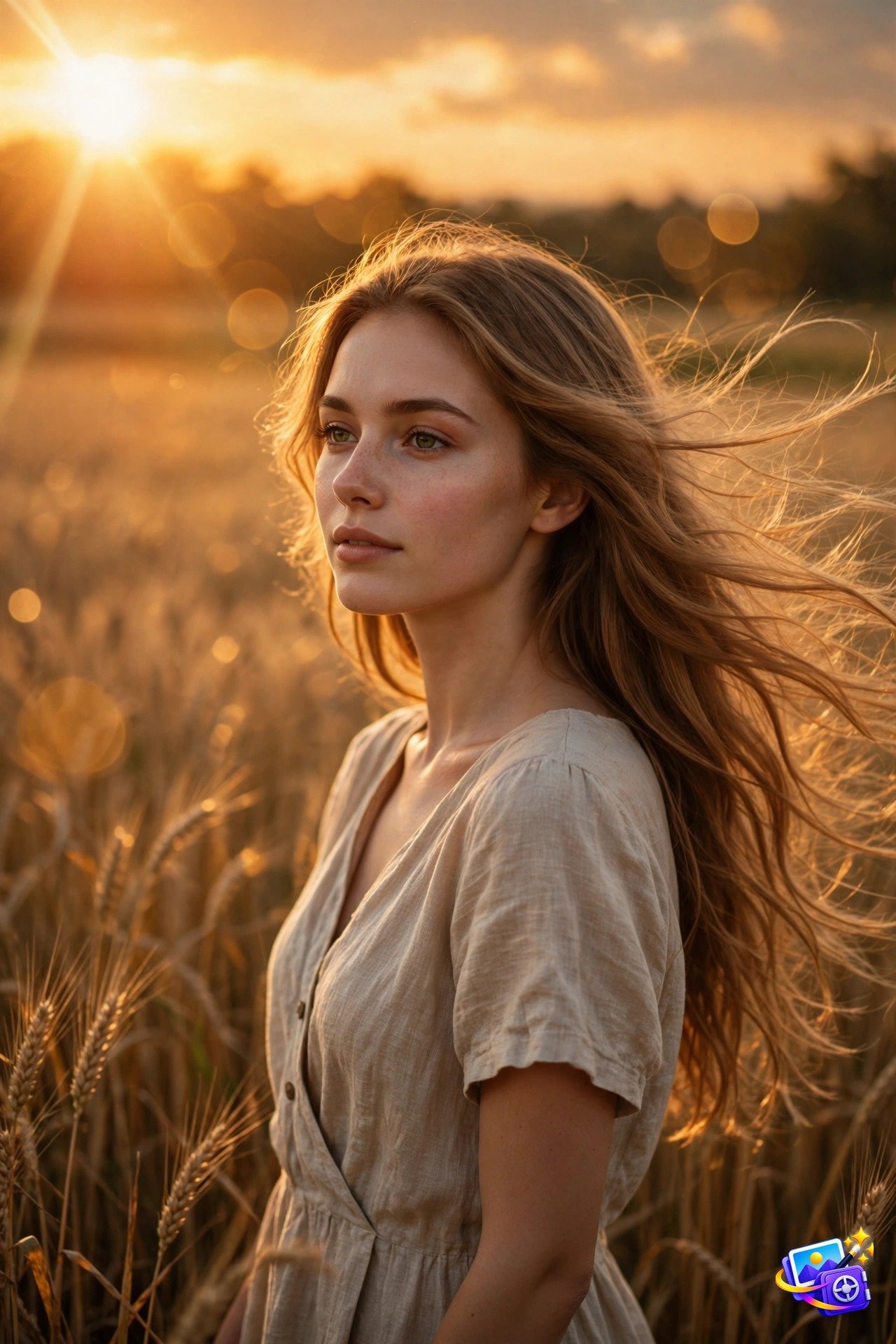
Transform THIS photo of me into a cinematic golden-hour portrait, and keep my facial features exactly the same, with soft wind moving through my hair, and dress me in a flowing linen summer dress. Place me in a sunlit wheat field at dusk under a glowing amber sky. Use shallow depth of field, a film-still look with rich warm color grading like a movie frame, a subtle lens flare at the edge, and a dreamy romantic mood. Vertical portrait.Golden-hour portraits never leave the trends because warm light flatters every skin tone. The film still look with shallow depth of field turns an ordinary selfie into something that looks pulled from a romance movie. Try changing the wheat field to a beach at sunset or a mountain overlook for a fresh take.
Pro tip: upload a photo taken in daylight for this one, since the AI blends the warm glow more naturally.
Prompt 4: K-Pop Idol Transformation
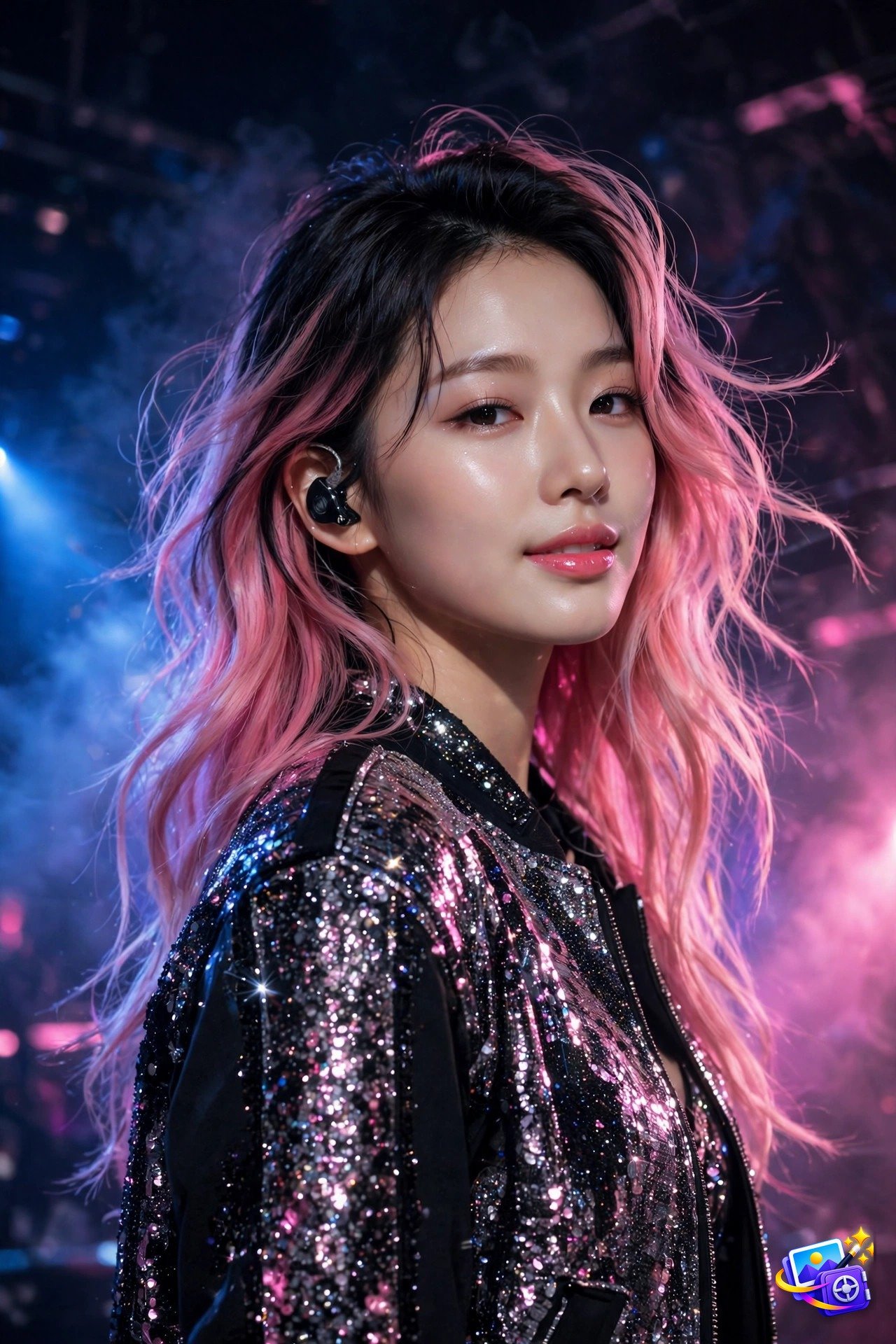
Transform THIS photo of me into a K-pop idol portrait, and keep my facial features exactly the same, but give me flawless dewy glass skin and stylish two-tone dyed hair, and dress me in a sparkling sequined stage jacket. Place me under dramatic concert stage lighting with blue and pink spotlights and a subtle haze, wearing a mic-ear monitor. Confident idol pose, glamorous high-fashion concert photography. Vertical portrait.The K-pop transformation trend is huge with music fans because it delivers the full idol fantasy: perfect skin, stage lights, and star presence. The glass skin finish and spotlight colors photograph beautifully as profile pictures. You can personalize it by naming your favorite hair color combination, like silver with lavender tips.
Pro tip: ask for a second version in a streetwear outfit for the full idol off-duty look.
Prompt 5: Minecraft Voxel Avatar Portrait
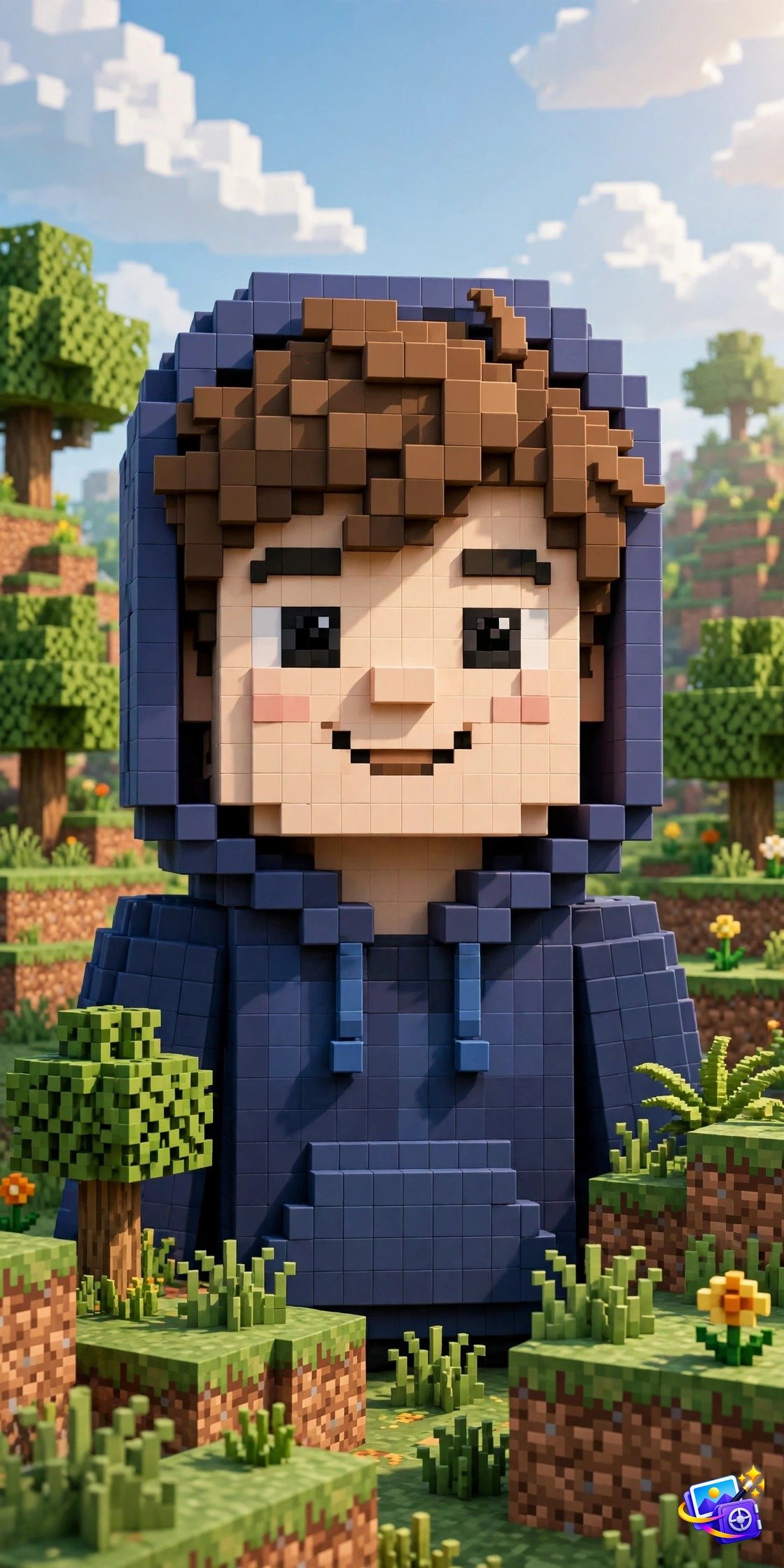
Transform THIS photo of me into a blocky voxel game character in the style of a popular block-building video game. Keep my overall look, hairstyle, and outfit recognizable, but rebuild my head and shoulders as chunky 3D cubes with pixelated retro-game texture. Dress the character in a blocky version of my hoodie. Place the character in a voxel landscape of cubic trees and blocks under soft daylight, with vibrant game-render lighting and a charming playful mood. Vertical portrait.The voxel avatar trend exploded because it turns you into a game character while staying recognizable through your hairstyle and outfit. It works perfectly as a gaming avatar or a fun surprise profile picture. For a twist, ask the AI to place your voxel character in a blocky castle or a lava cave scene.
Pro tip: since the face becomes blocky by design, use your normal hairstyle photo so the character still reads as you.
Prompt 6: Motion-Shutter Street Fashion Portrait
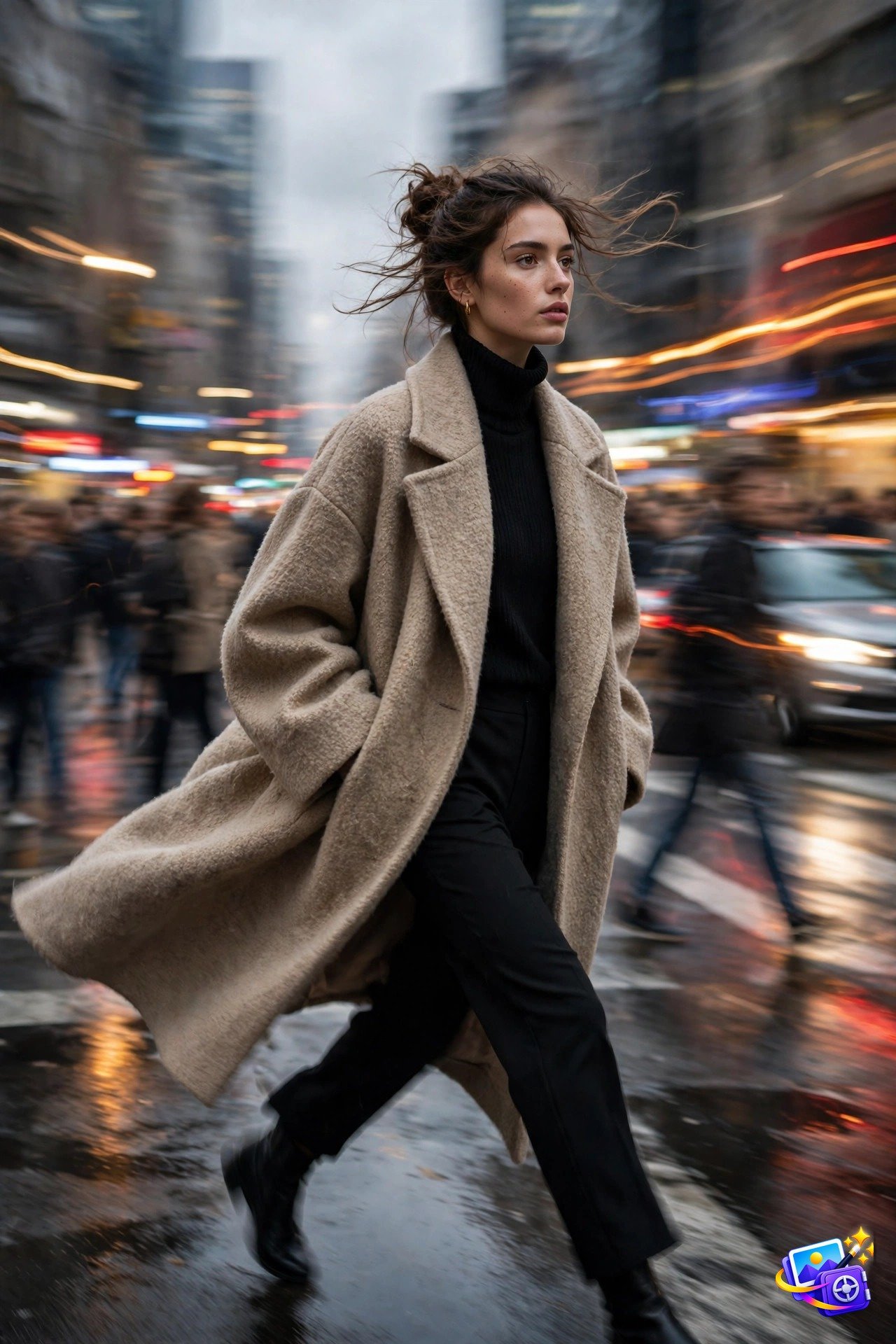
Transform THIS photo of me into an editorial motion-shutter street fashion portrait, and keep my facial features exactly the same, sharply in focus, and dress me in a trendy oversized coat. Place me striding through a busy city street with the motion-blur of a slow shutter speed: blurred streaking traffic, ghostly motion-blurred crowds, and car light trails behind me. Overcast urban daylight, high-fashion magazine editorial mood, dynamic energy. Vertical portrait.Motion-shutter portraits are trending in fashion circles because the blurred city motion makes the sharp subject pop with real editorial energy. It is the easiest way to look like a magazine shoot without leaving your room. Swap the oversized coat for a leather jacket and change the scene to a rainy night for a moodier version.
Pro tip: this style also works great in black and white for a timeless fashion magazine feel.
Prompt 7: Multi-Pose Photo Collage
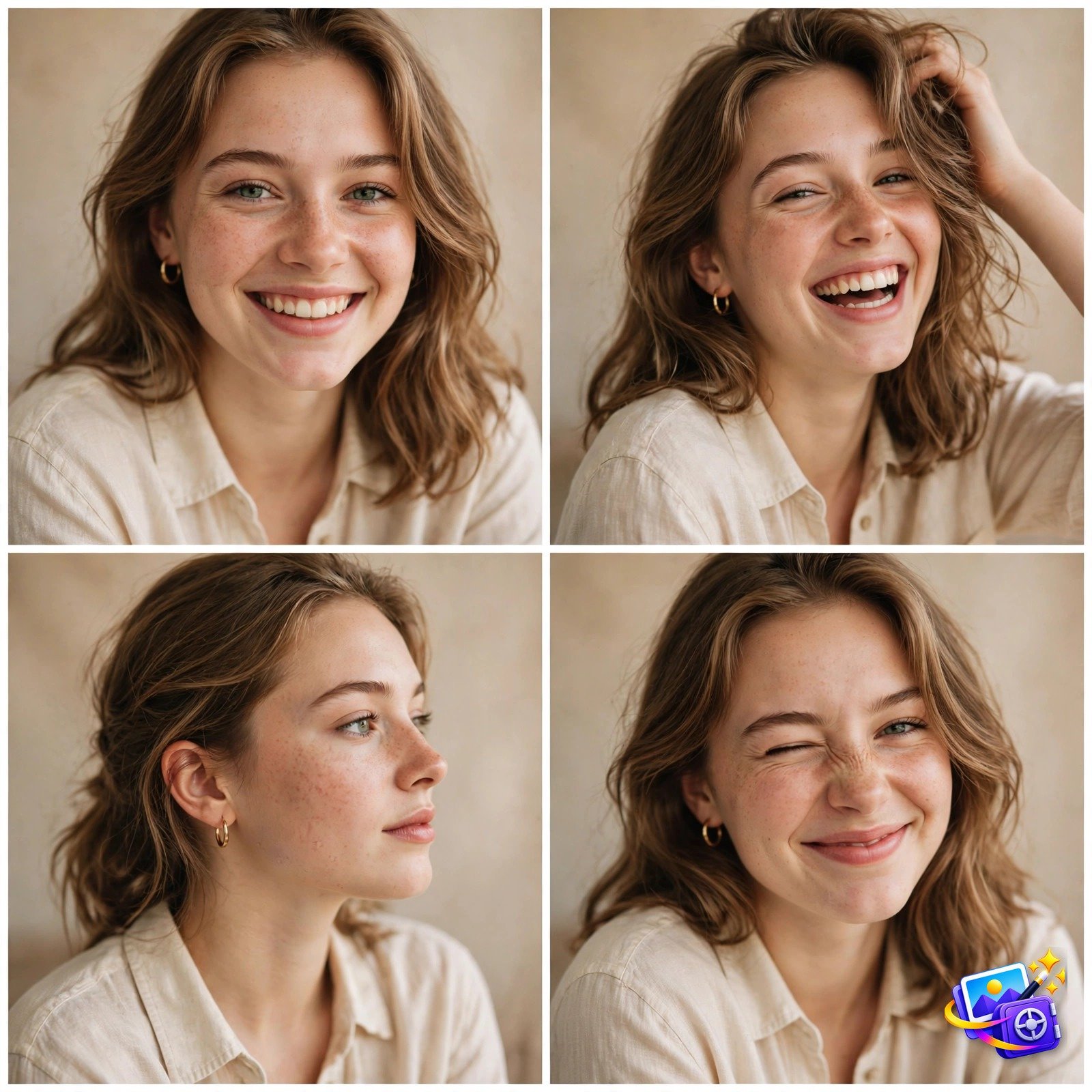
Transform THIS photo of me into a 2x2 grid photo collage of four different poses in one square frame, and keep my facial features exactly the same in every panel. Panel one: smiling close-up portrait. Panel two: laughing candid shot with hand in hair. Panel three: elegant side profile. Panel four: playful wink. Shoot all four in the same soft daylight studio setting with a matching warm color grade, separated by clean thin white grid dividers. Social media photo dump aesthetic.Multi-pose collages are all over Pinterest and Instagram because one post shows four moods at once. The matching color grade across all panels keeps it looking professional instead of random. If you want even more variety, ask for a 3×3 grid with nine different expressions.
Pro tip: save it as a square image so it displays perfectly as an Instagram carousel cover.
Prompt 8: Mini Fashion Model
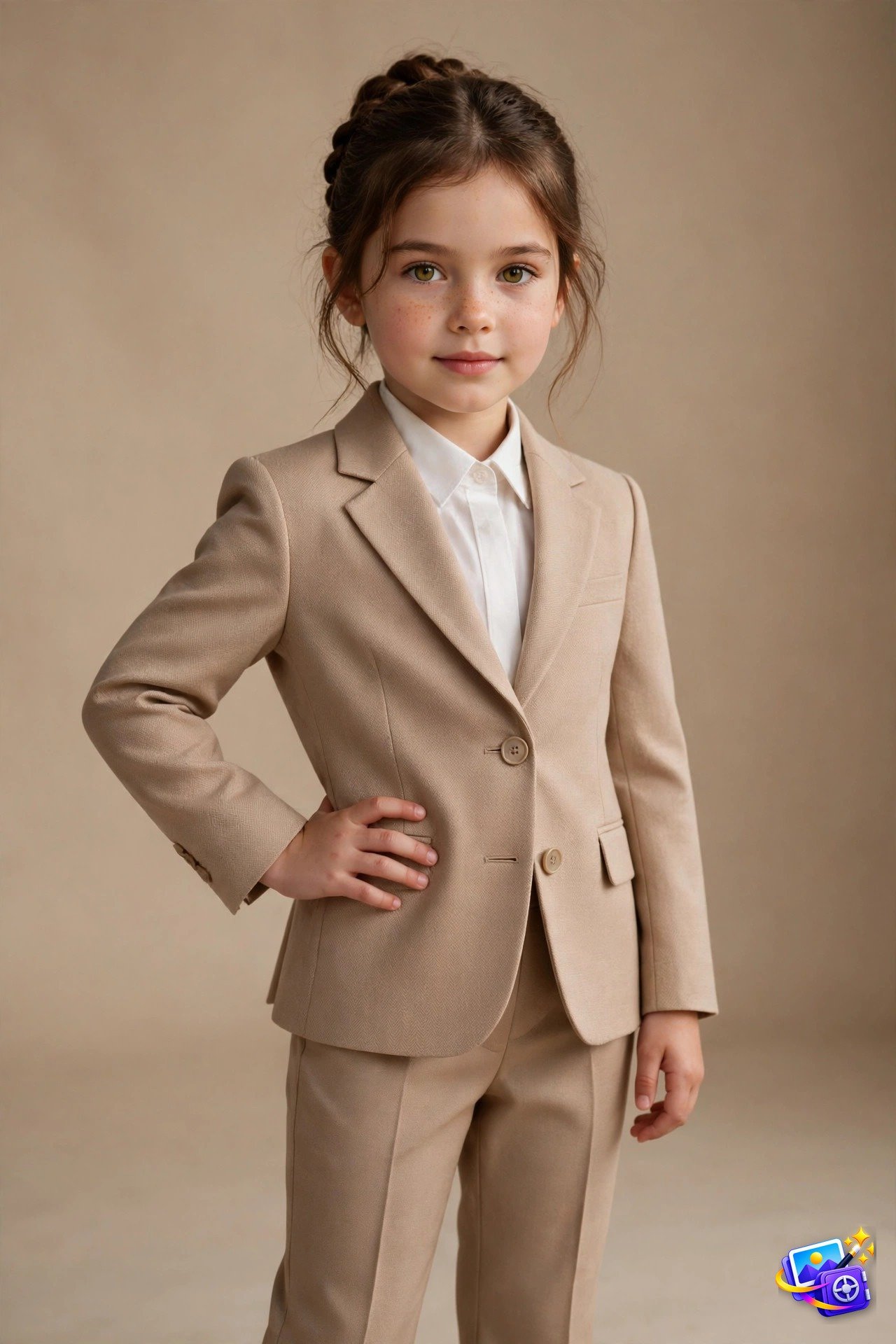
Transform THIS photo of my child into a tiny designer fashion model portrait. Keep the child's facial features exactly the same, and dress them in an elegant miniature tailored blazer with smart trousers in refined neutral tones. Place the child on a seamless studio backdrop under soft professional studio lighting, in a confident adorable runway-model pose. High-fashion editorial photography, crisp detail, warm neutral background. Vertical portrait.The mini fashion model trend melts hearts because it dresses kids in full designer looks they could never wear in real life. Parents share these as birthday posts and holiday cards. If you love transforming photos this much, our pet AI photo prompts turn your furry friends into stylish characters too.
Pro tip: a front facing smiling photo of your child gives the sweetest result.
Prompt 9: Old-Money Luxury Aesthetic
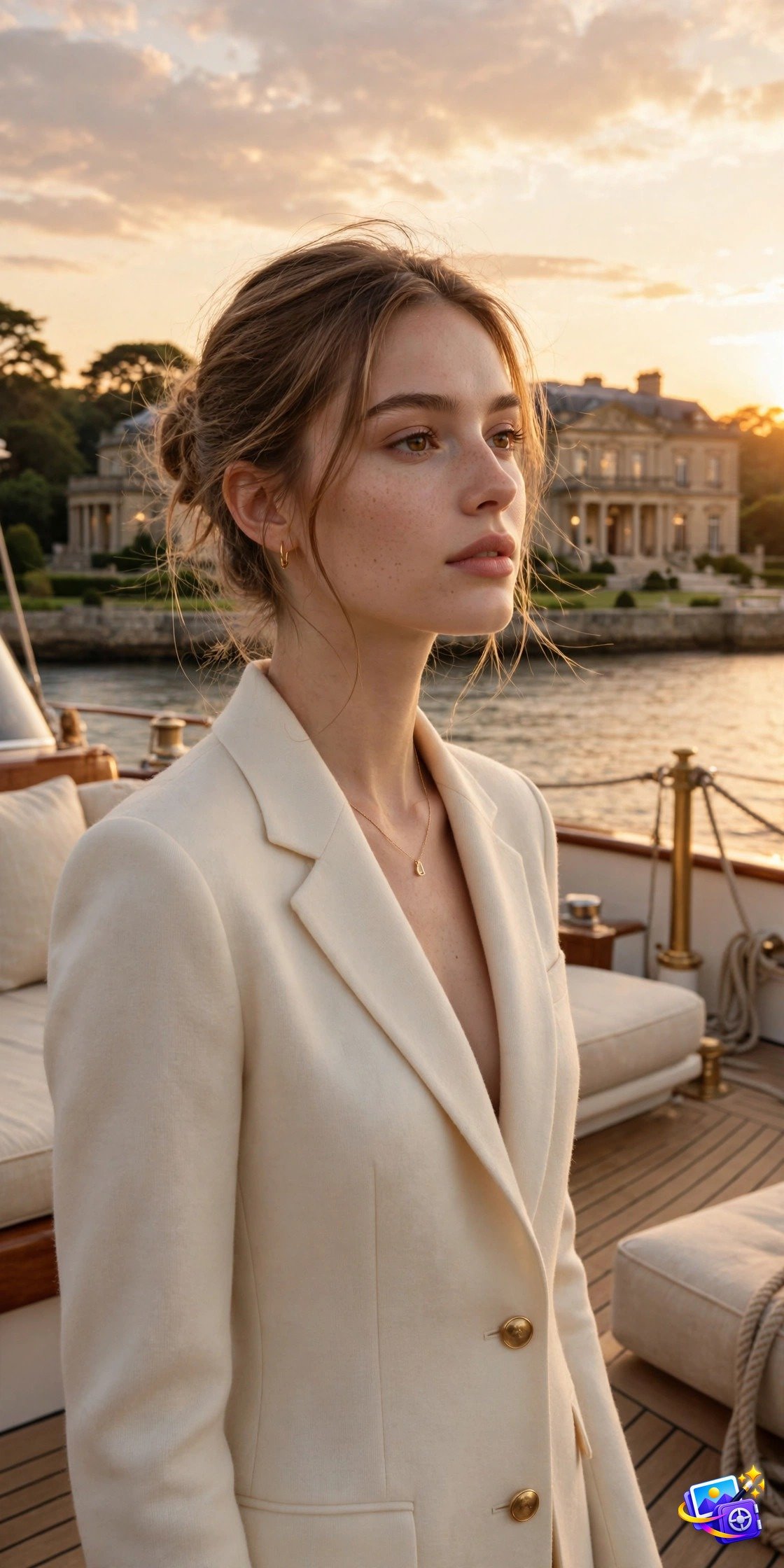
Transform THIS photo of me into an old-money luxury aesthetic portrait, and keep my facial features exactly the same, and dress me in a tailored cream cashmere blazer with delicate gold jewelry. Place me on the deck of a luxury yacht at sunset with a grand waterfront mansion behind me. Champagne-toned golden light, refined understated wealth mood, timeless editorial photography, soft warm color grade. Vertical portrait.The old-money aesthetic never stops trending because quiet luxury photographs better than flashy wealth. The cream tones and champagne light create an elegant, expensive feel that works for LinkedIn headers and classy profile pictures. Try a countryside manor background or a vintage car for a different luxury scene.
Pro tip: keep the jewelry simple in the prompt, since too many accessories can distort in AI images.
Prompt 10: Neon-Noir Night Portrait
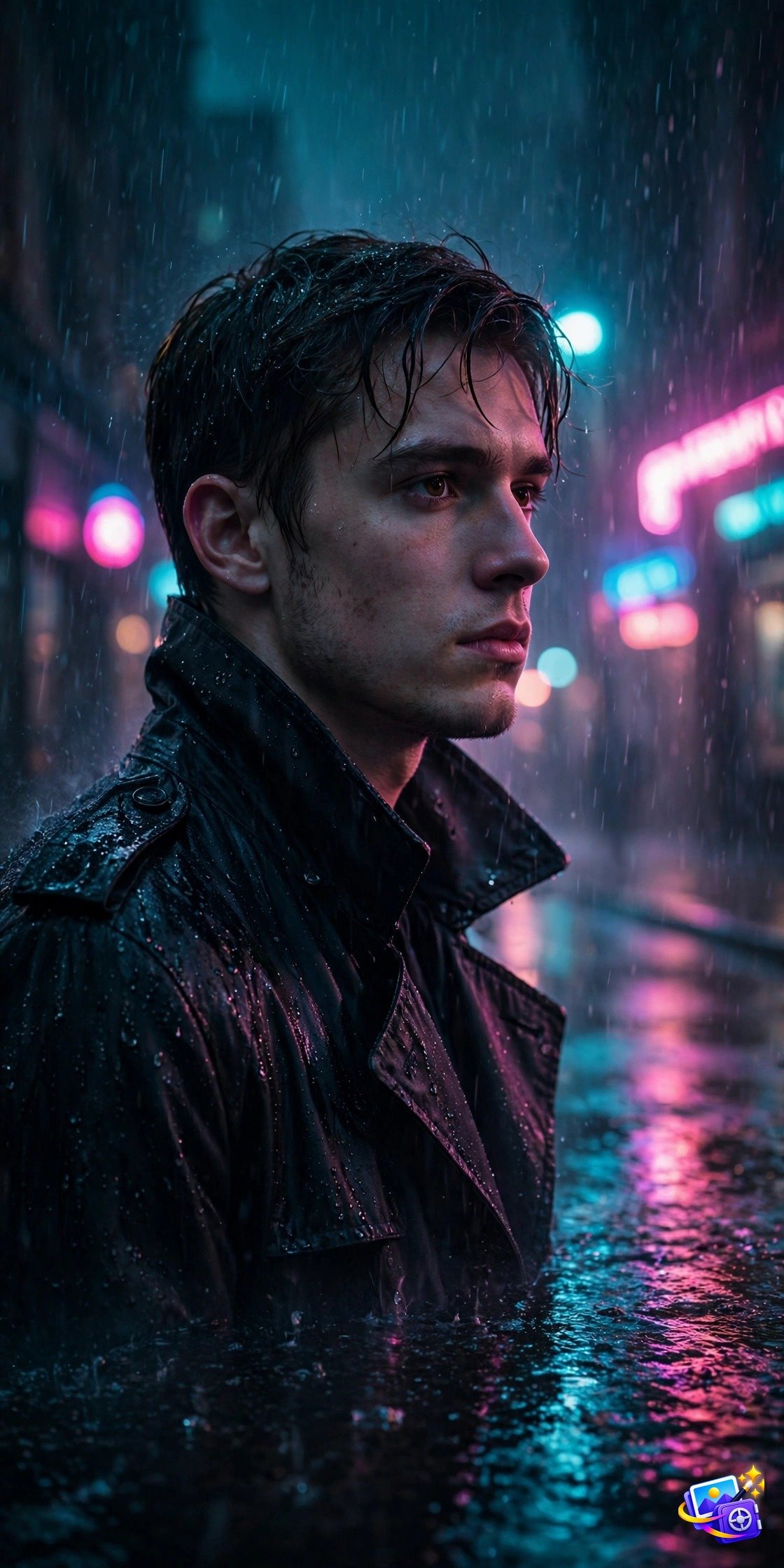
Transform THIS photo of me into a neon-noir night portrait, and keep my facial features exactly the same, and dress me in a dark trench coat. Place me on a wet rain-soaked street at night, with glowing pink and blue neon signs reflecting on the wet pavement. Add moody cinematic lighting with deep shadows and rain droplets visible in the neon glow. Mysterious cinematic film-still mood, rich teal and magenta color grade. Vertical portrait.Neon-noir is the moody cousin of cyberpunk, and it trends every autumn as nights get longer. The rain reflections double the neon glow, which makes the whole portrait feel like a frame from a detective film. If you want a spookier seasonal version, our Halloween AI photo prompts add ghosts and haunted backgrounds to your portraits.
Pro tip: ask for light rain instead of heavy rain if your face gets hidden behind too many droplets.
Pro Tips for Trending AI Portrait Prompts
- Always start with your clearest, most front facing photo for the best face match.
- Add “vertical portrait” or “square” at the end of any prompt to control the image shape.
- Regenerate up to three times with the same prompt; the third try is often the best one.
- Mention specific colors and fabrics in your prompt for more accurate outfits.
- Avoid sunglasses and hats in your uploaded photo so the AI sees your full face.
- Save your favorite results at full resolution for printing or framing.
- Mix two styles, like golden-hour lighting with a neon-noir background, for totally original portraits.
Frequently Asked Questions
Do these AI portrait prompts really keep my face looking like me?
Yes, as long as you upload a clear photo and keep the identity lock phrase in the prompt. The AI matches your eyes, nose, and face shape while changing everything else.
Which app is best for these trending AI portrait prompts?
ChatGPT and Gemini both handle photo uploads well. ChatGPT gives very accurate faces, while Gemini is faster for quick experiments.
Are these AI portraits free to make?
Mostly yes. Both ChatGPT and Gemini include free image generation with daily limits, which is enough to try all 10 styles.
Why does my portrait look different from my face?
This usually happens with blurry or side angle photos. Upload a sharp, front facing photo and the face match improves immediately.
Can I use these portraits as my social media profile picture?
Absolutely. These styles are designed for profile pictures, and the cyberpunk and neon-noir looks are especially popular as avatars.
How do I make the collage style show more poses?
Just change “2×2 grid” to “3×3 grid” in Prompt 7 and describe the extra poses you want in each panel.
More About These Trending AI Portrait Prompts
These trending AI portrait prompts work so well because each one pairs a clear identity lock with a fully described scene. When you use trending AI portrait prompts, the AI knows exactly what to change and what to keep, which is why the faces stay recognizable. Most trending AI portrait prompts fail when the style description is vague, so the detailed lighting and background notes in each prompt above do the heavy lifting.
If you are new to AI portraits, start with the 80s retro or golden-hour trending AI portrait prompts, since forgiving lighting hides small flaws. Save your favorite trending AI portrait prompts in a notes app so you can reuse them with new photos later. Trying all ten trending AI portrait prompts with the same selfie is the fastest way to find the style that suits you best.
Bookmark this collection of trending AI portrait prompts and check back often, because new portrait trends appear on social media every few weeks. Share your results with friends, and send them these trending AI portrait prompts so they can transform their photos too.
That is the full set of the 10 trending AI portrait prompts taking over social media in 2026. Pick your favorite style, copy the prompt, upload your photo, and share your new portrait. Tag us when you post it, because we love seeing which trend you tried first.
SEO Expert & Contant Writer






8 thoughts on “10 Trending AI Portrait Prompts All Over Social Media (2026)”