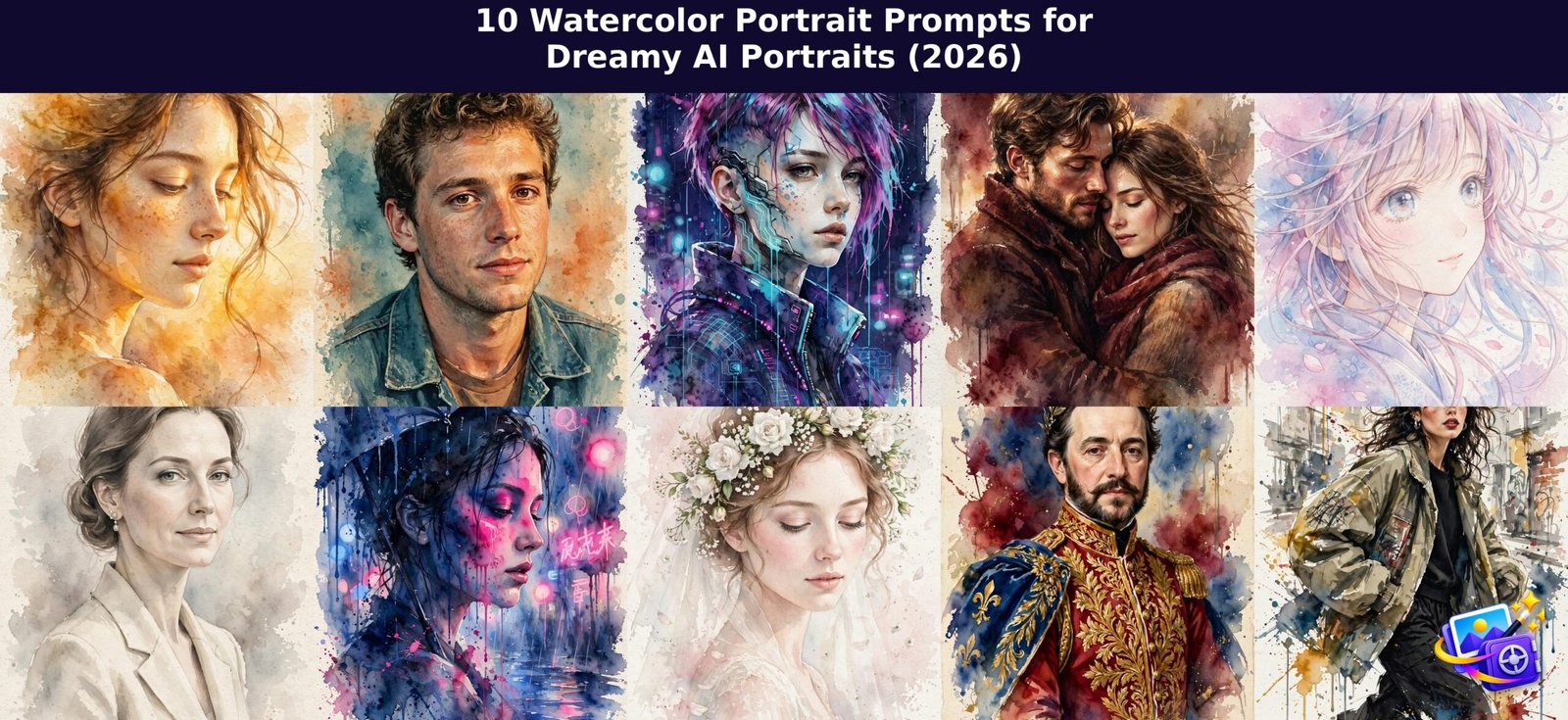
Want a portrait that looks hand painted instead of filtered? These watercolor portrait prompts turn your own photo into soft, gallery style watercolor art inside ChatGPT or Gemini. Upload your picture, paste a prompt, and let the washes, brushstrokes and paper texture do the magic.
How to Use These Watercolor Portrait Prompts
- Pick a clear photo. A front facing portrait with good light gives the AI the most facial detail to preserve. Selfies work perfectly.
- Upload it to ChatGPT or Gemini. In ChatGPT, tap the plus icon and add your photo, then paste the prompt in the same message. If you are new to editing uploaded photos, this guide to editing pictures you upload to ChatGPT walks through the basics.
- Copy and paste the full prompt. Every prompt below starts with a “transform THIS photo” instruction and an identity lock, so your face stays yours. Do not trim those lines, they are what keep the result looking like you.
- Dial the watercolor strength. After the first result, follow up with plain words like “make the washes softer”, “show more paper texture” or “add bolder brushstrokes” until the painting feels right.
- Re roll if the face drifts. Sometimes the AI gets creative with features. Just reply “keep my facial features exactly the same, regenerate” and it will try again.
All ten watercolor portrait prompts below follow the same structure, so once you learn the flow you can reuse it for any style.
Love portrait styles in general? Browse our trending AI portrait prompts for more photo to art ideas.
Prompt 1: Golden Hour Watercolor Portrait
Warm light flatters every face, and these watercolor portrait prompts turn it into pure glow. This prompt bathes your portrait in amber and honey washes that feel like late evening sun, with loose edges that keep it painterly instead of photographic.
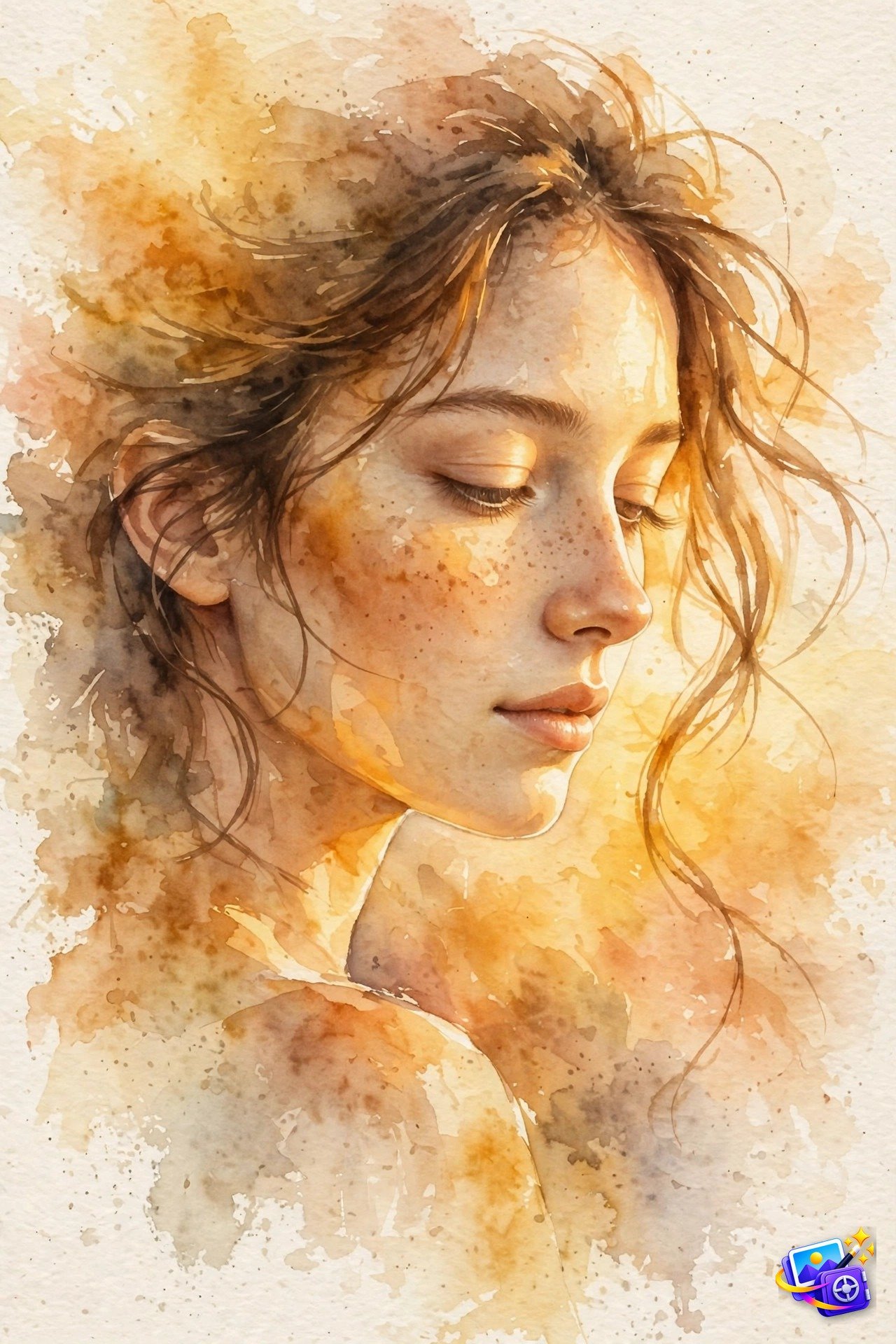
Transform THIS photo into a watercolor portrait. Keep my facial features exactly the same, same face shape, same expression, just repainted in watercolor. Style: dreamy golden hour watercolor painting, soft translucent washes of amber, honey gold and peach across the skin, warm glowing light from the side, loose visible brushstrokes, wet-on-wet blending, cold-pressed paper texture showing through the paint, background a warm golden wash fading to cream at the edges, loose unfinished edges around the hair. Portrait orientation.Try this tweak: ask for “stronger sun flare across one cheek” for a dreamier finish, or “cooler shadows” if you want more contrast between light and shade.
Prompt 2: 80s Retro Watercolor Portrait
Retro film aesthetics are still dominating feeds, and these watercolor portrait prompts fuse that nostalgia with watercolor. The result looks like a faded 1980s flash photograph that someone lovingly repainted by hand, equal parts vintage and artistic.
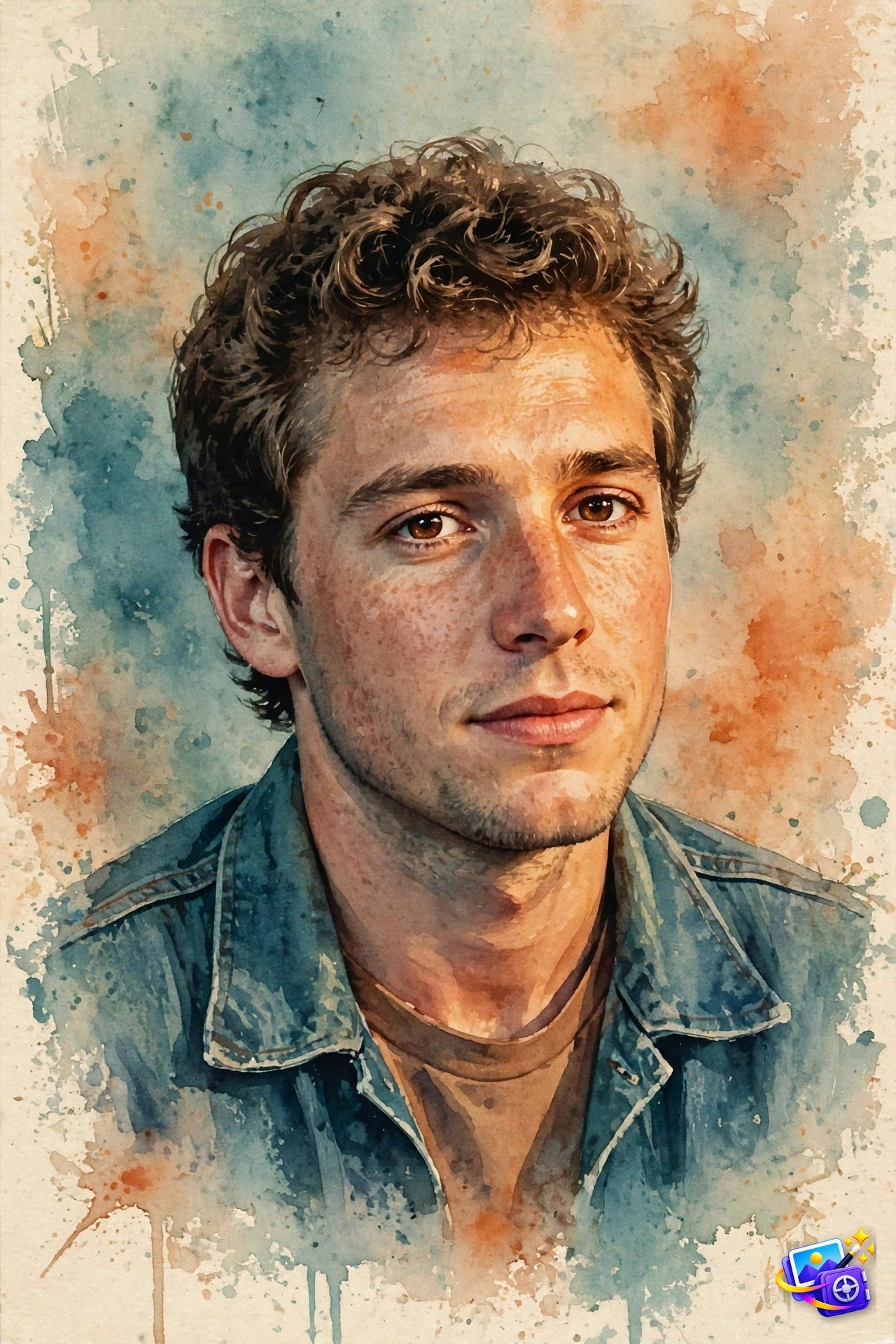
Transform THIS photo into a watercolor portrait. Keep my facial features exactly the same. Style: 1980s retro film-photo look translated into watercolor, like a faded vintage flash photograph repainted by hand, muted warm orange and teal color palette, soft grainy texture, slightly faded highlights, visible paper texture, loose brushstrokes with soft color bleeds at the edges, vintage photo-booth mood. Watercolor on paper, painterly, not a photo.Try this tweak: add “subtle film grain over the washes” to push the vintage feel, or name a decade detail like “denim jacket” to strengthen the era.
Prompt 3: Cyberpunk 2080 Watercolor Portrait
Cyberpunk is one of the biggest AI art trends right now, and these watercolor portrait prompts soften its hard neon edge beautifully. Electric cyan and magenta bleed through translucent washes here, giving you a futuristic portrait that still feels like art, not a render.
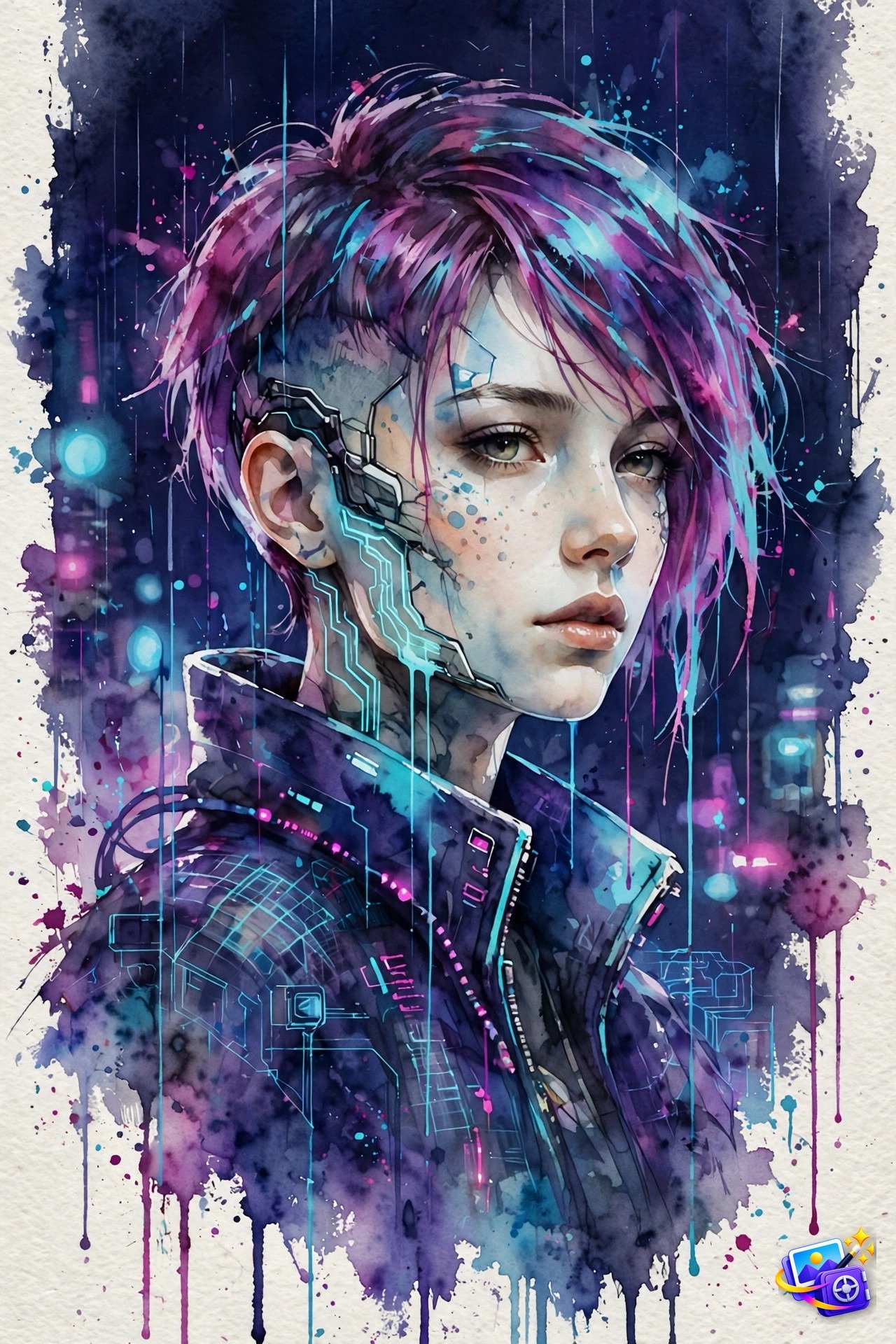
Transform THIS photo into a watercolor portrait. Keep my facial features exactly the same. Style: cyberpunk 2080 watercolor painting, neon cyan and magenta accents glowing through translucent watercolor washes, deep indigo night background, rain-washed color drips running down the paper, loose expressive brushstrokes, visible paper texture, futuristic reflections suggested in watercolor. Hand-painted watercolor art, painterly, not photorealistic.Try this tweak: swap the accent colors with “acid green and violet neon” for a different city-at-night mood, or ask for “heavier rain drips” for extra drama.
Prompt 4: Cinematic Watercolor Couple Portrait
Couple portraits get the most saves and shares of any portrait format, and these watercolor portrait prompts give this one a cinematic film-poster feel. Deep burgundy and umber washes with soft dramatic lighting turn an ordinary photo of two people into a romantic movie still.
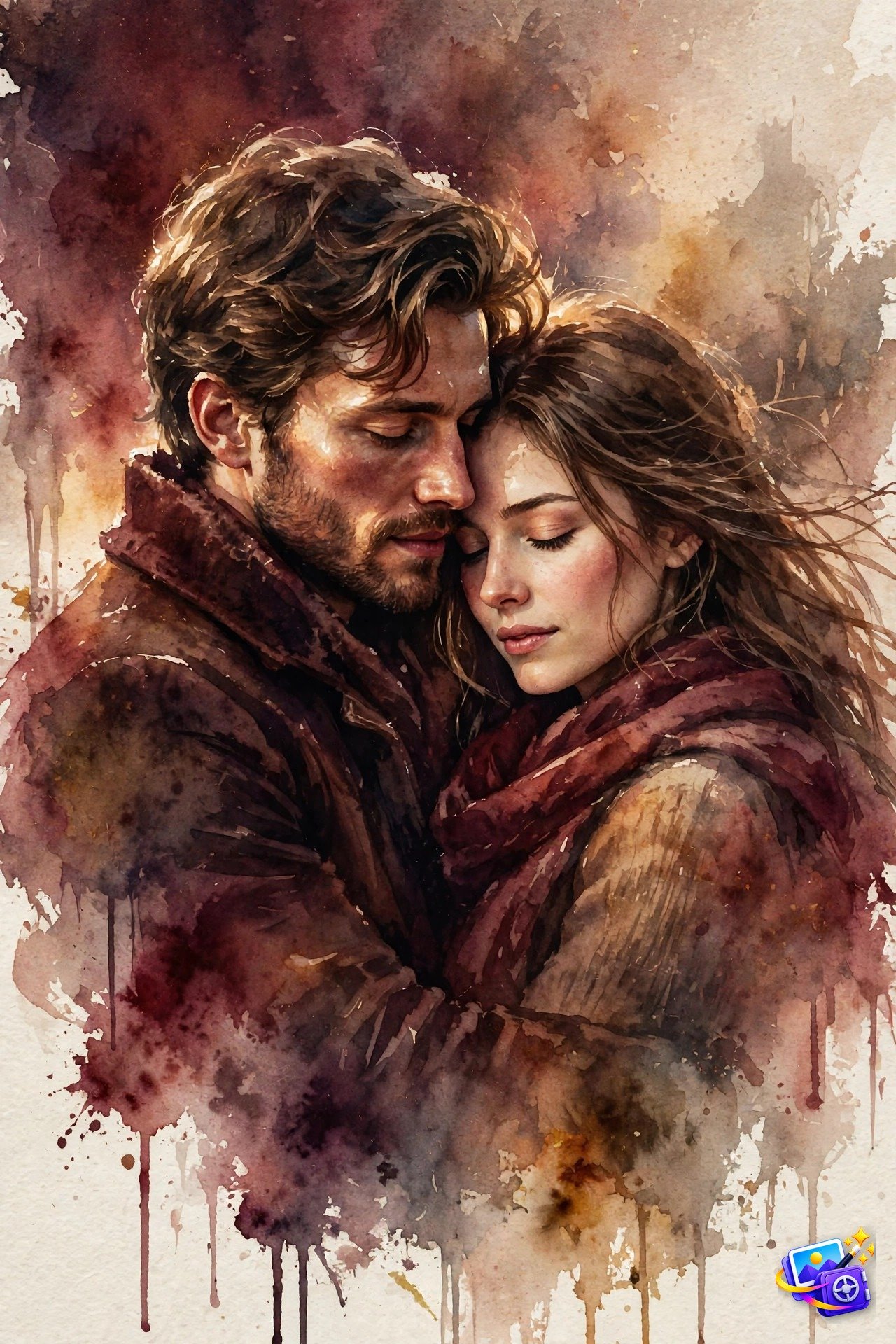
Transform THIS photo into a watercolor portrait. Keep both people's facial features exactly the same. Style: cinematic romantic watercolor painting like a movie still, dramatic soft lighting across the faces, deep burgundy and warm umber washes, loose brushstrokes with wet edges and color blooms, visible paper grain, tender romantic atmosphere, painterly film-frame composition. Hand-painted watercolor, not a photo.Try this tweak: mention the mood you want, like “rainy Paris evening” or “sunlit meadow”, and the background wash will follow. Works beautifully for anniversary posts.
Prompt 5: Anime Watercolor Portrait
Anime style portraits never leave the trending page, and these watercolor portrait prompts are softer and more shareable than the usual digital look. Pastel washes, cherry blossom petals and that dreamy shoujo glow make this a favorite for profile pictures.
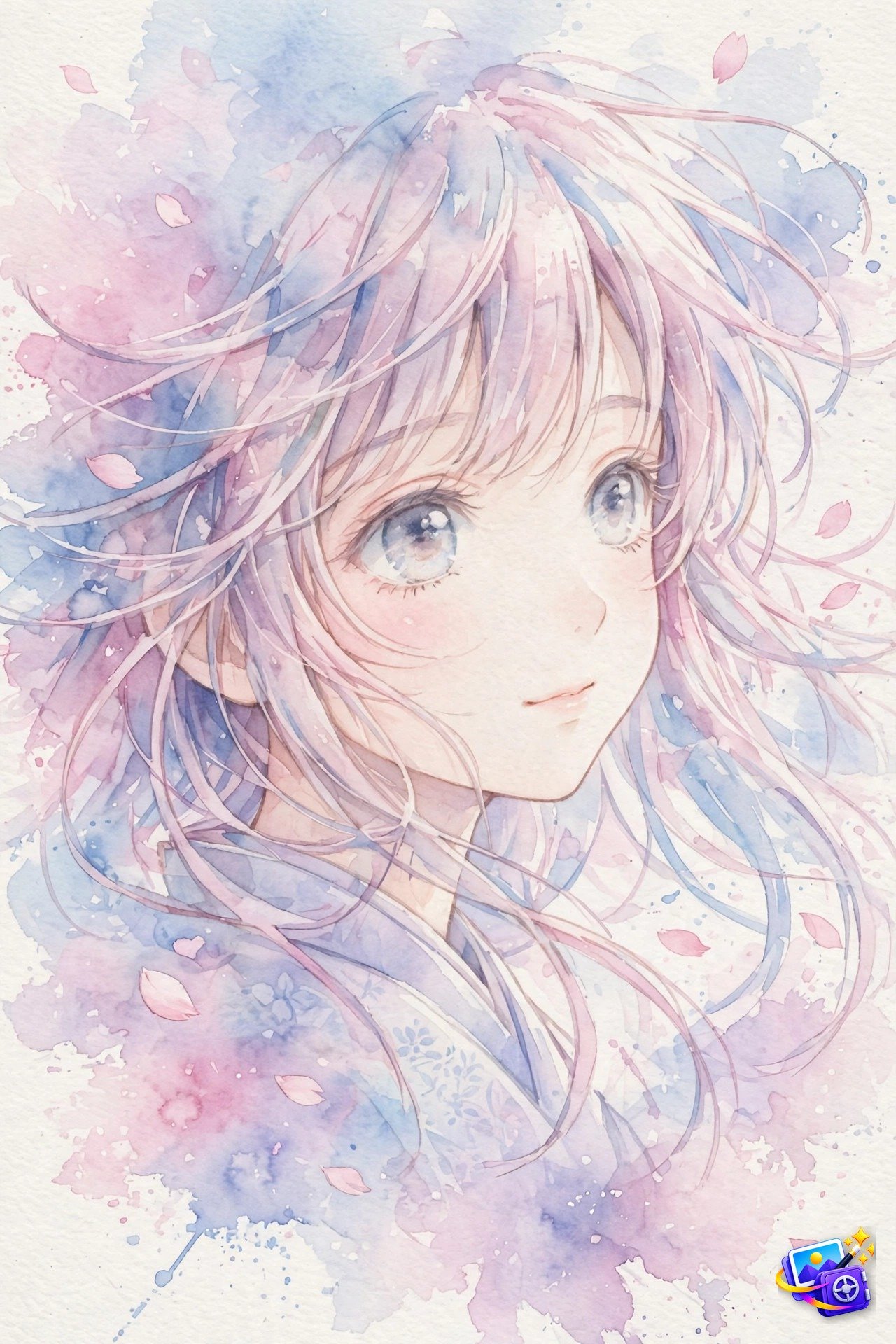
Transform THIS photo into a watercolor portrait. Keep my facial features exactly the same, recognizable as me, but redrawn in dreamy anime style. Style: soft anime watercolor painting, large expressive anime eyes, delicate pastel washes in pink, lavender and sky blue, drifting cherry blossom petals, visible paper texture, loose transparent brushstrokes, dreamy shoujo anime mood. Hand-painted watercolor, painterly.Try this tweak: ask for “night festival version with lantern glow” for a seasonal variant, or “school uniform style background wash” for a classic anime poster feel.
Prompt 6: Old Money Luxury Watercolor Portrait
Quiet luxury is everywhere in fashion content, and these watercolor portrait prompts translate it perfectly to portraiture. This prompt strips away loud colors for ivory, taupe and soft gray washes, giving you a refined society portrait look that feels expensive without trying.
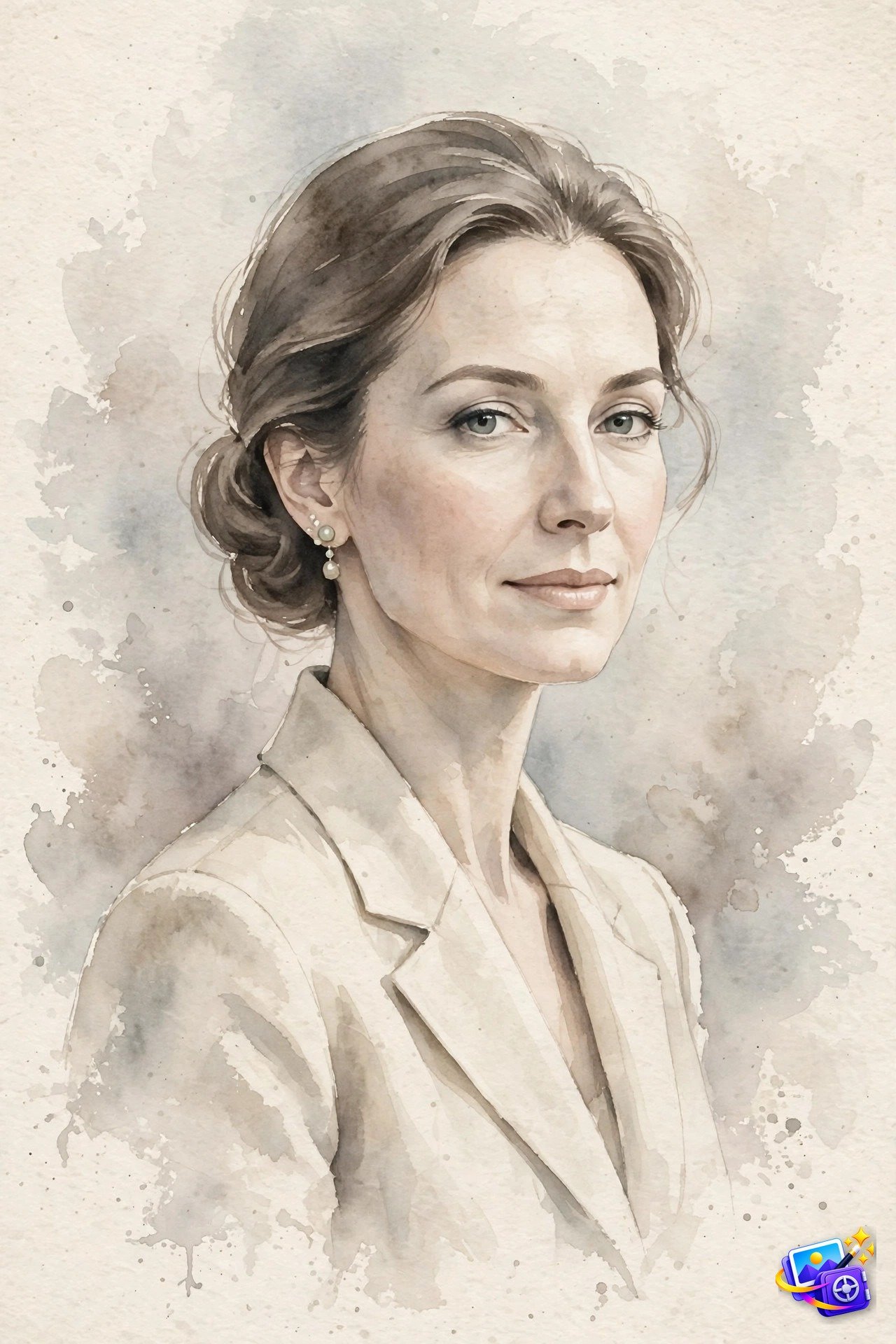
Transform THIS photo into a watercolor portrait. Keep my facial features exactly the same. Style: elegant old money luxury watercolor portrait, refined composed pose, muted sophisticated palette of ivory, taupe and soft gray, restrained delicate washes, fine controlled brushwork, visible cold-pressed paper texture, timeless understated elegance, like a society portrait painted in watercolor. Painterly, not a photo.Try this tweak: add a detail like “pearl earrings” or “tailored blazer” in a follow up message and the AI will repaint the outfit while keeping your face.
Prompt 7: Neon Noir Watercolor Portrait
Rainy neon nights are a whole aesthetic on their own, and watercolor captures their mood better than any filter. Glowing signs bloom through wet washes while deep blues and electric pinks drip down the paper, pure cinematic melancholy.
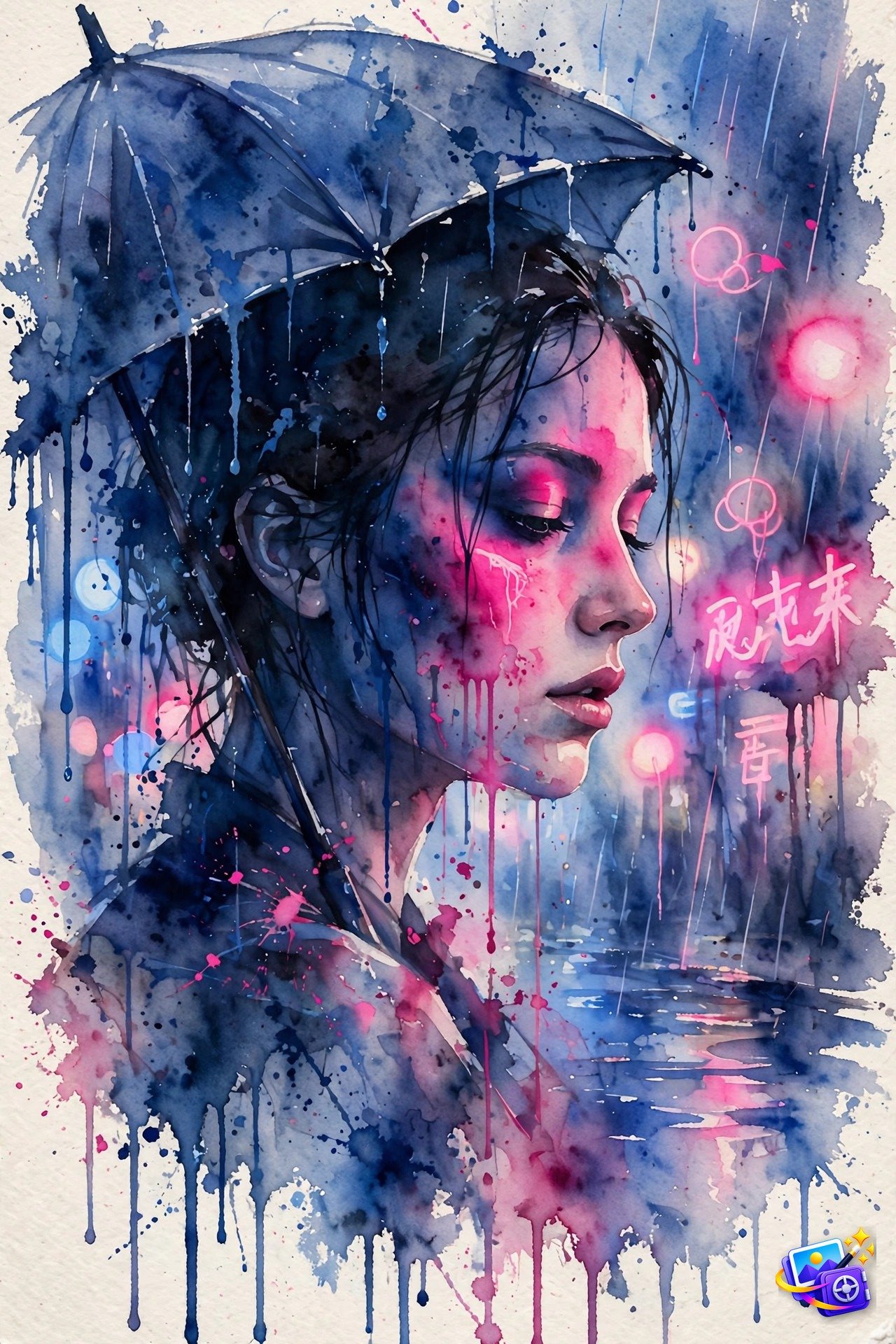
Transform THIS photo into a watercolor portrait. Keep my facial features exactly the same. Style: neon-noir watercolor painting on a rainy night, face half-lit by glowing neon signs, wet street bokeh lights in the background as soft watercolor blooms, deep blues and electric pinks, paint drips and wet color runs down the paper, visible paper texture, mysterious cinematic noir atmosphere. Hand-painted watercolor, painterly.Try this tweak: ask for “umbrella in frame” or “reflections on wet pavement” to deepen the scene, these watercolor portrait prompts love one strong storytelling detail.
Prompt 8: Bridal Watercolor Portrait
Wedding content performs year round, and these watercolor portrait prompts turn a bridal photo into a keepsake rather than just a photo. White roses, baby’s breath and blush washes keep everything feather light and romantic, perfect for announcements or anniversary reposts.
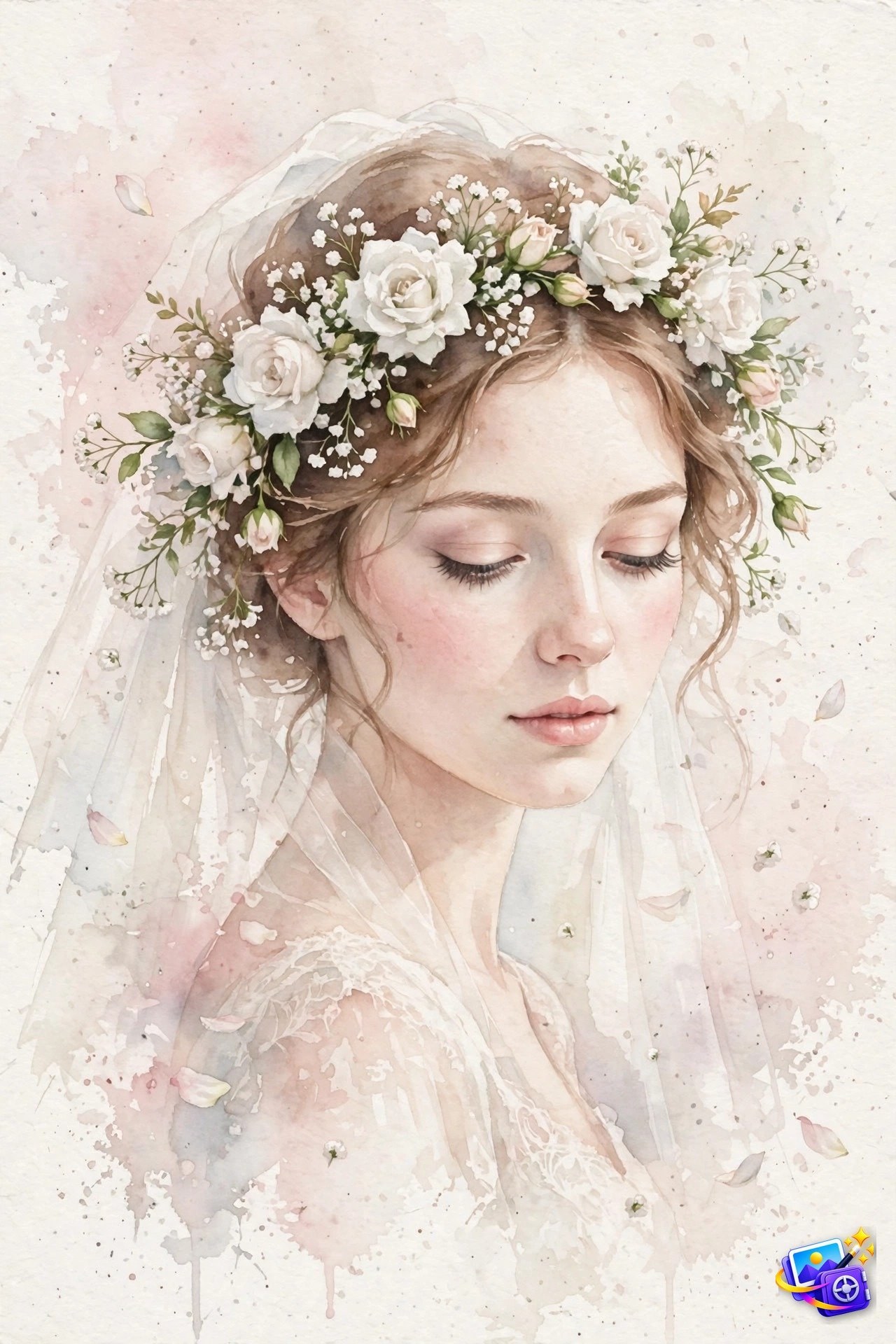
Transform THIS photo into a watercolor portrait. Keep my facial features exactly the same. Style: soft bridal watercolor portrait, delicate floral crown of white roses and baby's breath, gentle blush and ivory washes, airy transparent layers, feather-light brushstrokes, petals drifting in the background wash, visible paper texture, tender romantic delicate mood. Hand-painted watercolor, painterly.Try this tweak: name your wedding flowers, like “peony crown” or “wildflower crown”, and the AI will swap the florals while keeping the soft bridal washes.
Prompt 9: Royal Watercolor Portrait
Regal watercolor portrait prompts have a timeless appeal that cuts through trendy feeds. Ornate embroidery, gold accents and rich crimson washes give you the look of a classical oil portrait, but with watercolor’s lightness and loose edges.
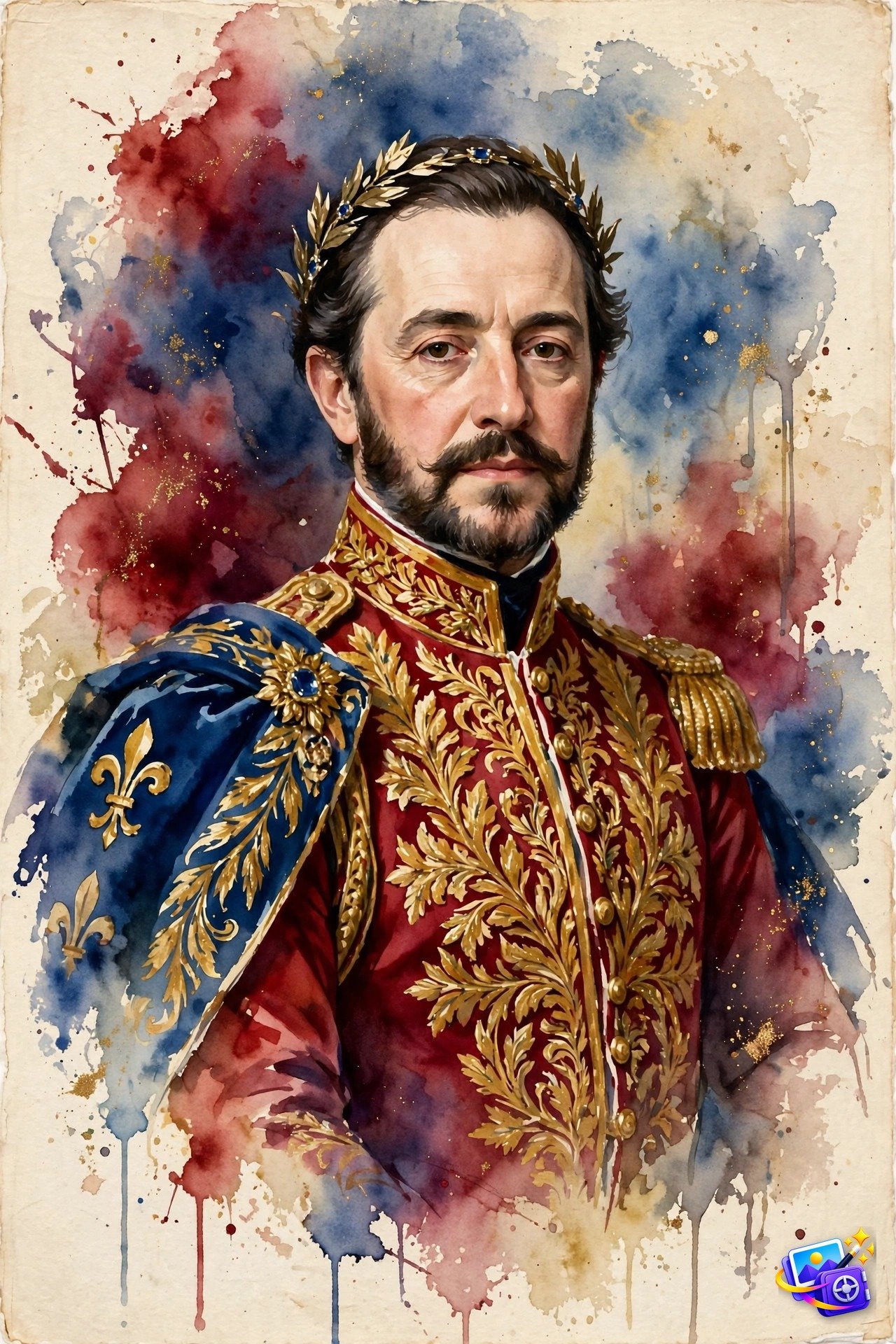
Transform THIS photo into a watercolor portrait. Keep my facial features exactly the same. Style: regal royal watercolor portrait, ornate embroidered attire with gold accents, classic traditional watercolor washes in deep crimson, royal blue and gold, dignified formal composition, rich layered glazes, visible paper texture, fine detailed brushwork with loose edges, old-master watercolor elegance. Painterly, not a photo.Try this tweak: specify an era, like “Victorian” or “Mughal court style”, and the attire and palette will shift while your face stays constant.
Prompt 10: Street Style Watercolor Portrait
Fashion editorial energy meets watercolor spontaneity here. Bold paint splashes and drips give this portrait a gallery wall attitude, and it is the strongest of these watercolor portrait prompts for anyone whose feed leans streetwear or creative professional.
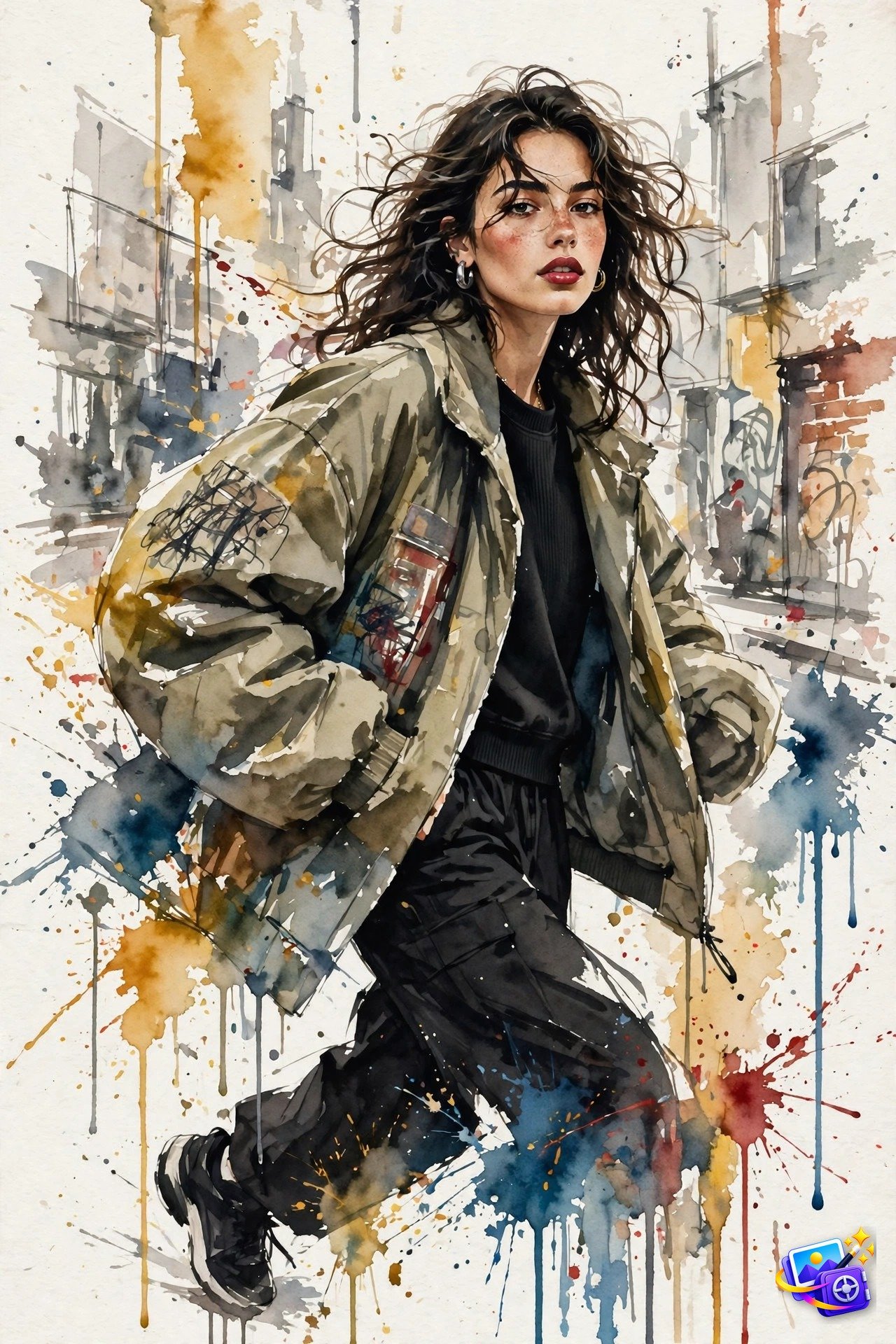
Transform THIS photo into a watercolor portrait. Keep my facial features exactly the same. Style: fashion-editorial street style watercolor portrait, confident dynamic pose, oversized streetwear jacket, bold paint splashes and drips across the paper, energetic expressive brushstrokes, urban background suggested in loose gray and ochre washes, high-fashion editorial mood in watercolor. Hand-painted watercolor, painterly.Try this tweak: ask for “more splatter, less detail” for an abstract take, or name a city, like “Tokyo street at dusk”, to set the background wash.
More About Watercolor Portrait Prompts
Watercolor portrait prompts work so well because the medium itself is forgiving. Soft washes hide harsh shadows, loose brushstrokes add character, and paper texture gives the image a handmade feel that no beauty filter can copy. That is why a simple selfie can become wall worthy art with a single well written prompt.
Unlike generic photo filters, good watercolor portrait prompts describe the painting process, not just the look. Words like “translucent washes”, “wet-on-wet blending” and “visible brushstrokes” tell the AI how the paint should behave, which is what separates a convincing watercolor from a blurry photo with a texture slapped on top. For a moodier film look, our cinematic AI image prompts pair beautifully with watercolor washes.
If you are building a series, save your favorite watercolor portrait prompts and reuse the same medium words across all of them. Consistent phrases like “cold-pressed paper texture” and “loose unfinished edges” keep a whole set looking like it came from one artist’s studio. Try three or four styles from this list on the same photo and pick the one that feels most like you.
Pro Tips for Better Watercolor Results
These six tips will make every one of the watercolor portrait prompts above perform better.
- Name the paper. Phrases like “cold-pressed paper texture” or “rough handmade paper” force visible grain into the result. Without them, the AI often returns a suspiciously smooth digital look.
- Limit your palette. Naming two or three colors, like “amber, honey gold and peach”, keeps the washes harmonious. Long color lists turn muddy fast.
- Melt the background. Ask for the background to “fade into a wash” or “dissolve at the edges”. Soft backgrounds make the face pop and scream watercolor.
- Protect the face. Add “detailed face, loose background” when features start melting. It tells the AI where to spend its precision.
- Learn from real painters. Traditional artists build portraits from thin transparent layers, and Winsor and Newton’s watercolour guide shows how washes create that luminous skin effect you want the AI to imitate.
- Finish with a varnish pass. Once you love a result, ask for “cleaner edges on the face, keep the washes” for a polished final version worth printing.
Frequently Asked Questions
Will these prompts keep my face looking like me?
Yes, every prompt includes an identity lock telling the AI to keep your facial features exactly the same. If a result drifts, reply with “keep my facial features exactly the same, regenerate”.
Which AI tool works best for watercolor portrait prompts?
ChatGPT and Gemini both handle these watercolor portrait prompts well. ChatGPT tends to preserve faces more faithfully, while Gemini often produces looser, more artistic washes.
Can I use these for couple or family photos?
Absolutely. Prompt 4 is written for two people, and the others work if you change “my facial features” to “their facial features” or “everyone’s facial features”.
Why does my result look like a photo instead of a painting?
The AI played it safe. Follow up with “more visible brushstrokes, stronger watercolor texture, less photorealistic” and it will push the painterly qualities further.
Can I print these watercolor portraits?
Yes, they print beautifully. Ask the AI for a high resolution version, then print on matte or watercolor paper to complete the hand painted illusion.
Do I need a paid plan to use these prompts?
No. Free tiers of ChatGPT and Gemini both support photo uploads and image generation, though paid plans give you faster results and more re-rolls per day.
SEO Expert & Contant Writer