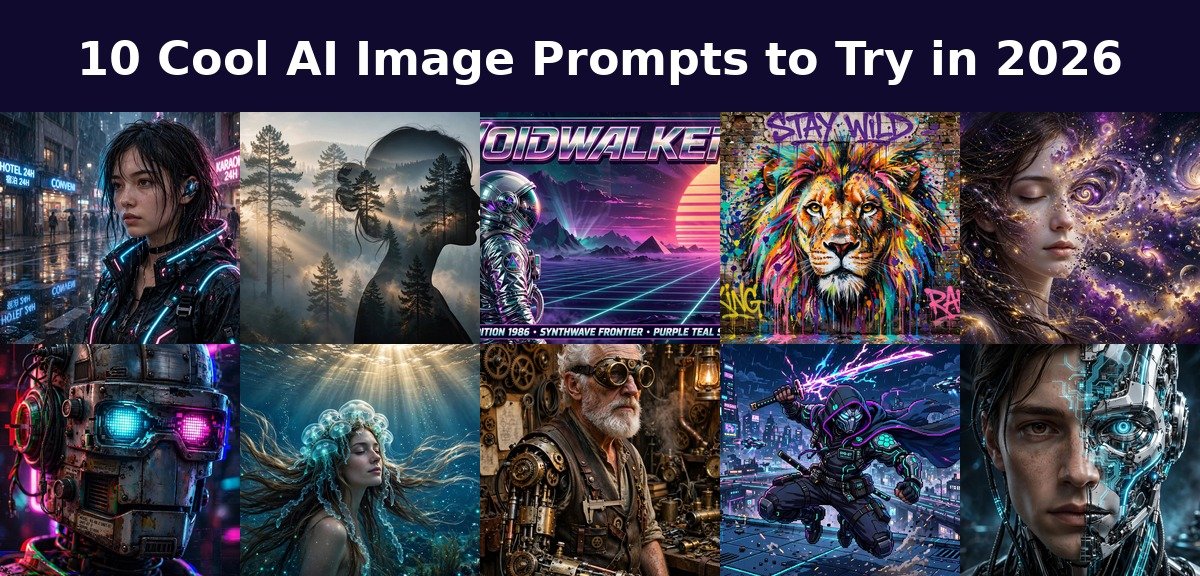
Intro
Want cool AI image prompts that actually deliver jaw-dropping results? You’re in the right place. The right prompt is the difference between a generic AI image and a stunning one.
This guide gives you 10 battle-tested cool AI image prompts, each with a real example image. Copy any prompt, paste it into Midjourney, DALL-E, ChatGPT, Meta AI, or Gemini, and start creating.
How to Use These Cool AI Image Prompts
Before you dive in, here’s how to get the best results from these cool AI image prompts:
- Copy the full prompt. Paste it exactly as written into your AI image generator of choice.
- Works everywhere. These cool AI image prompts work in Midjourney, ChatGPT/DALL-E, Gemini, Meta AI, and other generators. No special syntax required.
- Customize the subject. Swap the subject (e.g., “young woman” for “astronaut”) while keeping the style words intact.
- Control the shape. In Midjourney add `–ar 16:9` for wide or `–ar 1:1` for square. In ChatGPT, just ask for “wide landscape orientation.”
- Generate a few options. AI is non-deterministic, so generate 2–4 images and pick your favorite.
- Iterate with variations. Love the style but not the subject? Keep the style words and change only the subject.
Pro tip: The style keywords (cyberpunk, double exposure, synthwave, glitch art) do most of the heavy lifting in these cool AI image prompts. Once you find a style you love, reuse its keywords with new subjects for endless variations.
The 10 Cool AI Image Prompts
1. Cyberpunk Neon Street Portrait
The prompt:
cinematic cyberpunk portrait of a young woman standing in a rain-soaked neon city street at night, pink and blue neon signs glowing, reflections in wet puddles, futuristic jacket with glowing accents, dramatic rim lighting, ultra-detailed, photorealistic, wide composition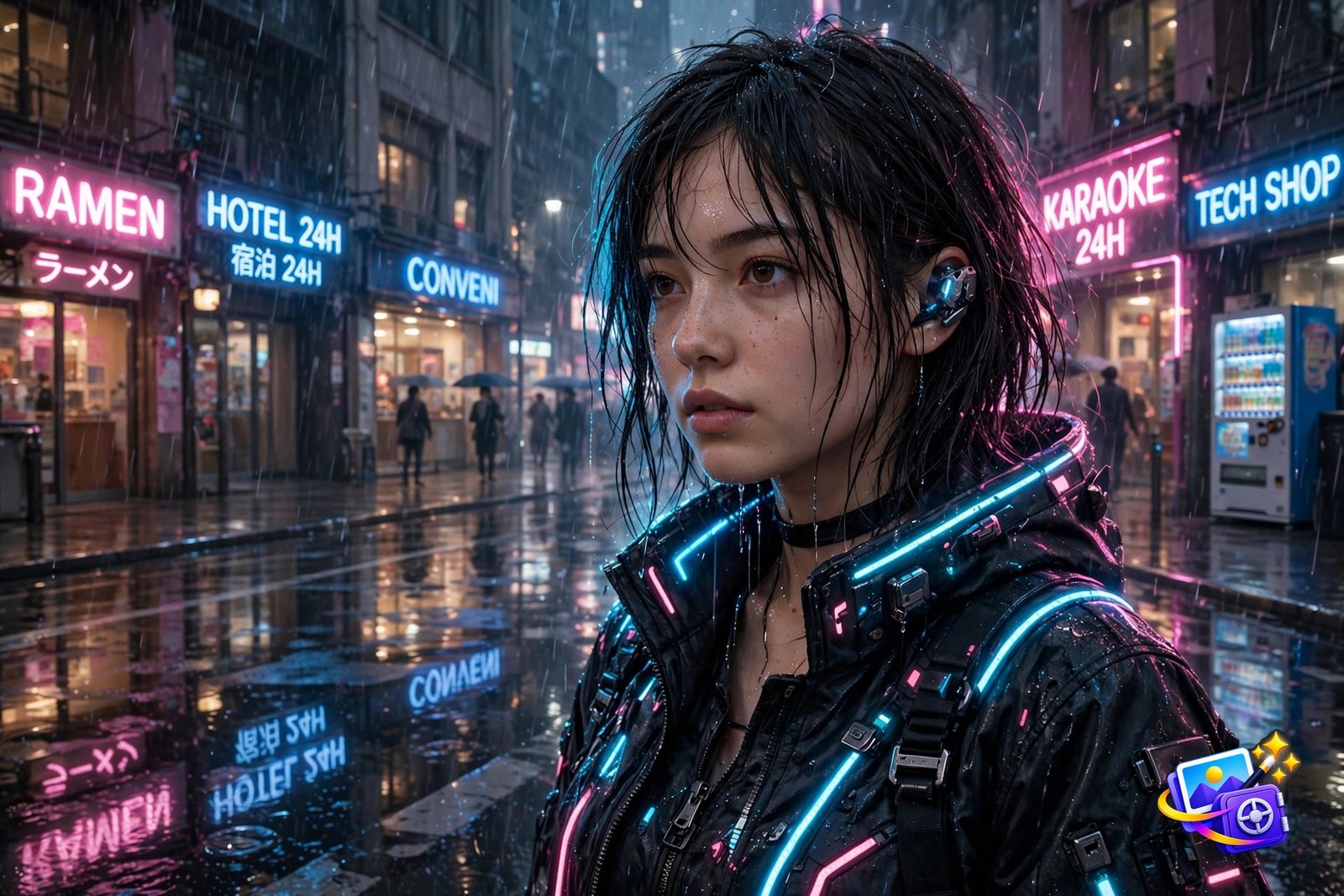
Why it works: This cool AI image prompt stacks three proven ingredients: a specific setting (rain-soaked neon street), a bold color palette (pink and blue), and cinematic lighting (rim lighting). “Photorealistic” and “ultra-detailed” push the generator toward realism instead of a flat digital look.
Modify it: Change the subject (“cyberpunk samurai,” “cyberpunk robot”), swap the palette (try “green and purple neon”), or make it daytime by replacing “at night” with “at dusk.”
2. Double Exposure Forest Portrait
The prompt:
double exposure fine-art photograph, elegant woman's profile silhouette filled with a misty pine forest landscape at dawn, soft light rays filtering through trees, dreamy ethereal mood, muted green and gold tones, wide composition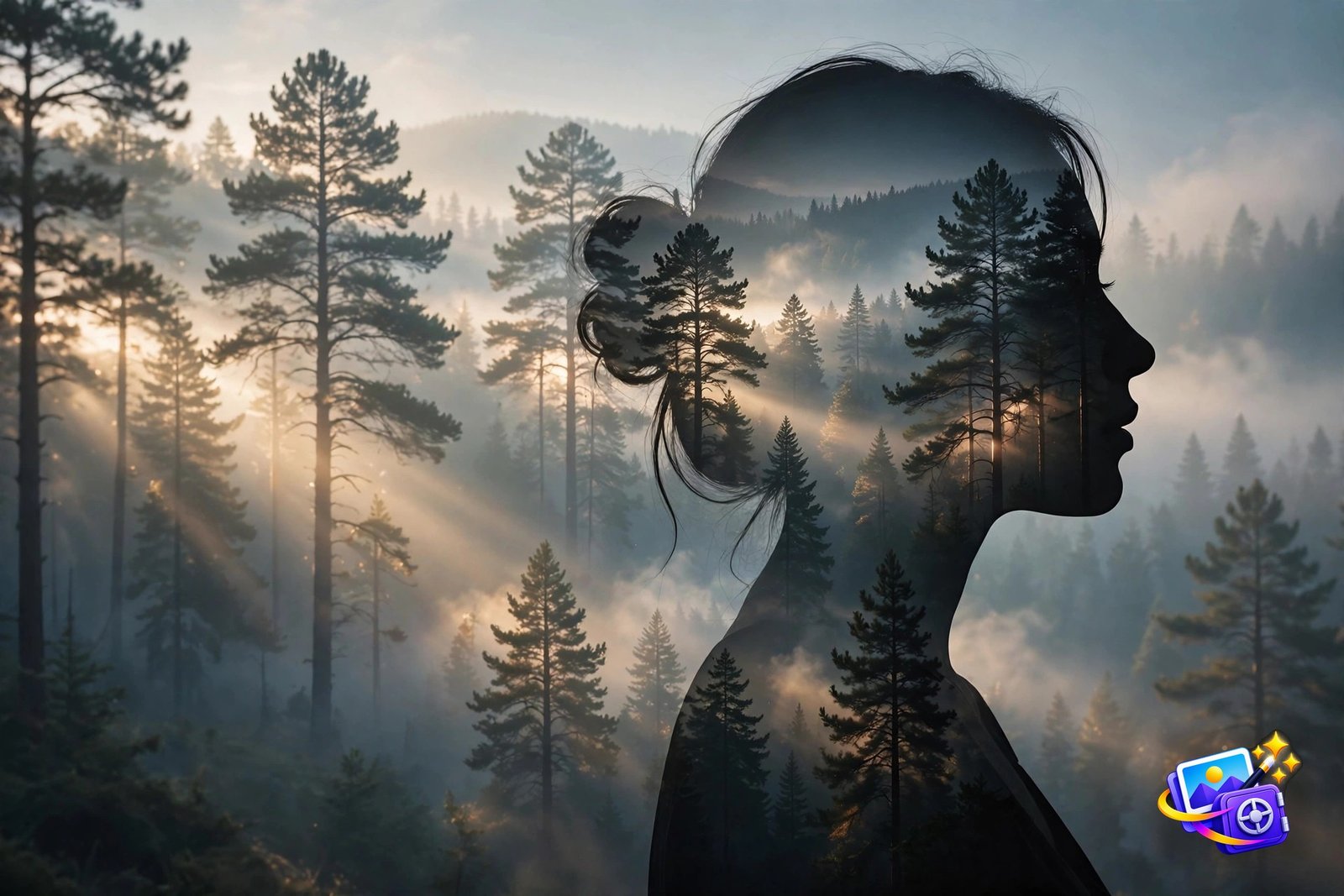
Why it works: “Double exposure” is a magic phrase. It instantly tells the AI to blend two images into one artistic composition. Specifying the silhouette content (misty pine forest) and the mood (dreamy, ethereal) prevents the generator from producing a muddy, random blend.
Modify it: Try different fill scenes (“ocean waves,” “city skyline,” or “starry night sky”) inside the same silhouette for completely different vibes.
3. Retro Synthwave Astronaut
The prompt:
retro synthwave poster art, lone astronaut standing before a giant striped setting sun, purple and teal gradient grid landscape, 1980s chrome aesthetic, glowing horizon, dramatic retro-futurism, wide composition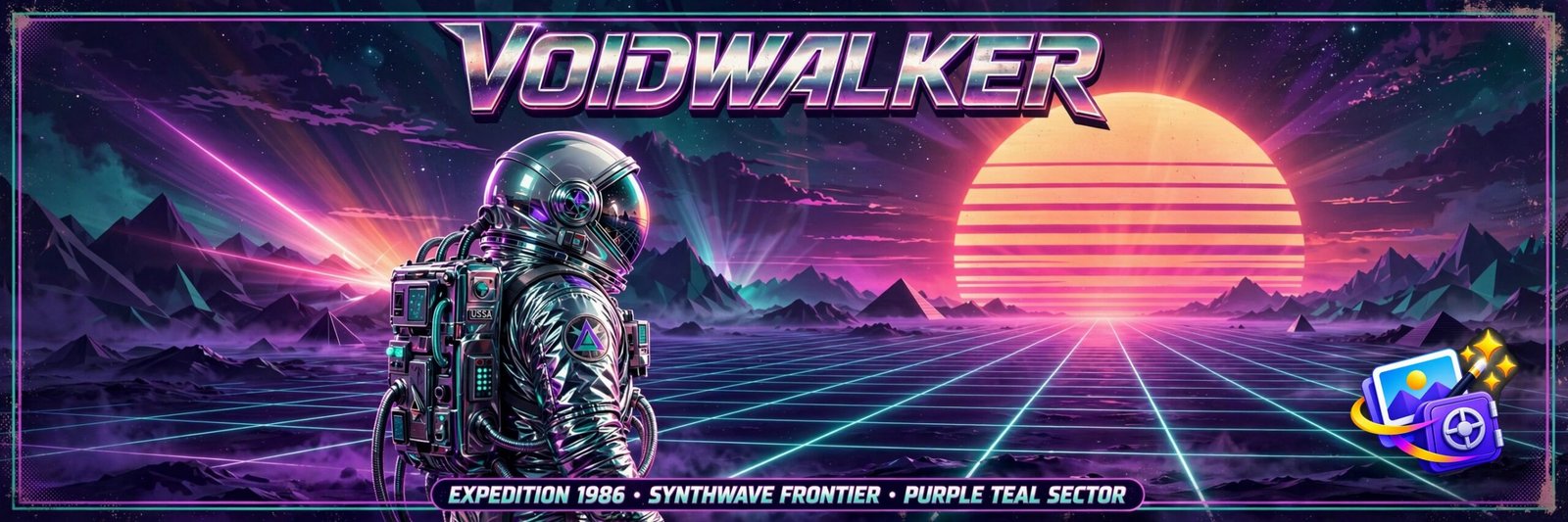
Why it works: Synthwave is one of the most reliable styles for cool AI image prompts because its visual language is so distinct: striped sun, grid horizon, neon gradients. Naming the era (“1980s”) and the exact palette (purple and teal) locks the aesthetic in so every generation looks on-theme.
Modify it: Replace the astronaut with a sports car, a robot, or a mountain landscape. The synthwave style works on almost any subject.
4. Graffiti Lion Street Mural
The prompt:
vibrant graffiti street art mural of a majestic lion's face on a weathered brick wall, bold spray-paint colors, dripping paint effects, photographed straight-on in daylight, urban art photography, wide composition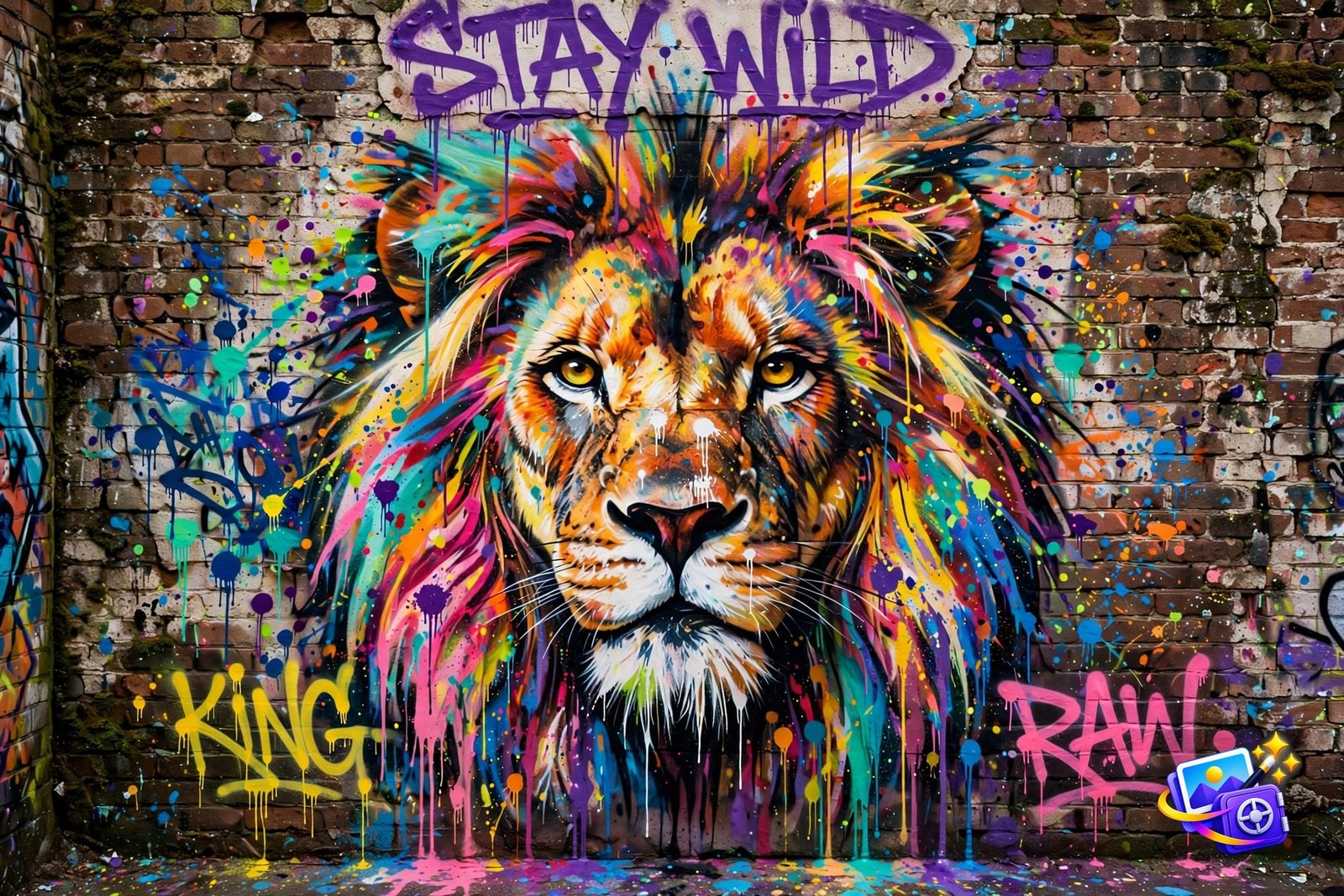
Why it works: This prompt works because it describes both the artwork AND the photograph of it (“photographed straight-on in daylight”). That framing trick gives you a realistic mural photo rather than a flat digital illustration. Texture words like “dripping paint” and “weathered brick” add authentic grit.
Modify it: Swap the lion for any animal (tiger, eagle, wolf), or change “brick wall” to “subway car” or “concrete underpass” for different street settings.
5. Cosmic Galaxy Portrait
The prompt:
surreal cosmic digital art portrait, woman's face dissolving into a swirling galaxy of stars and purple-gold nebulae, deep space background, luminous intricate detail, ethereal glow, wide composition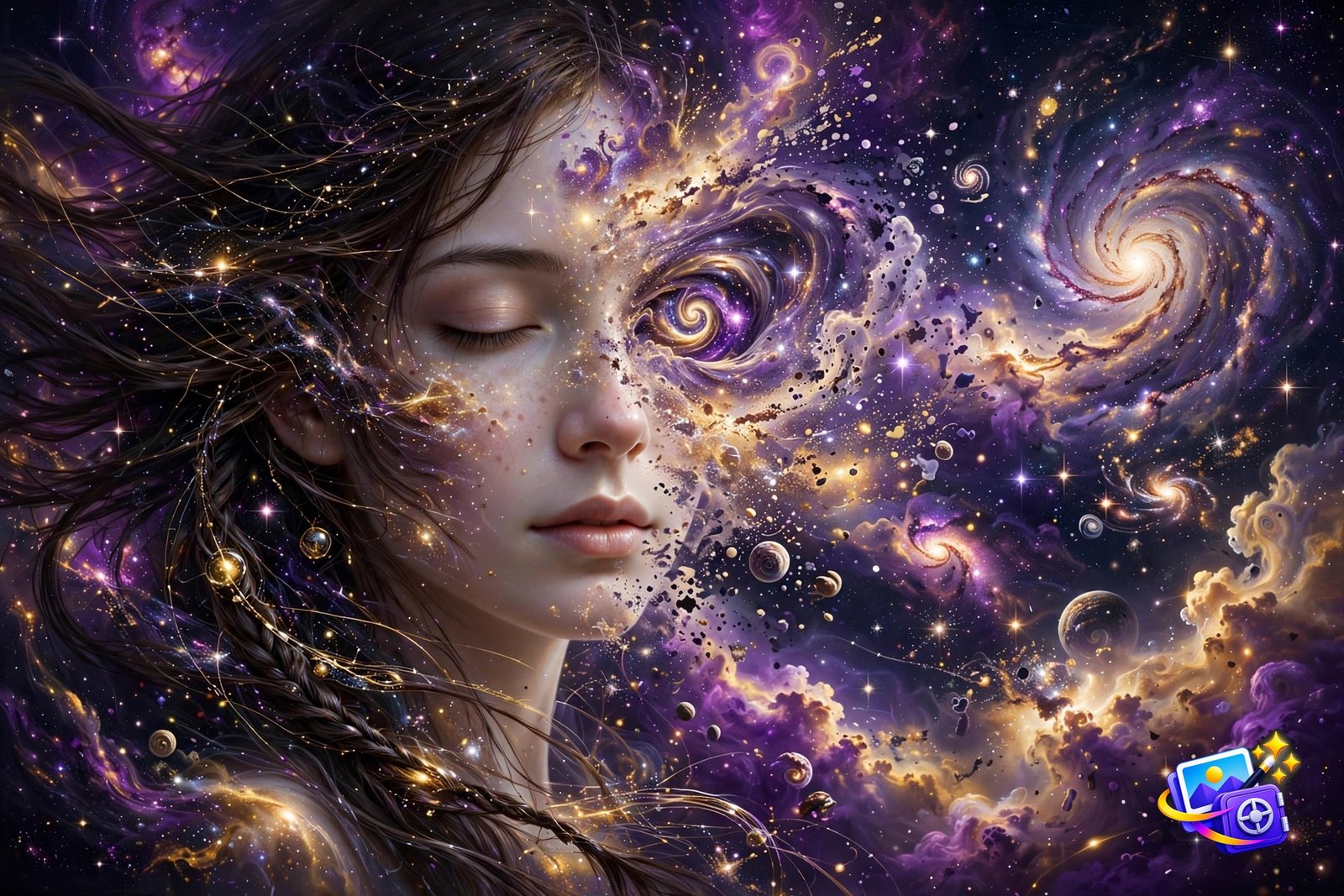
Why it works: Transformation verbs like “dissolving into” give the AI a clear creative direction. It knows the face should melt into the galaxy rather than just sit in front of it. The specific palette (purple-gold) keeps the cosmic scene cohesive instead of a random starfield, a color trick that elevates many cool AI image prompts.
Modify it: Try “dissolving into ocean waves” or “dissolving into autumn leaves” for the same surreal effect with a different element.
6. Neon Glitch Robot
The prompt:
glitch art portrait of a retro humanoid robot, RGB color-split distortion, horizontal scan lines, neon glow on a dark background, cyberpunk digital art, distorted futuristic aesthetic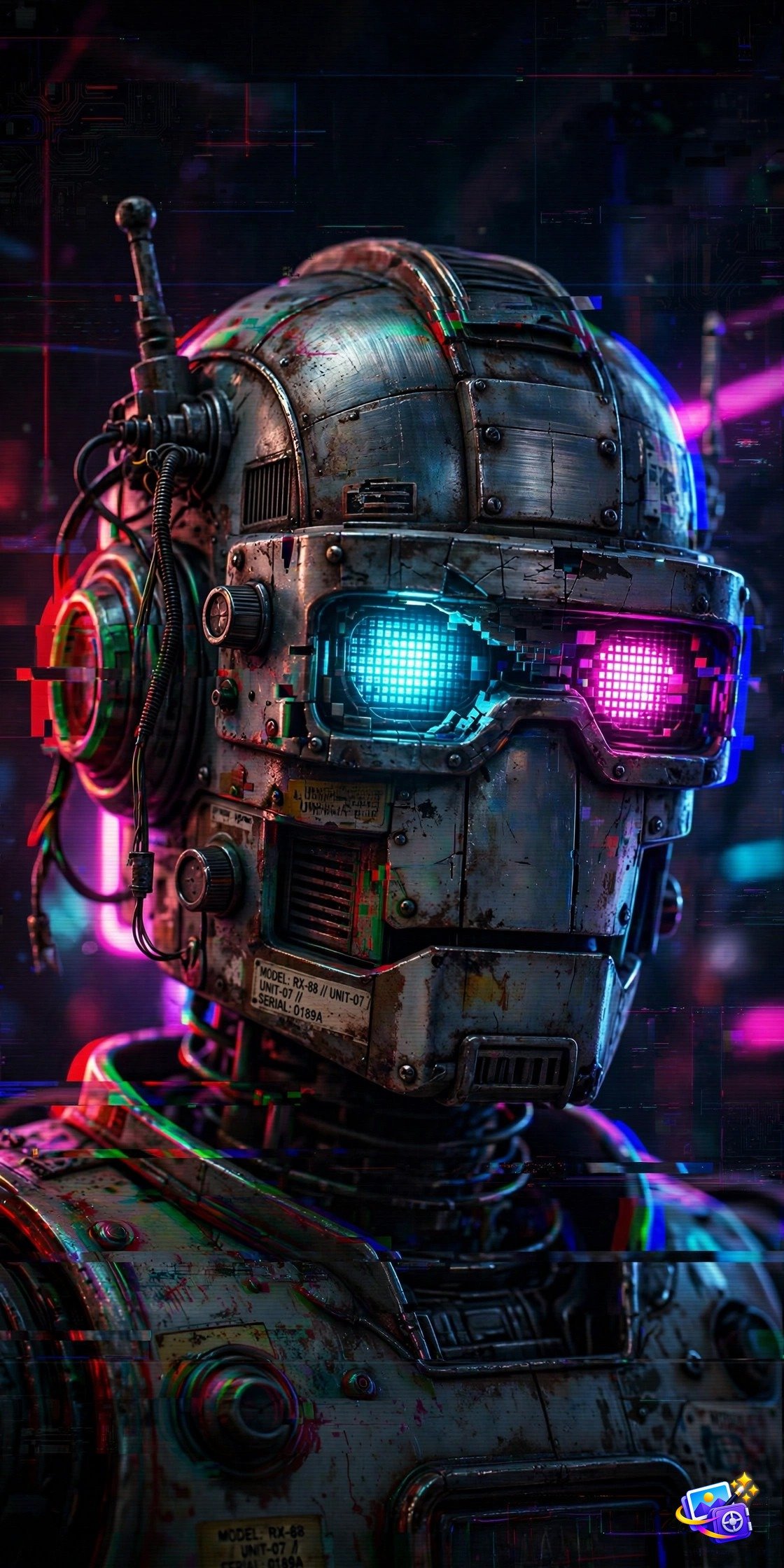
Why it works: Glitch art is all about controlled chaos, and this prompt names the exact distortion techniques (“RGB color-split,” “scan lines”) so the AI produces authentic-looking digital corruption instead of just a blurry robot. The dark background makes the neon glow pop.
Modify it: Apply the same glitch treatment to any portrait: “glitch art portrait of a wolf,” “glitch art portrait of a vintage car.”
7. Underwater Ethereal Portrait
The prompt:
ethereal underwater photograph of a woman with long flowing hair wearing a glowing jellyfish crown, sun rays filtering through deep blue water, bioluminescent particles floating, fantasy fine-art mood, wide composition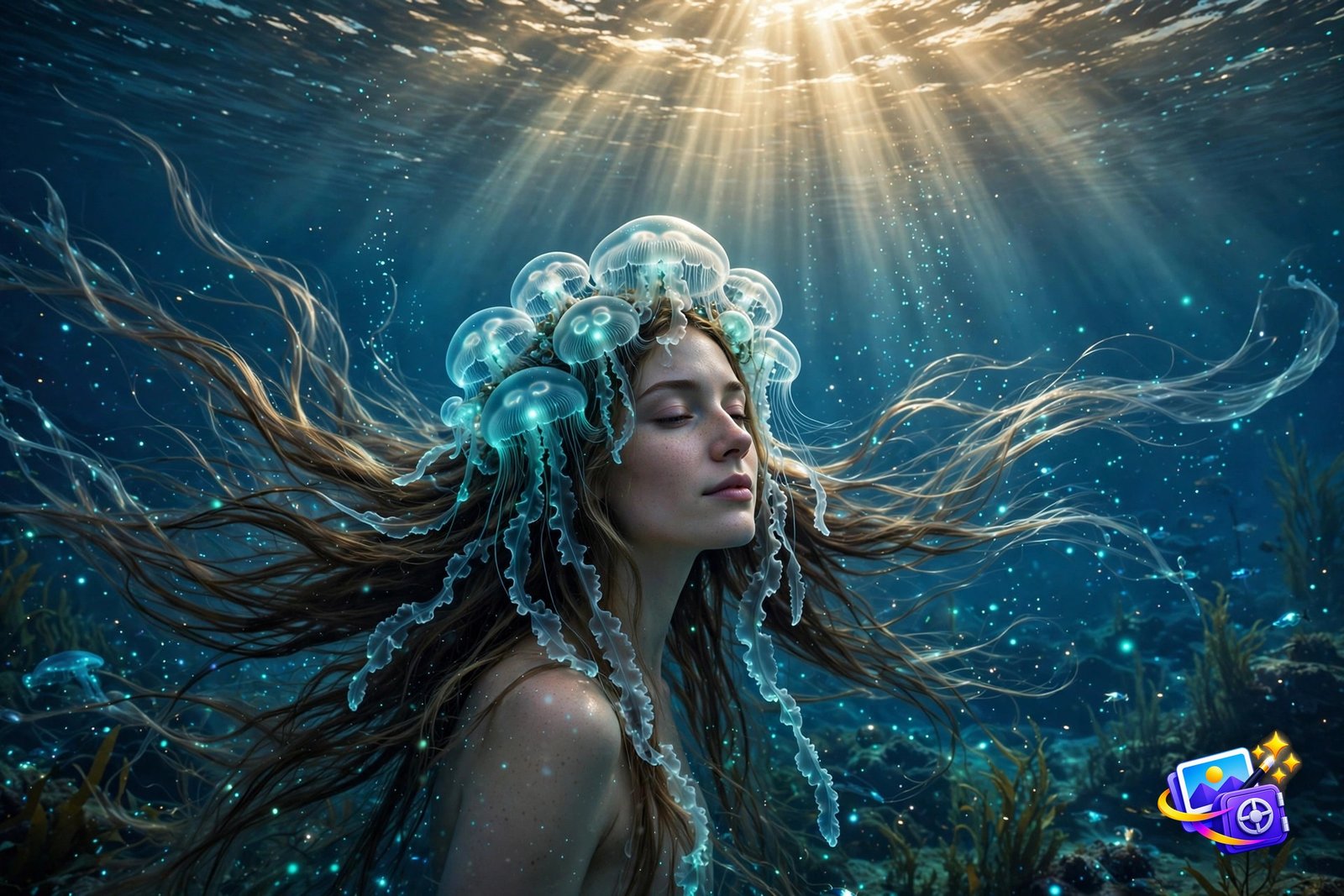
Why it works: The standout detail here is the “glowing jellyfish crown”: one unexpected, specific accessory that makes the image memorable. Underwater prompts also benefit from light descriptions (“sun rays filtering through”), which add the depth and atmosphere that flat underwater renders lack.
Modify it: Change the crown to a “coral crown” or “seashell headdress,” or swap the subject for a mermaid or sea turtle.
8. Steampunk Inventor Portrait
The prompt:
steampunk inventor portrait, elderly man with brass goggles and a mechanical brass arm, workshop filled with gears and steam pipes, warm amber lamplight, intricate Victorian details, cinematic photorealism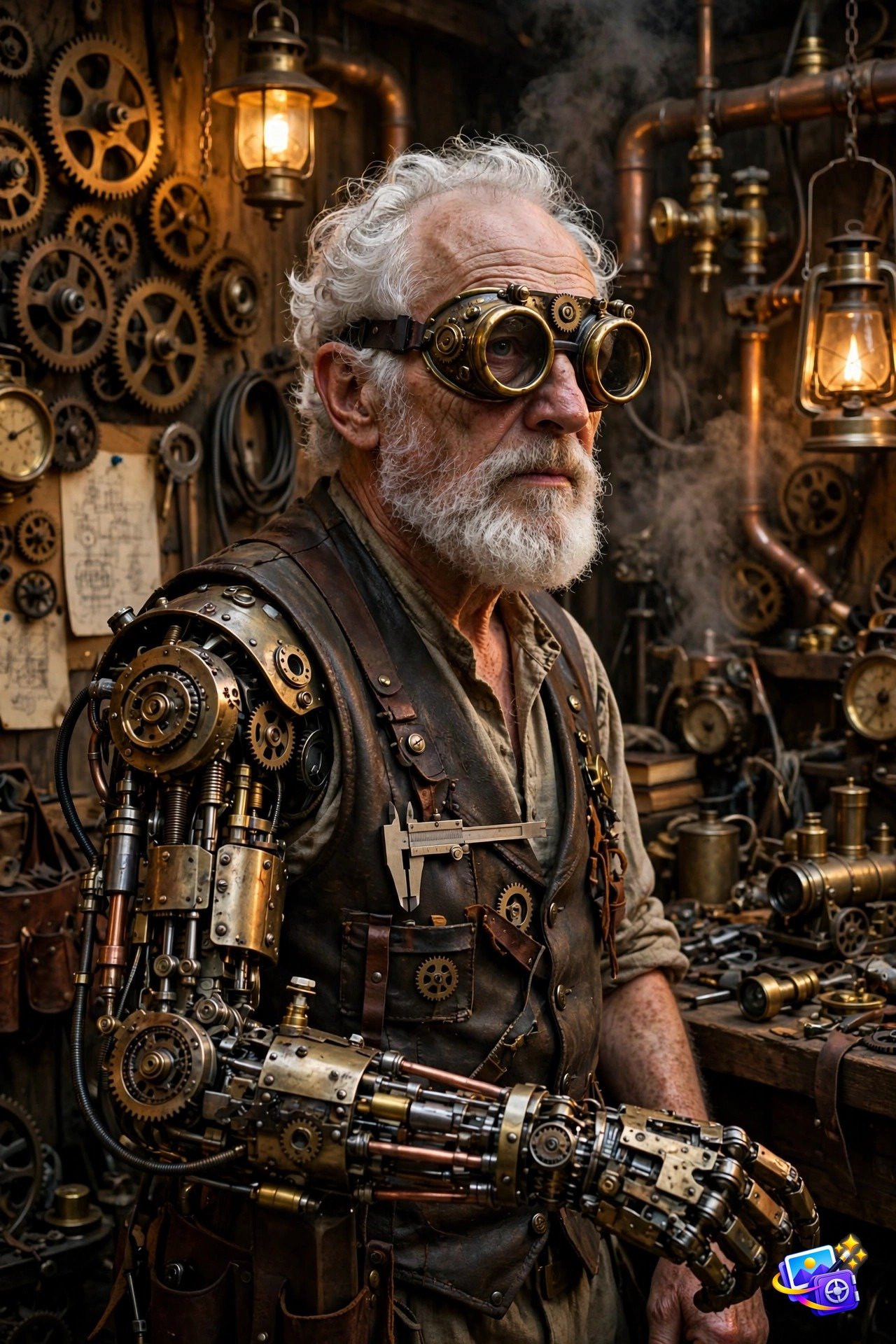
Why it works: Steampunk lives in the details, and this prompt is loaded with them: brass goggles, mechanical arm, gears, steam pipes, Victorian details. The material word “brass” appears twice, anchoring the signature steampunk metal. Warm amber light completes the vintage workshop mood.
Modify it: Try a “steampunk airship captain” on a ship deck, or a “steampunk explorer” in a jungle. The brass-and-gears formula adapts anywhere.
9. Pixel Art Cyber-Ninja Avatar
The prompt:
pixel art gaming avatar of a cyber-ninja character in a dramatic crouching pose, 16-bit retro style, neon city rooftop at night, crisp clean pixels, limited vibrant palette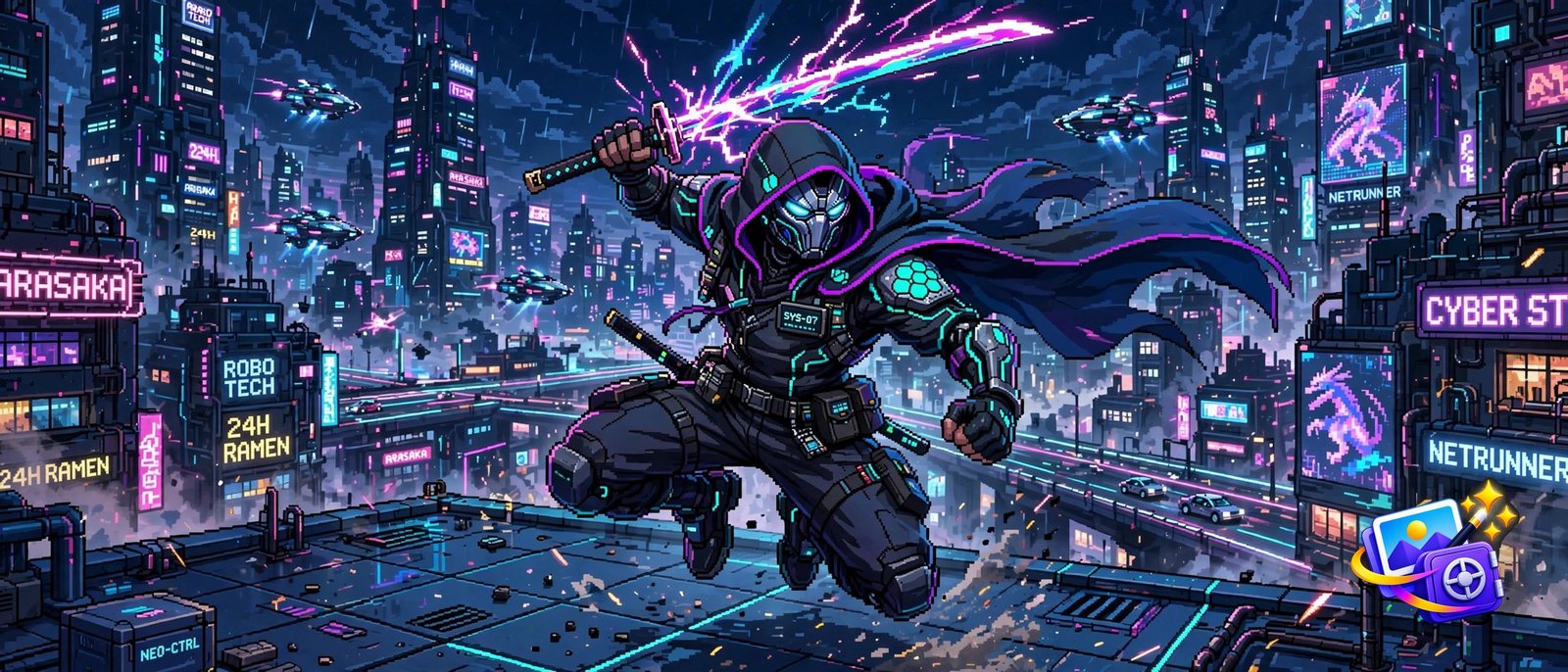
Why it works: In cool AI image prompts for pixel art, “16-bit” and “crisp clean pixels” are essential. Without them, AI generators often produce blurry pseudo-pixel art. “Limited vibrant palette” mimics how real retro games worked with restricted colors, giving an authentic arcade feel. Perfect for gaming profile pictures.
Modify it: Create a matching avatar set (“pixel art cyber-samurai,” “pixel art space pirate”) with the same style words for a consistent collection.
10. Futuristic Android Portrait
The prompt:
futuristic android portrait, half-human half-machine face with glowing circuit patterns across the skin, sleek chrome and glass surfaces, dramatic studio lighting, hyperrealistic sci-fi concept art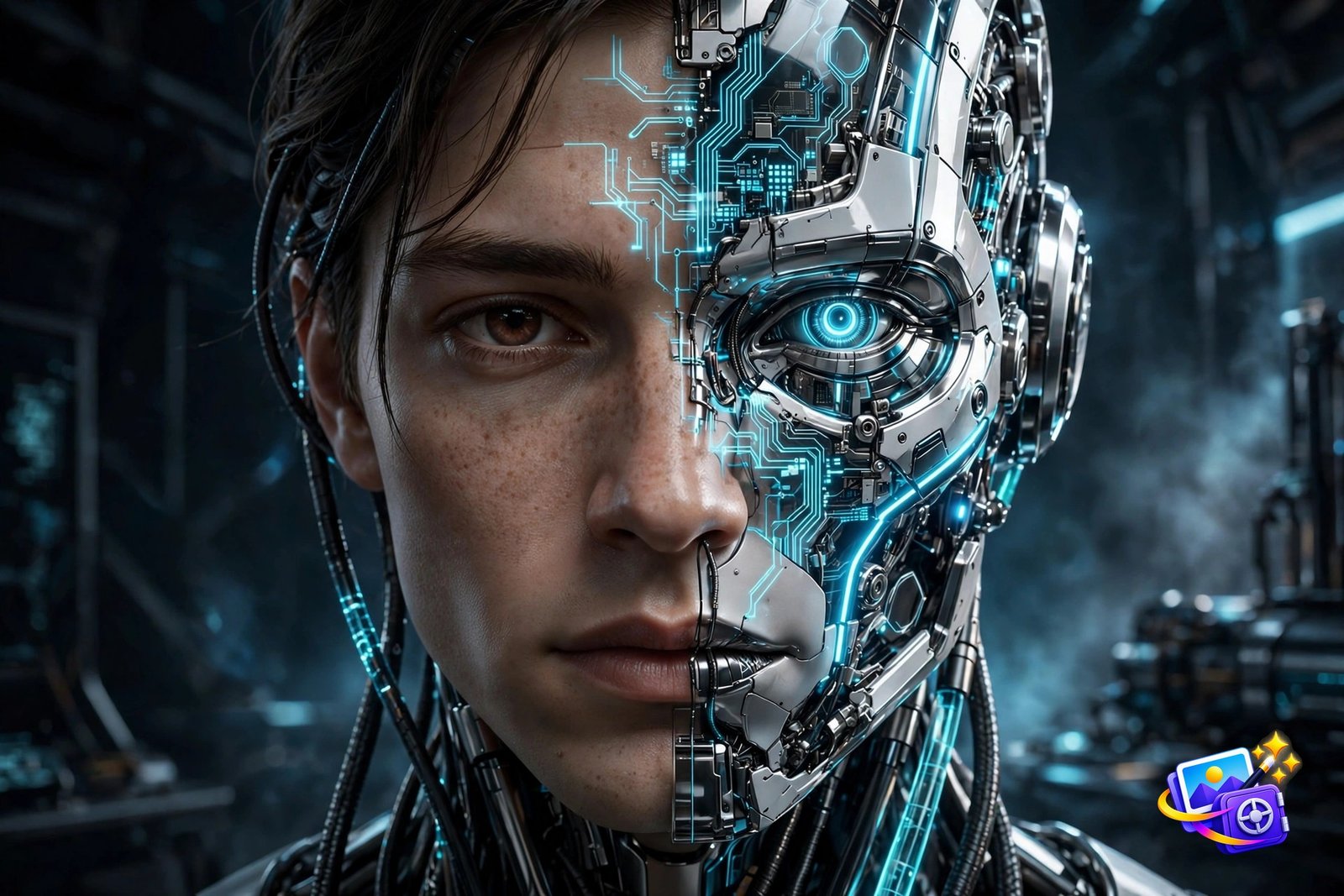
Why it works: The “half-human half-machine” concept gives the AI a striking visual tension to resolve, and “glowing circuit patterns across the skin” tells it exactly where the machine elements live. Studio lighting keeps it polished like a movie poster rather than a rough sketch.
Modify it: Try “half-human half-plant” (biopunk) or “half-human half-crystal” for fresh twists on the split-face concept.
Pro Tips for Cooler AI Images
- Stack 2–3 style words, not 10. “Cyberpunk, cinematic, photorealistic” beats a paragraph of adjectives. Too many styles confuse the generator.
- Name the lighting. “Golden hour,” “neon glow,” “dramatic rim lighting”: lighting words transform flat renders into cinematic images.
- Add one unexpected detail. The jellyfish crown, the dripping paint, the mechanical arm: a single surprising element is what makes people stop scrolling.
- Specify the medium. “Photograph,” “digital painting,” “watercolor,” “3D render”: this one word changes everything about the output.
- Keep a prompt journal. Save cool AI image prompts that produce great results (and the generator you used). Your personal prompt library becomes more valuable over time.
If you love portrait-style prompts, also check out our 10 Best Midjourney Prompts for Girls for stunning female portraits in 10 different styles, and our Midjourney graphic design prompts for logos, posters, and branding assets.
For official guidance on how prompting works under the hood, see the Midjourney prompt documentation and OpenAI’s guide to DALL-E.
Frequently Asked Questions
What is the coolest AI image generator in 2026?
Midjourney still leads for artistic, stylized images, while ChatGPT (with DALL-E) and Gemini are best for quick, free generations. All of these cool AI image prompts work across every major generator.
Can I use these AI images commercially?
It depends on the generator’s terms. Midjourney’s paid plans include commercial rights, while free tiers are usually for personal use only.
Why do my AI images look generic?
Generic output usually means a generic prompt. Add specific style words, name the lighting, and include one unexpected detail to level up your cool AI image prompts.
Do I need to pay to use these prompts?
No. These cool AI image prompts are free to copy and use, and many generators offer free image generation tiers.
How do I get the same style with a different subject?
Keep the style keywords and lighting words identical, and swap only the subject. This trick works with all of these cool AI image prompts.
Can I use these prompts for profile pictures?
Absolutely. Cool AI image prompts #1, #9, and #10 make especially striking profile pictures. Generate at square format (1:1) for the best fit.
SEO Expert & Contant Writer

2 thoughts on “10 Cool AI Image Prompts to Try in 2026 (With Example Images)”